Open .gcode files on your Mac.
.gcode .gco .ngc
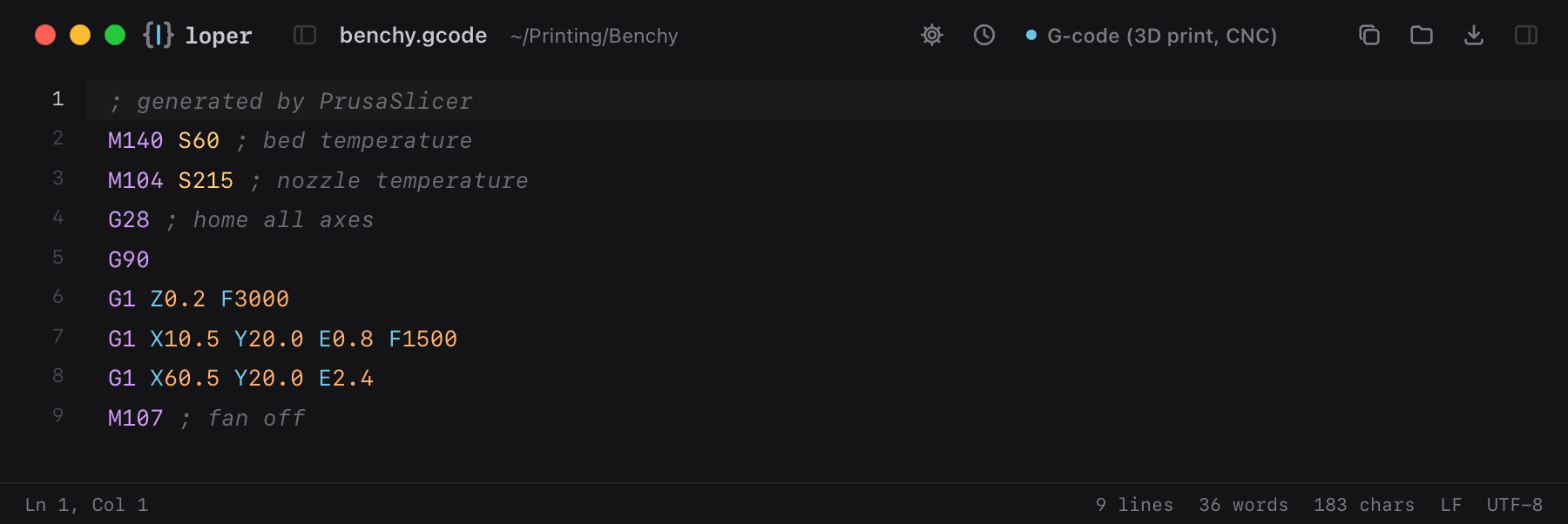
Slicer and CNC toolpaths: G and M commands, axis words, values and comments, each in their own color.
Loper is a free, minimal editor for macOS that opens G-code instantly and colors every part of the file, so you find the value you need at a glance and can fix it right there. No IDE, no project to load, no gray wall of text.
Show the file as text
; generated by PrusaSlicerM140 S60 ; bed temperatureM104 S215 ; nozzle temperatureG28 ; home all axesG90G1 Z0.2 F3000G1 X10.5 Y20.0 E0.8 F1500G1 X60.5 Y20.0 E2.4M107 ; fan offHow to open .gcode files
- Download Loper (free, Apple silicon, signed and notarized) and move it to Applications.
- Double-click your .gcode file, drag it onto the Loper window, or right-click it and choose Open With › Loper.
- Want every .gcode file to open in Loper? Choose Loper › Make Loper the Default Editor….