Loper · File formats

Every file, beautifully readable.

Here is what your files look like in Loper, rendered with the same colors the app uses. From .env and Markdown to EDLs, LUTs, checksum lists, subtitles, EPG guides and G-code: keys, values, timecodes and parameters each get their own color, so you find what you are looking for at a glance.

Developers

Config, docs and source files you want to check in a second without starting an IDE.

Environment files

.env .env.local .env.example .env.production

Environment variables for apps and frameworks. Loper colors keys and values, highlights secrets like API keys and lists every key in the outline.

.env.local opened in Loper: Environment files with color-coded Environment File
Show the file as text
# DatabaseDATABASE_URL=postgres://app@localhost:5432/appDB_POOL_SIZE=10DB_SSL=true # APIexport API_KEY="sk-test-1234"   # rotate monthlySTRIPE_SECRET_KEY='sk_test_abc'CALLBACK_URL="${BASE_URL}/callback"DEBUG=false
Markdown

.md .markdown .mdx

READMEs, notes and docs. Colored headings, links and code in the editor, a live rendered preview next to it and a heading tree on the left.

README.md opened in Loper: Markdown with color-coded Markdown
Show the file as text
# Loper The easiest editor on the market. ## Install 1. Download from [nmdcd.com/loper](https://nmdcd.com/loper)2. Open any `.env` or `.md` file > Free, fast and quiet. ```bashopen -a Loper .env.local```

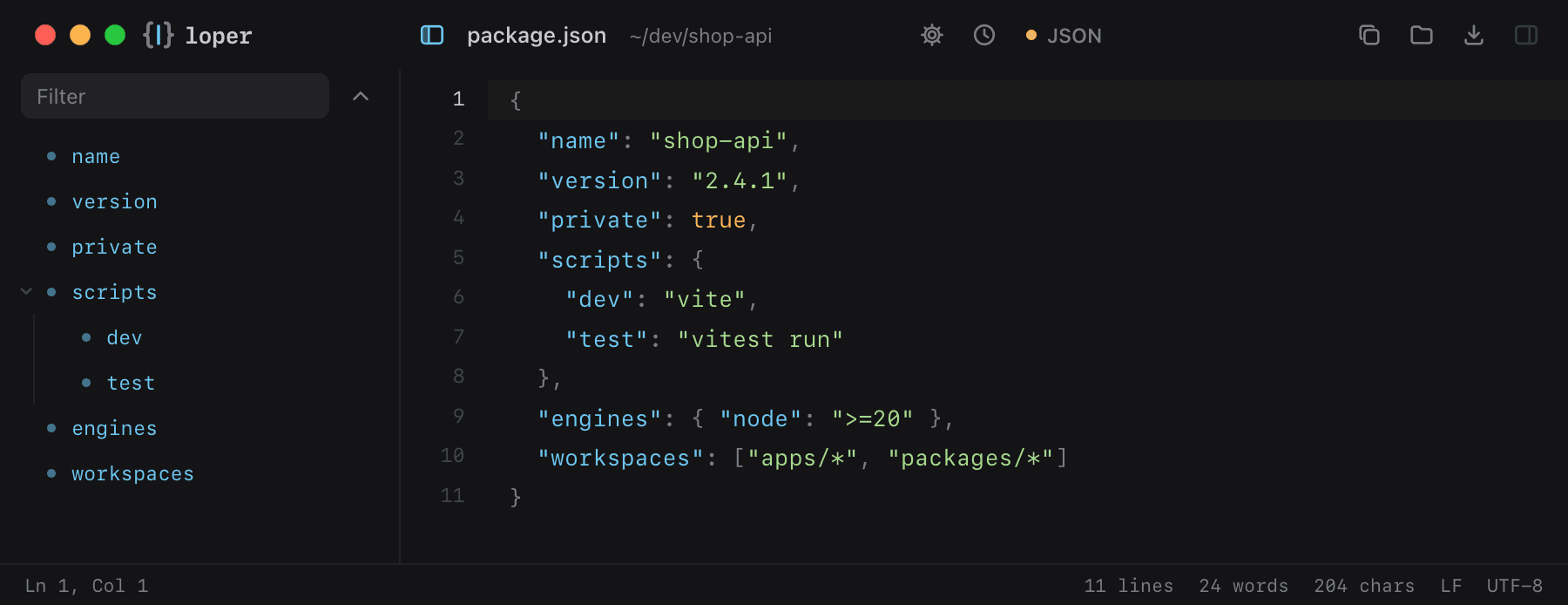
JSON

.json .jsonc .json5

Package manifests, API responses and settings. Keys, strings, numbers and booleans in color, with a nested key tree and folding.

package.json opened in Loper: JSON with color-coded JSON
Show the file as text
{  "name": "shop-api",  "version": "2.4.1",  "private": true,  "scripts": {    "dev": "vite",    "test": "vitest run"  },  "engines": { "node": ">=20" },  "workspaces": ["apps/*", "packages/*"]}

YAML

.yml .yaml

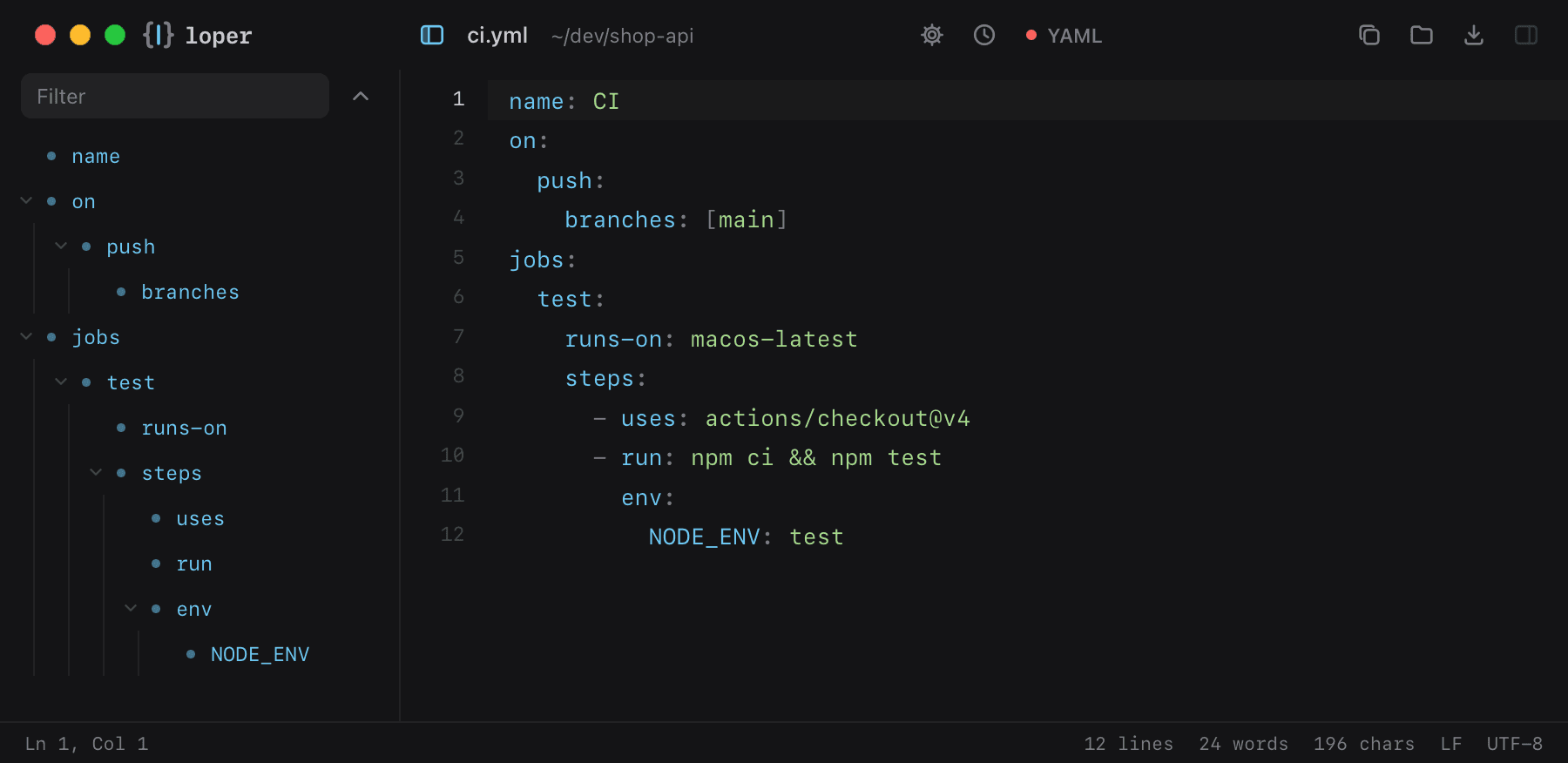
CI workflows, Docker Compose and Kubernetes manifests with colored keys and values and a nested outline.

ci.yml opened in Loper: YAML with color-coded YAML
Show the file as text
name: CIon:  push:    branches: [main]jobs:  test:    runs-on: macos-latest    steps:      - uses: actions/checkout@v4      - run: npm ci && npm test        env:          NODE_ENV: test

TOML

.toml

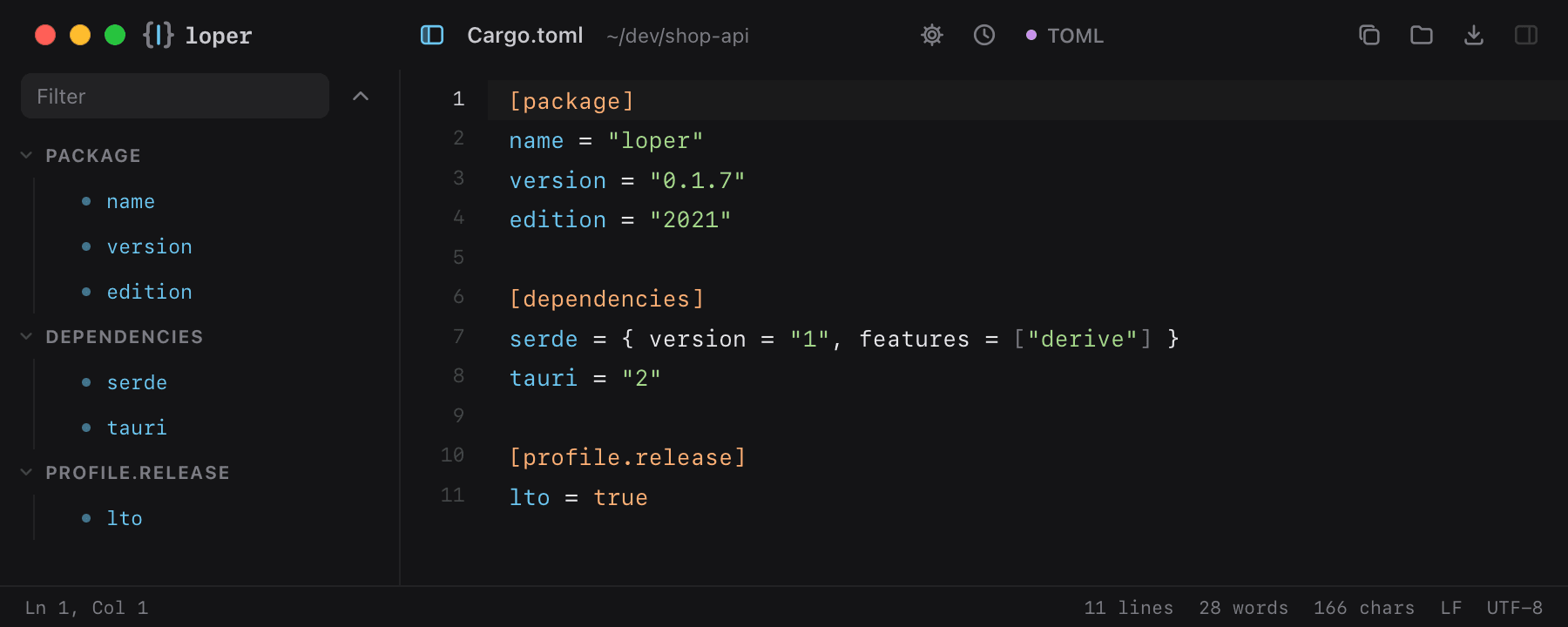
Rust, Python and Hugo configuration. Sections and keys in the outline, values in color.

Cargo.toml opened in Loper: TOML with color-coded TOML
Show the file as text
[package]name = "loper"version = "0.1.7"edition = "2021" [dependencies]serde = { version = "1", features = ["derive"] }tauri = "2" [profile.release]lto = true

TypeScript & JavaScript

.ts .tsx .js .jsx .mjs

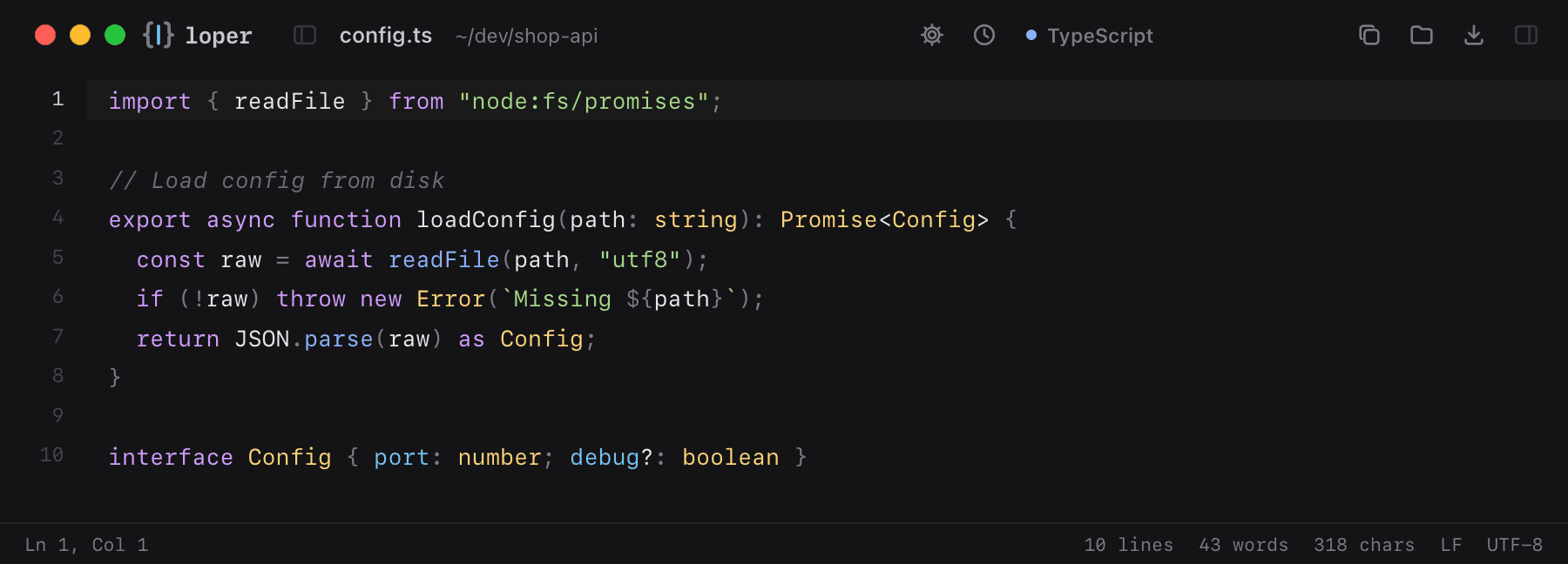
Quick fixes to scripts, configs and components with full syntax highlighting.

config.ts opened in Loper: TypeScript & JavaScript with color-coded TypeScript
Show the file as text
import { readFile } from "node:fs/promises"; // Load config from diskexport async function loadConfig(path: string): Promise<Config> {  const raw = await readFile(path, "utf8");  if (!raw) throw new Error(`Missing ${path}`);  return JSON.parse(raw) as Config;} interface Config { port: number; debug?: boolean }

Python

.py

Scripts and tools, readable at a glance without opening a project.

render.py opened in Loper: Python with color-coded Python
Show the file as text
import osfrom pathlib import Path ROOT = Path(os.environ.get("MEDIA_ROOT", "/Volumes/RAID"))  def clips(day: str) -> list[Path]:    """Every .mov shot on a given day."""    return sorted((ROOT / day).glob("*.mov"))  if __name__ == "__main__":    print(len(clips("2026-10-25")), "clips")

Shell scripts & dotfiles

.sh .bash .zsh .zshrc

Deploy scripts and dotfiles like .zshrc, clearly colored.

deploy.sh opened in Loper: Shell scripts & dotfiles with color-coded Shell
Show the file as text
#!/usr/bin/env bashset -euo pipefail TARGET="${1:-staging}"echo "Deploying to $TARGET" if [[ "$TARGET" == "production" ]]; then  npm run build -- --mode productionfirsync -az dist/ "deploy@$TARGET:/srv/app"

SQL

.sql

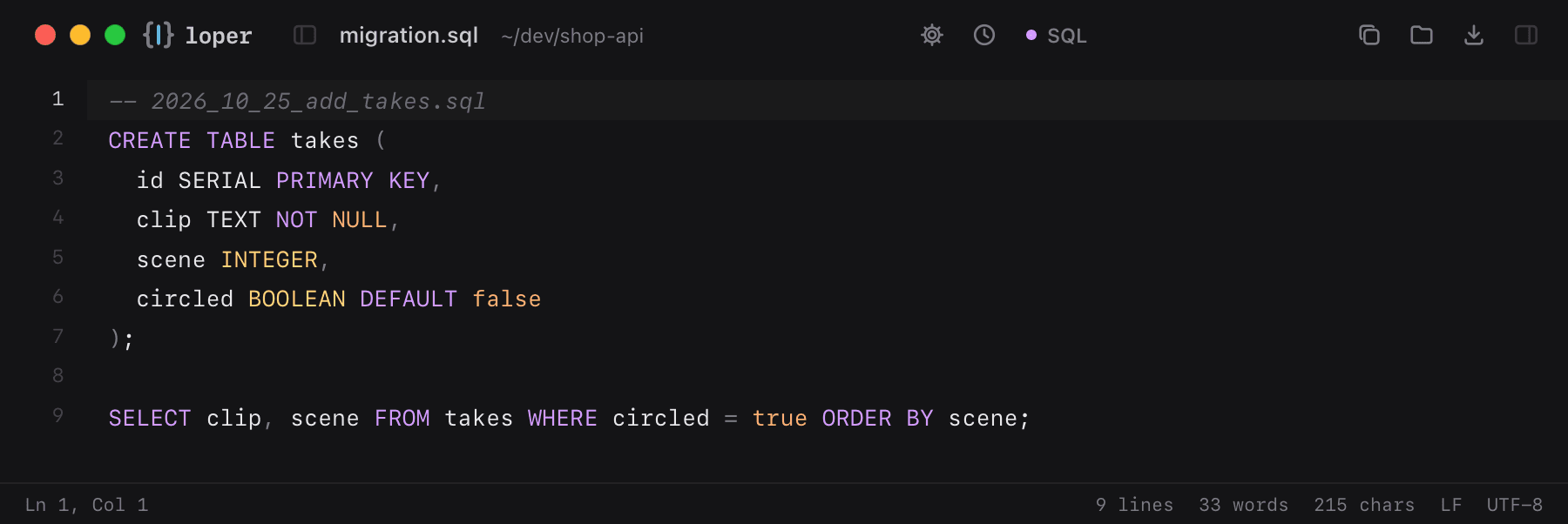
Migrations and queries with keywords, strings and numbers highlighted.

migration.sql opened in Loper: SQL with color-coded SQL
Show the file as text
-- 2026_10_25_add_takes.sqlCREATE TABLE takes (  id SERIAL PRIMARY KEY,  clip TEXT NOT NULL,  scene INTEGER,  circled BOOLEAN DEFAULT false); SELECT clip, scene FROM takes WHERE circled = true ORDER BY scene;

Plain text

.txt .text

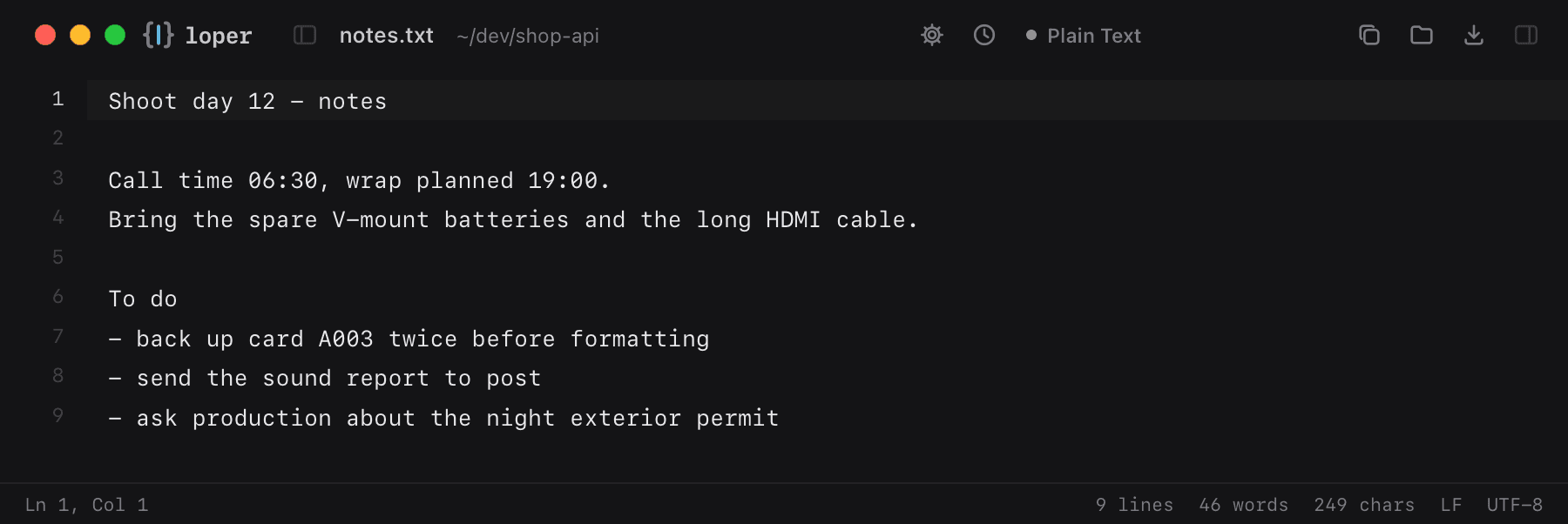
Notes, to-do lists and READMEs without markup. Loper opens them instantly, wraps long lines and counts words in the footer.

notes.txt opened in Loper: Plain text with color-coded Plain Text
Show the file as text
Shoot day 12 - notes Call time 06:30, wrap planned 19:00.Bring the spare V-mount batteries and the long HDMI cable. To do- back up card A003 twice before formatting- send the sound report to post- ask production about the night exterior permit

INI configuration

.ini .cfg

The classic settings file: [sections] in one color, keys and values in others, comments dimmed.

config.ini opened in Loper: INI configuration with color-coded INI / Properties
Show the file as text
; Render node settings[general]name = render-04threads = 32log_level = info [paths]cache = /mnt/fast/cacheoutput = /mnt/projects/renders [network]host = 10.0.20.14port = 8090timeout = 30

Python setup.cfg / tool config

.cfg

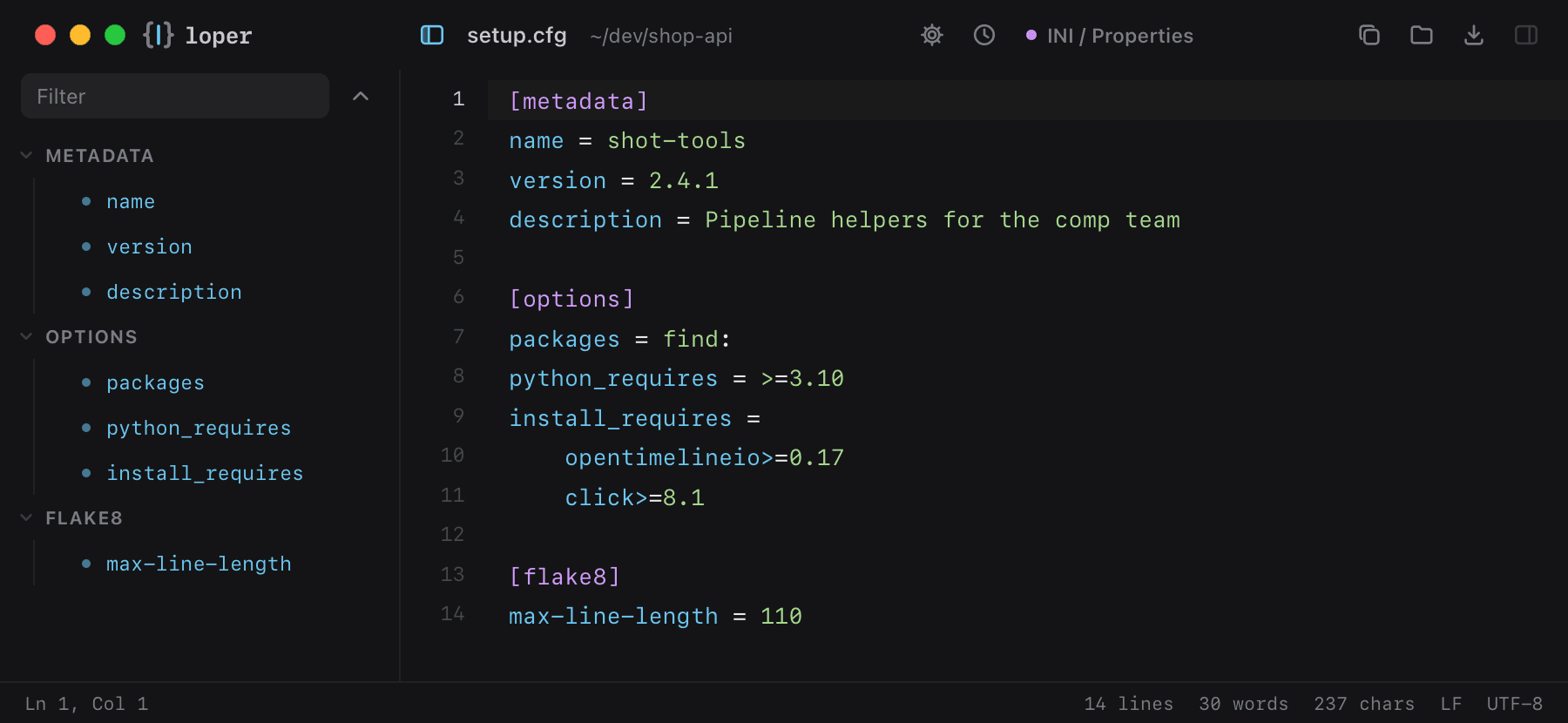
Python packaging and tool settings (flake8, pytest, mypy) in INI style, sections and options at a glance.

setup.cfg opened in Loper: Python setup.cfg / tool config with color-coded INI / Properties
Show the file as text
[metadata]name = shot-toolsversion = 2.4.1description = Pipeline helpers for the comp team [options]packages = find:python_requires = >=3.10install_requires =    opentimelineio>=0.17    click>=8.1 [flake8]max-line-length = 110

Java properties

.properties

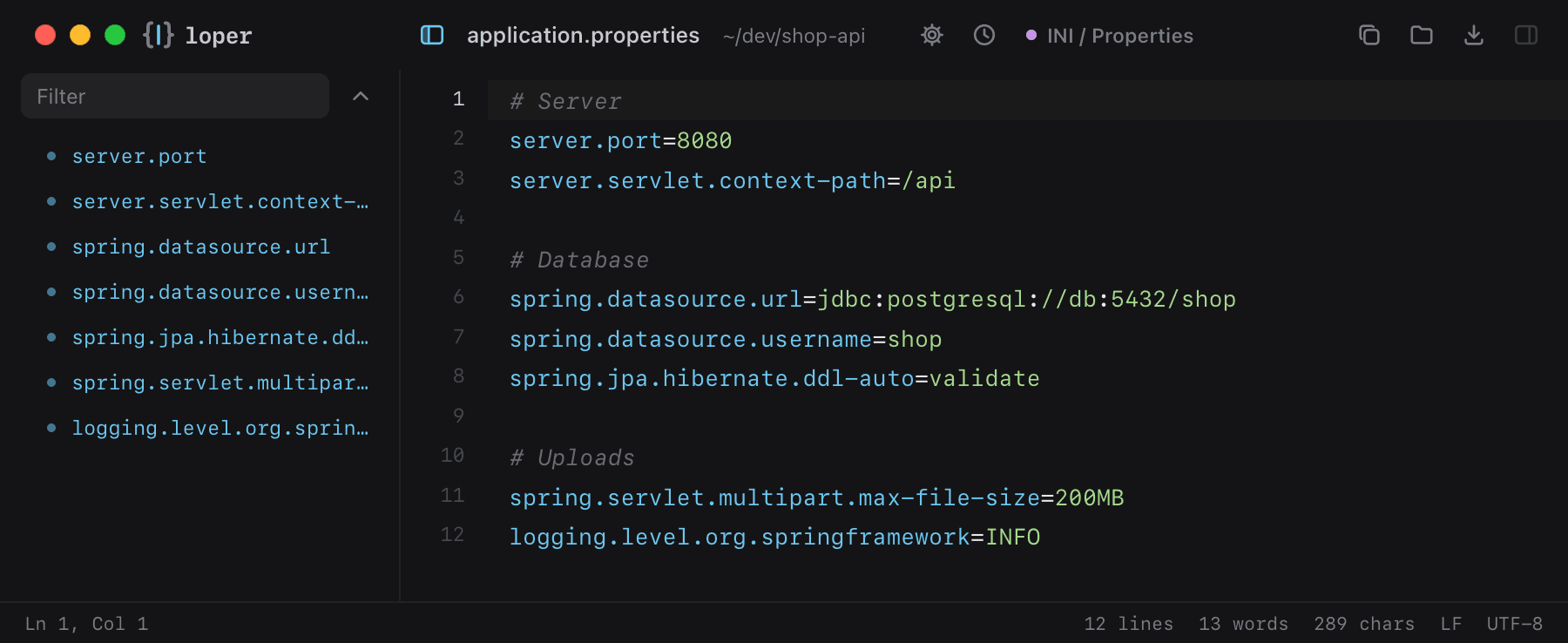
Spring Boot, Gradle and Java app settings: dotted keys and values, easy to scan and diff.

application.properties opened in Loper: Java properties with color-coded INI / Properties
Show the file as text
# Serverserver.port=8080server.servlet.context-path=/api # Databasespring.datasource.url=jdbc:postgresql://db:5432/shopspring.datasource.username=shopspring.jpa.hibernate.ddl-auto=validate # Uploadsspring.servlet.multipart.max-file-size=200MBlogging.level.org.springframework=INFO

HTML

.html .htm

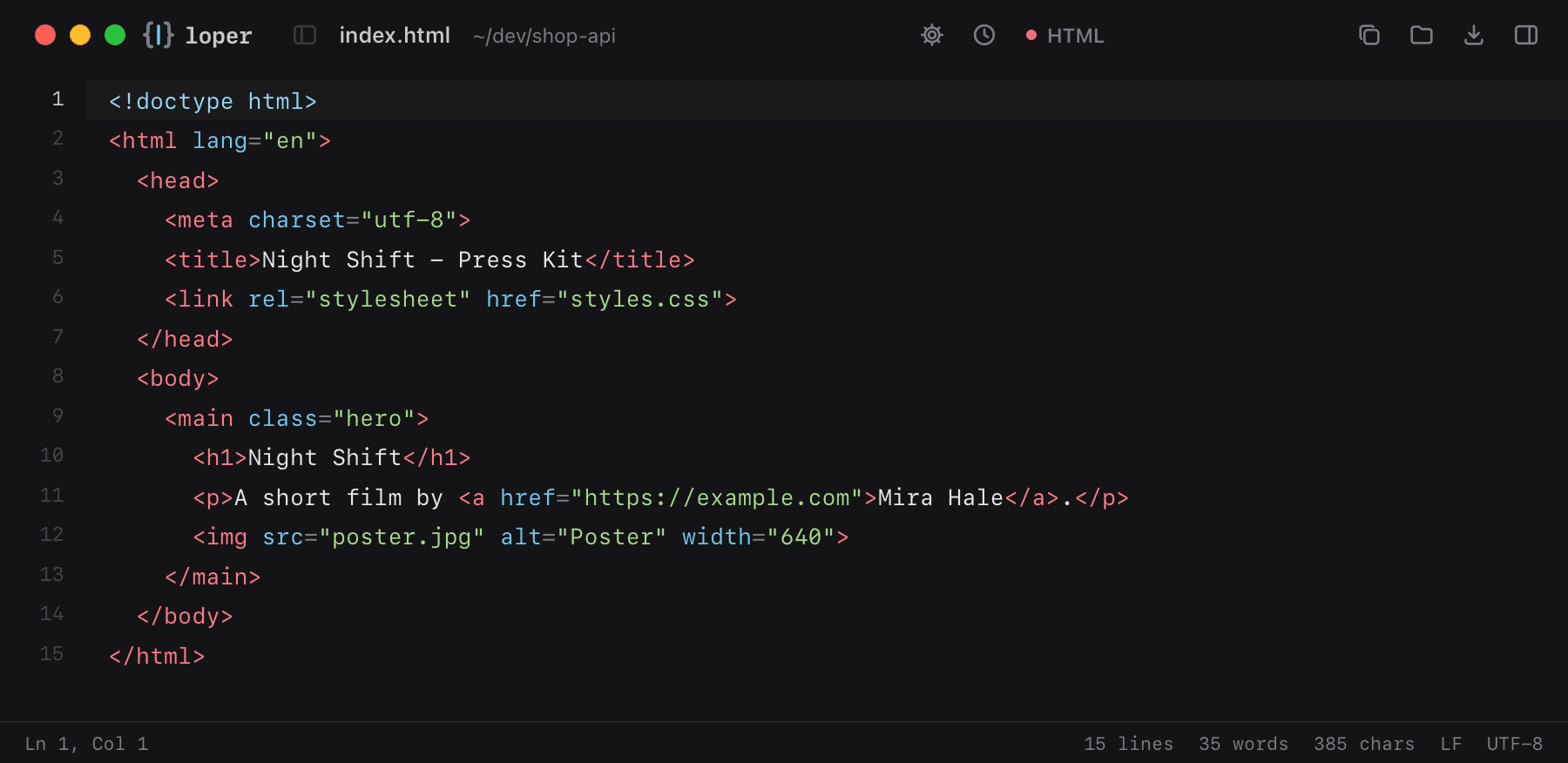
Web pages and email templates with tags, attributes and values in their own colors.

index.html opened in Loper: HTML with color-coded HTML
Show the file as text
<!doctype html><html lang="en">  <head>    <meta charset="utf-8">    <title>Night Shift - Press Kit</title>    <link rel="stylesheet" href="styles.css">  </head>  <body>    <main class="hero">      <h1>Night Shift</h1>      <p>A short film by <a href="https://example.com">Mira Hale</a>.</p>      <img src="poster.jpg" alt="Poster" width="640">    </main>  </body></html>

CSS and SCSS

.css .scss

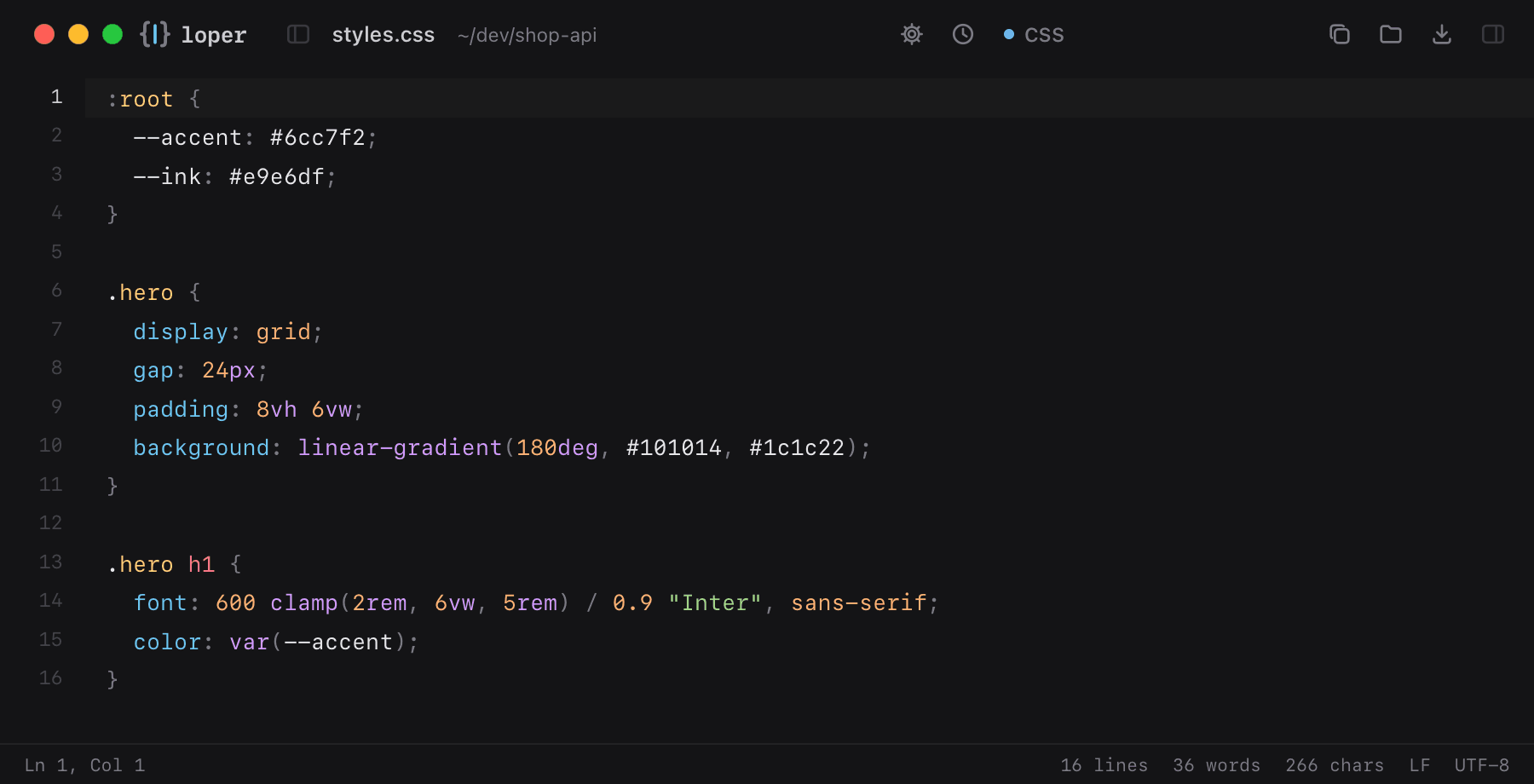
Stylesheets with selectors, properties, colors and units colored separately.

styles.css opened in Loper: CSS and SCSS with color-coded CSS
Show the file as text
:root {  --accent: #6cc7f2;  --ink: #e9e6df;} .hero {  display: grid;  gap: 24px;  padding: 8vh 6vw;  background: linear-gradient(180deg, #101014, #1c1c22);} .hero h1 {  font: 600 clamp(2rem, 6vw, 5rem) / 0.9 "Inter", sans-serif;  color: var(--accent);}

JavaScript

.js .cjs .mjs

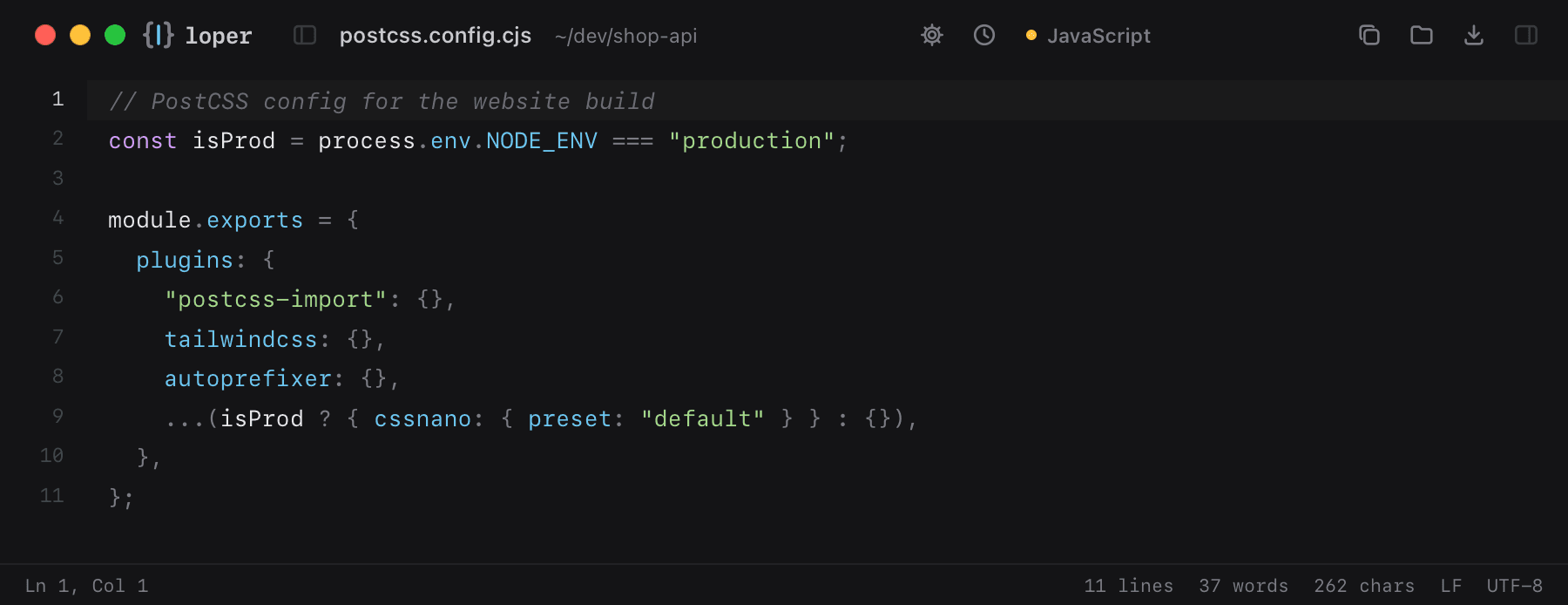
Config files and scripts in JavaScript, CommonJS or ES modules.

postcss.config.cjs opened in Loper: JavaScript with color-coded JavaScript
Show the file as text
// PostCSS config for the website buildconst isProd = process.env.NODE_ENV === "production"; module.exports = {  plugins: {    "postcss-import": {},    tailwindcss: {},    autoprefixer: {},    ...(isProd ? { cssnano: { preset: "default" } } : {}),  },};

Rust

.rs

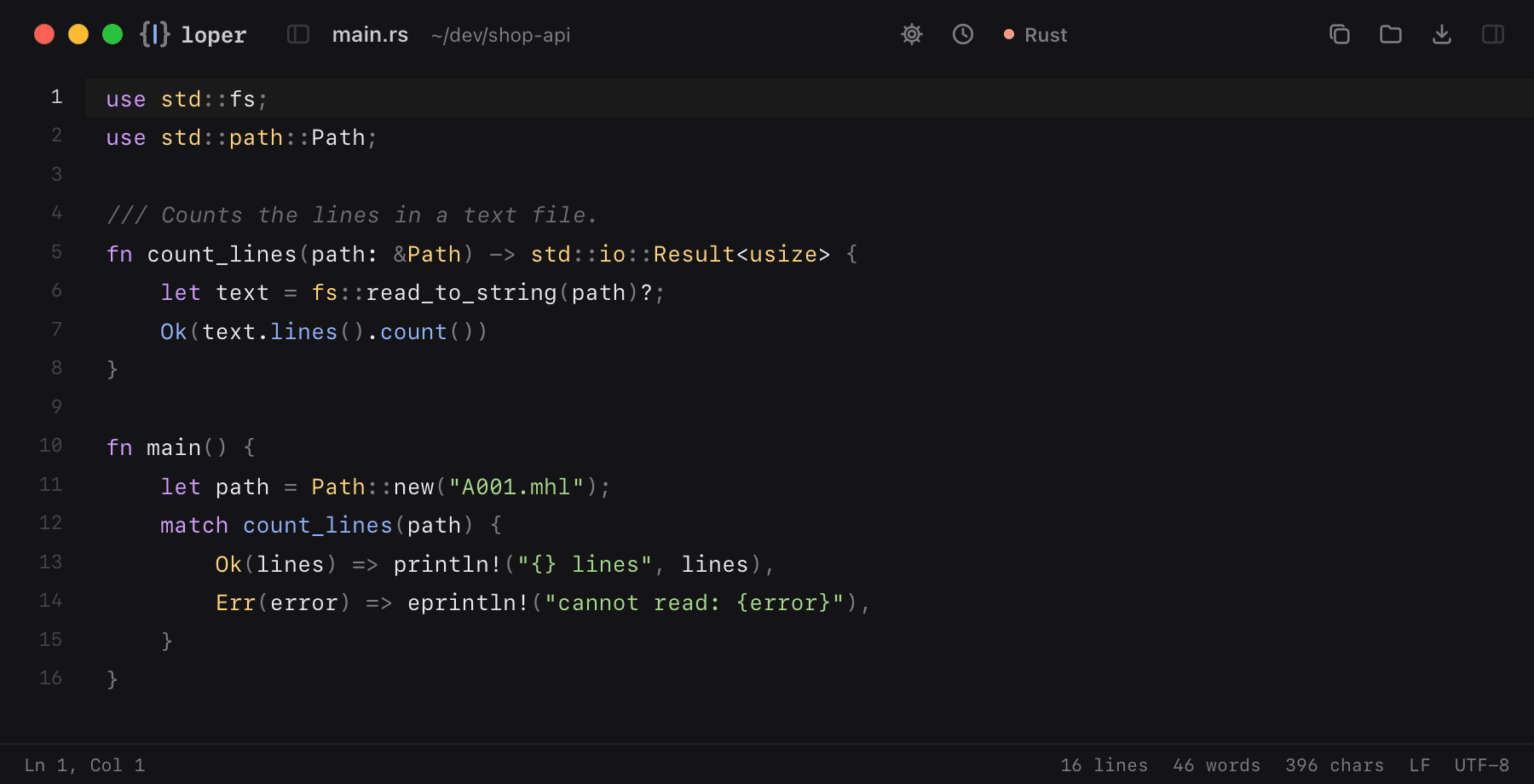
Rust source with keywords, types, macros, strings and lifetimes in color.

main.rs opened in Loper: Rust with color-coded Rust
Show the file as text
use std::fs;use std::path::Path; /// Counts the lines in a text file.fn count_lines(path: &Path) -> std::io::Result<usize> {    let text = fs::read_to_string(path)?;    Ok(text.lines().count())} fn main() {    let path = Path::new("A001.mhl");    match count_lines(path) {        Ok(lines) => println!("{} lines", lines),        Err(error) => eprintln!("cannot read: {error}"),    }}
Go

.go

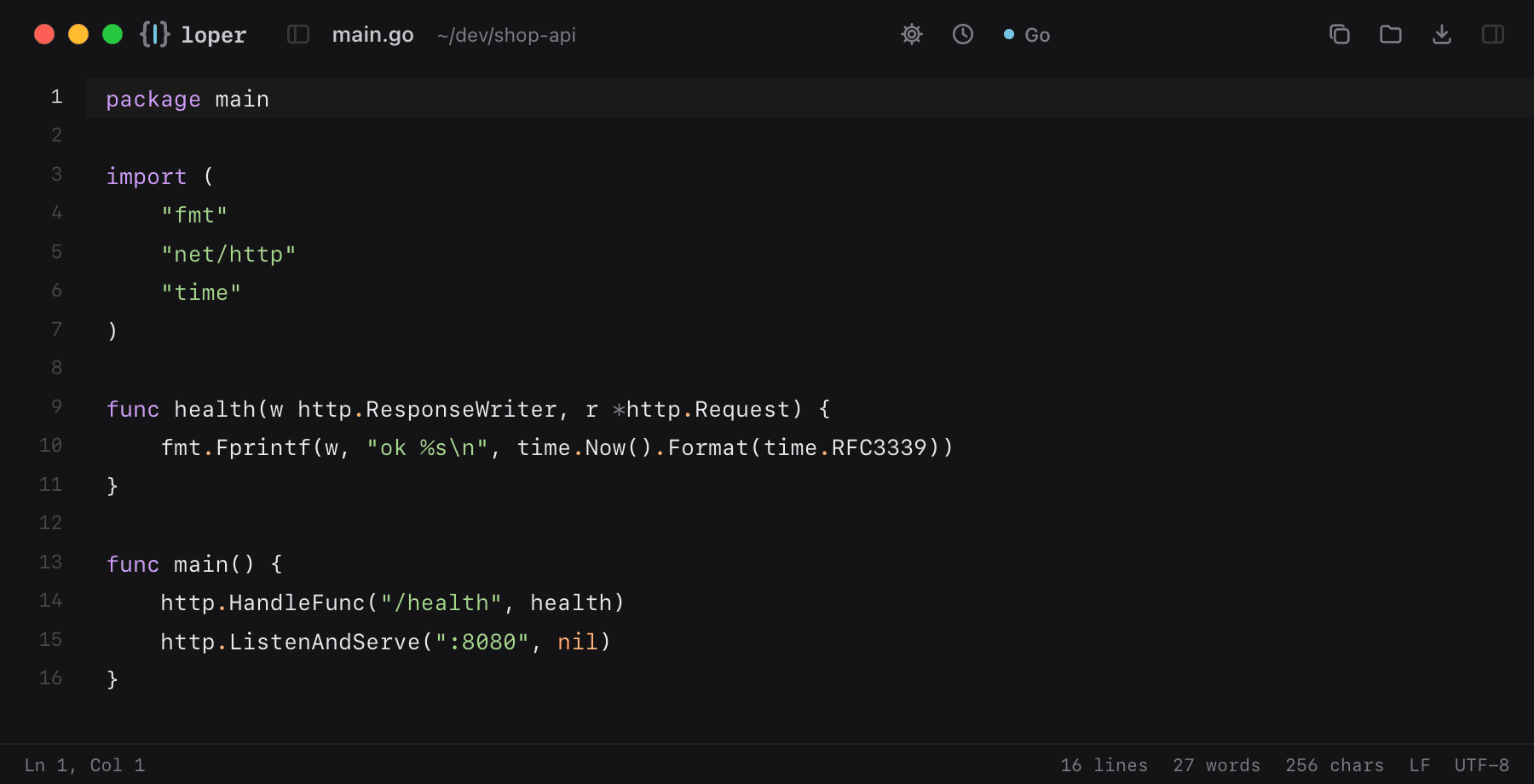
Go source and tools: packages, functions, types and strings at a glance.

main.go opened in Loper: Go with color-coded Go
Show the file as text
package main import (	"fmt"	"net/http"	"time") func health(w http.ResponseWriter, r *http.Request) {	fmt.Fprintf(w, "ok %s\n", time.Now().Format(time.RFC3339))} func main() {	http.HandleFunc("/health", health)	http.ListenAndServe(":8080", nil)}

Lua

.lua

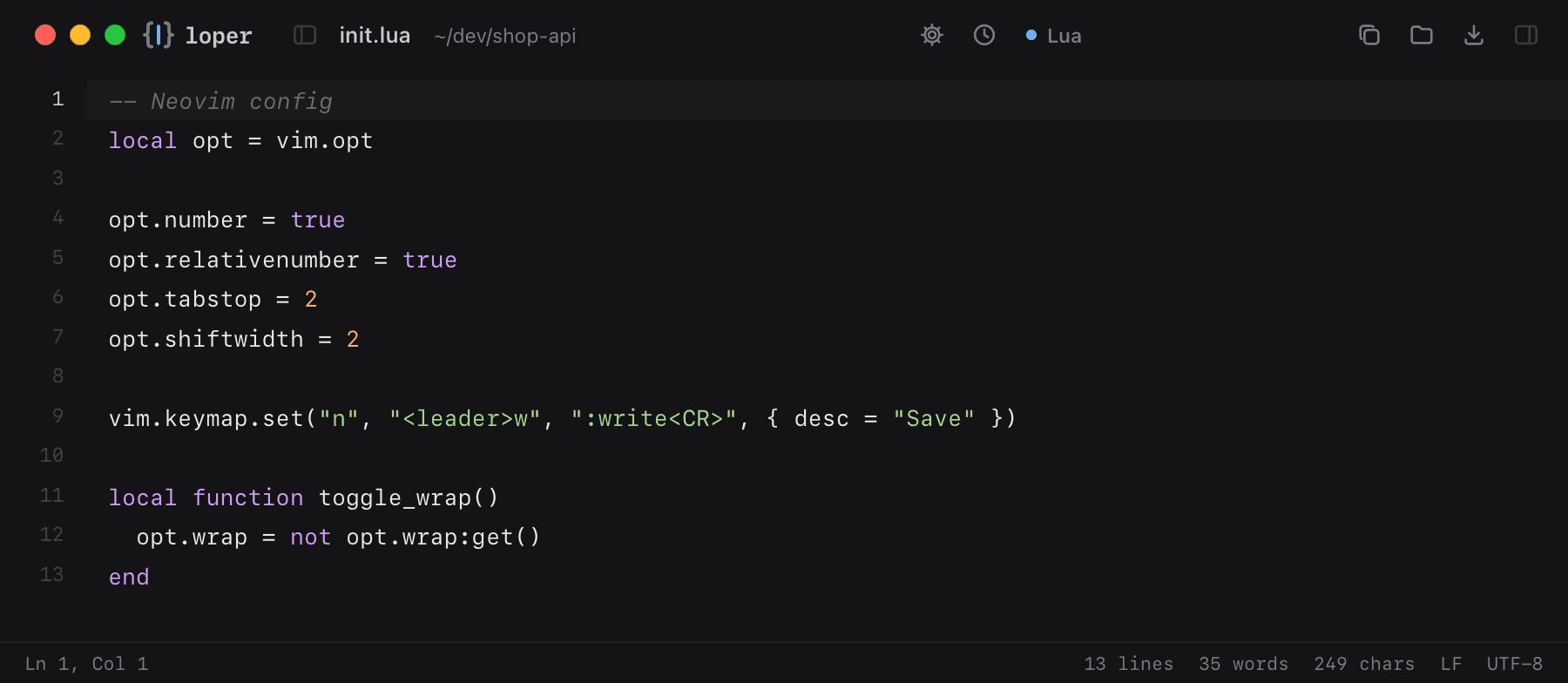
Lua scripts and configs for Neovim, games, OBS and lighting consoles.

init.lua opened in Loper: Lua with color-coded Lua
Show the file as text
-- Neovim configlocal opt = vim.opt opt.number = trueopt.relativenumber = trueopt.tabstop = 2opt.shiftwidth = 2 vim.keymap.set("n", "<leader>w", ":write<CR>", { desc = "Save" }) local function toggle_wrap()  opt.wrap = not opt.wrap:get()end

Diff and patch

.diff .patch

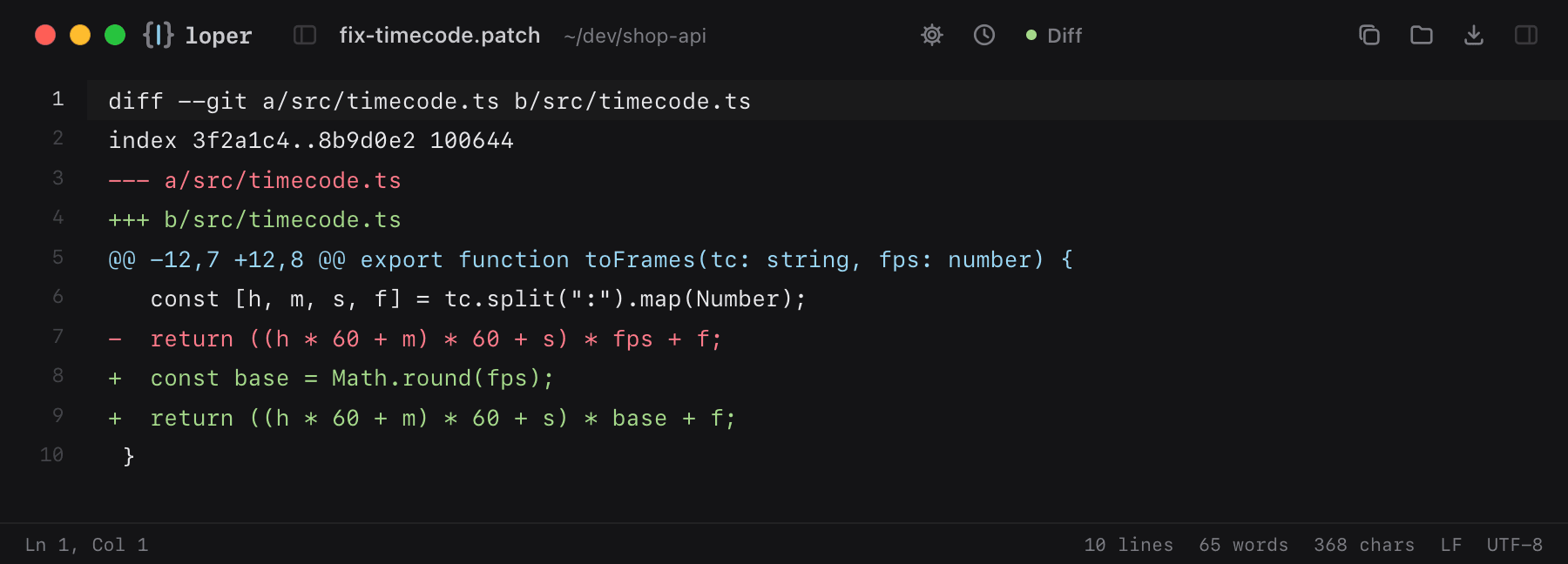
Patches and diffs with added lines, removed lines and hunk headers in their own colors.

fix-timecode.patch opened in Loper: Diff and patch with color-coded Diff
Show the file as text
diff --git a/src/timecode.ts b/src/timecode.tsindex 3f2a1c4..8b9d0e2 100644--- a/src/timecode.ts+++ b/src/timecode.ts@@ -12,7 +12,8 @@ export function toFrames(tc: string, fps: number) {   const [h, m, s, f] = tc.split(":").map(Number);-  return ((h * 60 + m) * 60 + s) * fps + f;+  const base = Math.round(fps);+  return ((h * 60 + m) * 60 + s) * base + f; }

DevOps & sysadmins

Server configs and logs, readable when it matters.

Log files

.log

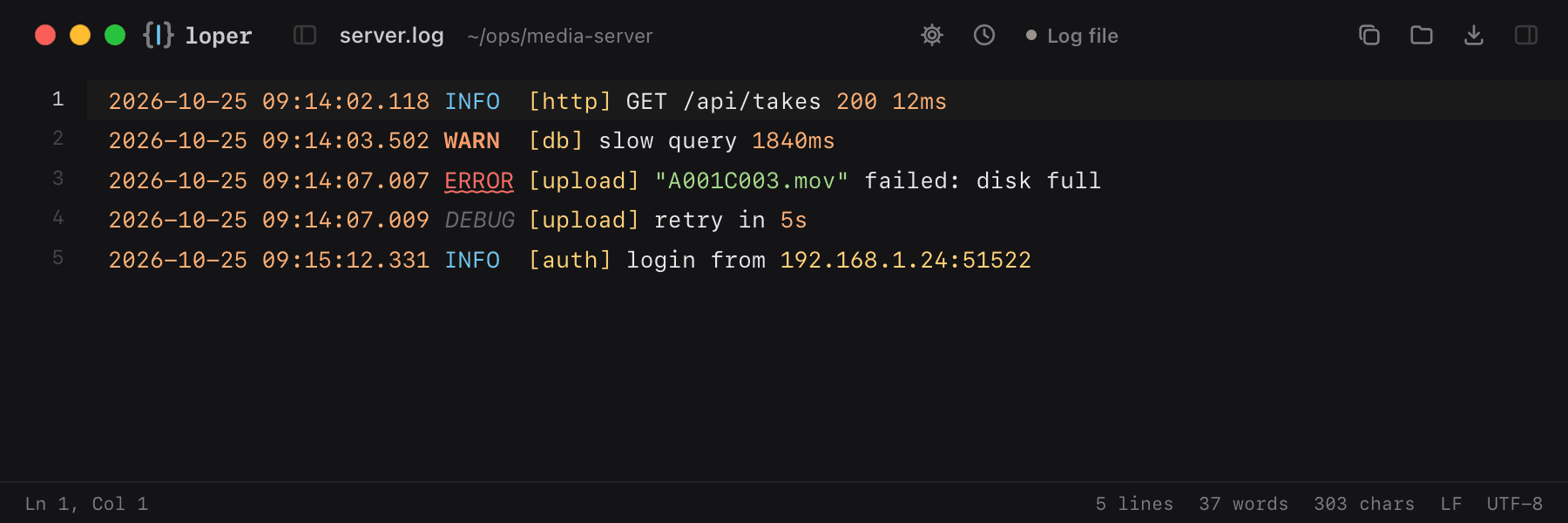
Timestamps, log levels, sources, URLs and IP addresses each in their own color, so errors jump out.

server.log opened in Loper: Log files with color-coded Log file
Show the file as text
2026-10-25 09:14:02.118 INFO  [http] GET /api/takes 200 12ms2026-10-25 09:14:03.502 WARN  [db] slow query 1840ms2026-10-25 09:14:07.007 ERROR [upload] "A001C003.mov" failed: disk full2026-10-25 09:14:07.009 DEBUG [upload] retry in 5s2026-10-25 09:15:12.331 INFO  [auth] login from 192.168.1.24:51522

Nginx config

nginx.conf .conf

Directives, values and blocks of Nginx configuration in color.

nginx.conf opened in Loper: Nginx config with color-coded Nginx
Show the file as text
server {    listen 443 ssl http2;    server_name media.example.com;     location /hls/ {        types { application/vnd.apple.mpegurl m3u8; }        add_header Cache-Control no-cache;        root /srv/stream;    }}

Dockerfile

Dockerfile

Build instructions and arguments, clearly separated.

Dockerfile opened in Loper: Dockerfile with color-coded Dockerfile
Show the file as text
FROM node:22-alpine AS buildWORKDIR /appCOPY package*.json ./RUN npm ciCOPY . .RUN npm run build FROM nginx:alpineCOPY --from=build /app/dist /usr/share/nginx/htmlEXPOSE 80

Linux desktop entry

.desktop

Linux app launchers: name, command, icon and MIME types in a small INI file.

resolve.desktop opened in Loper: Linux desktop entry with color-coded INI / Properties
Show the file as text
[Desktop Entry]Type=ApplicationName=DaVinci ResolveComment=Edit, grade and finishExec=/opt/resolve/bin/resolve %uIcon=/opt/resolve/graphics/DV_Resolve.pngTerminal=falseCategories=AudioVideo;Video;MimeType=application/x-resolveproj;

DITs & camera departments

Offload reports, checksums and camera sidecars from the cart, readable in a blink.

Media Hash List (MHL / ASC MHL)

.mhl ascmhl_chain.xml

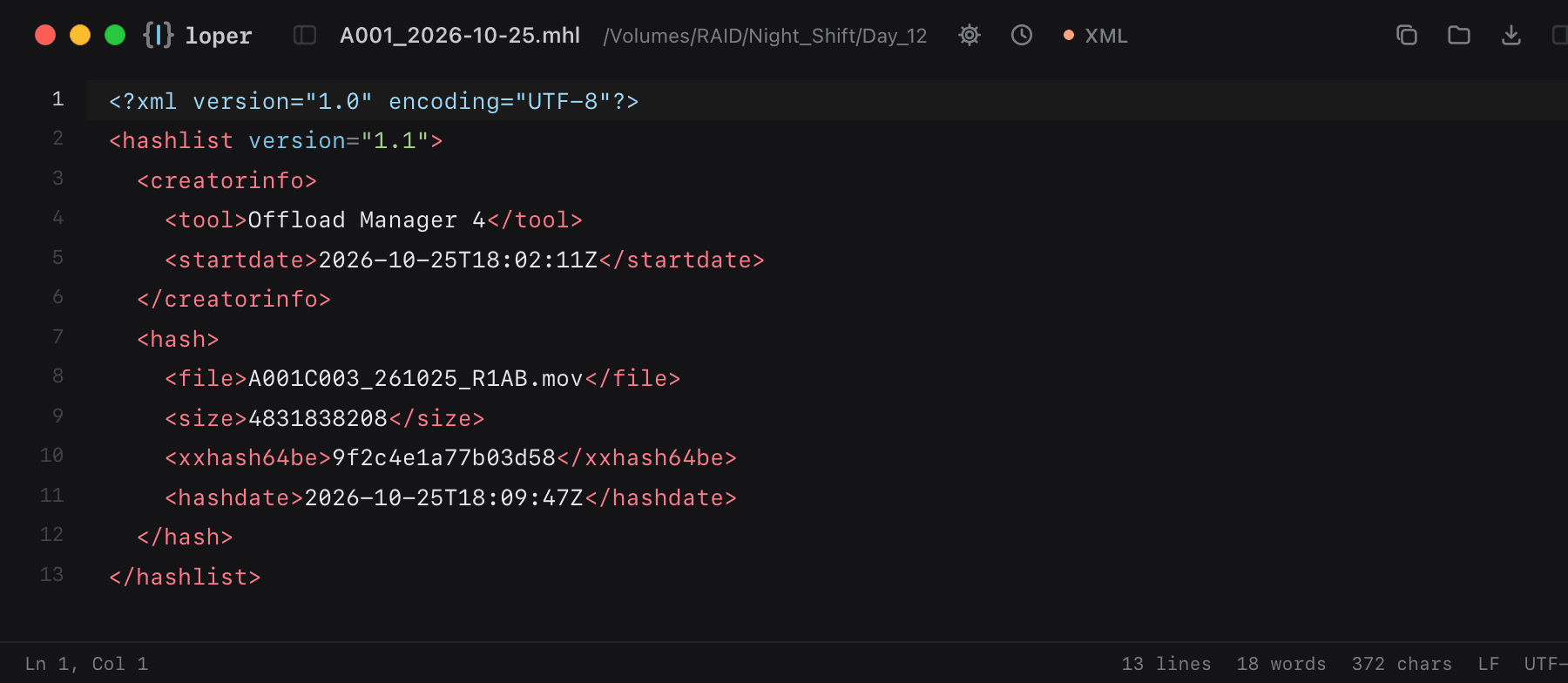
Offload verification lists with file paths, sizes and xxHash or MD5 hashes. Tags, attributes and values each in their own color.

A001_2026-10-25.mhl opened in Loper: Media Hash List (MHL / ASC MHL) with color-coded XML
Show the file as text
<?xml version="1.0" encoding="UTF-8"?><hashlist version="1.1">  <creatorinfo>    <tool>Offload Manager 4</tool>    <startdate>2026-10-25T18:02:11Z</startdate>  </creatorinfo>  <hash>    <file>A001C003_261025_R1AB.mov</file>    <size>4831838208</size>    <xxhash64be>9f2c4e1a77b03d58</xxhash64be>    <hashdate>2026-10-25T18:09:47Z</hashdate>  </hash></hashlist>

Checksum manifests

.md5 .sha1 .sha256 .xxh64 .xxh128 .sfv

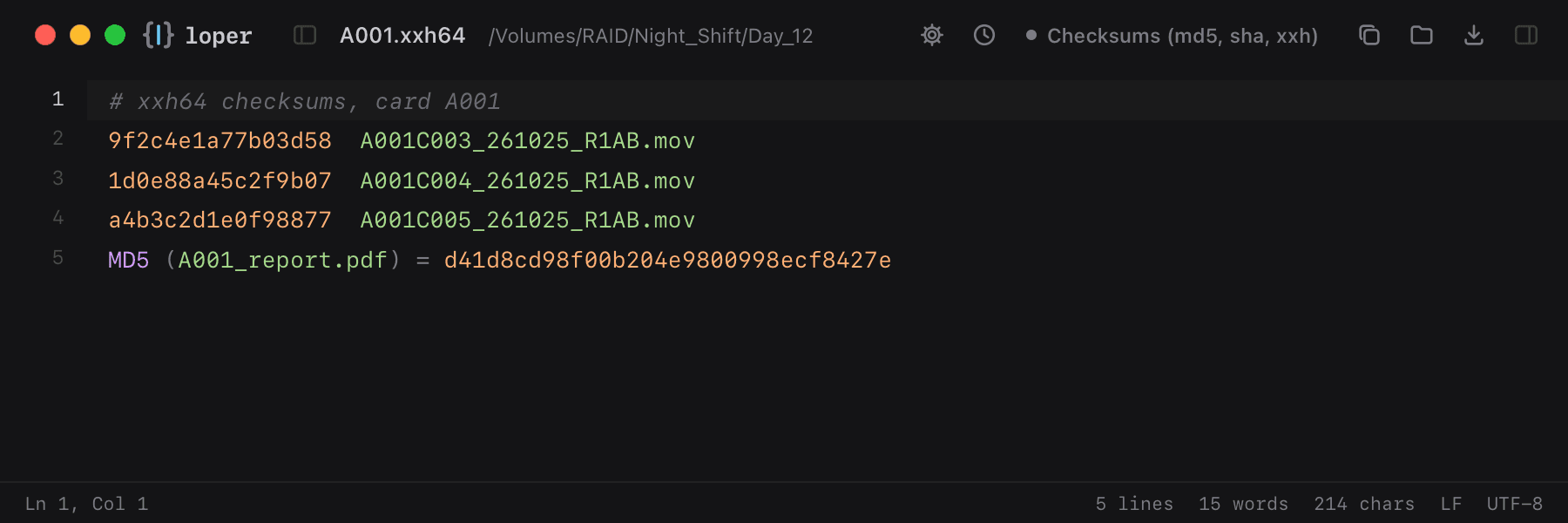
md5sum, xxHash, SHA and SFV lists. The hash and the file it belongs to are clearly separated.

A001.xxh64 opened in Loper: Checksum manifests with color-coded Checksums (md5, sha, xxh)
Show the file as text
# xxh64 checksums, card A0019f2c4e1a77b03d58  A001C003_261025_R1AB.mov1d0e88a45c2f9b07  A001C004_261025_R1AB.mova4b3c2d1e0f98877  A001C005_261025_R1AB.movMD5 (A001_report.pdf) = d41d8cd98f00b204e9800998ecf8427e

Camera & DIT reports (CSV)

.csv

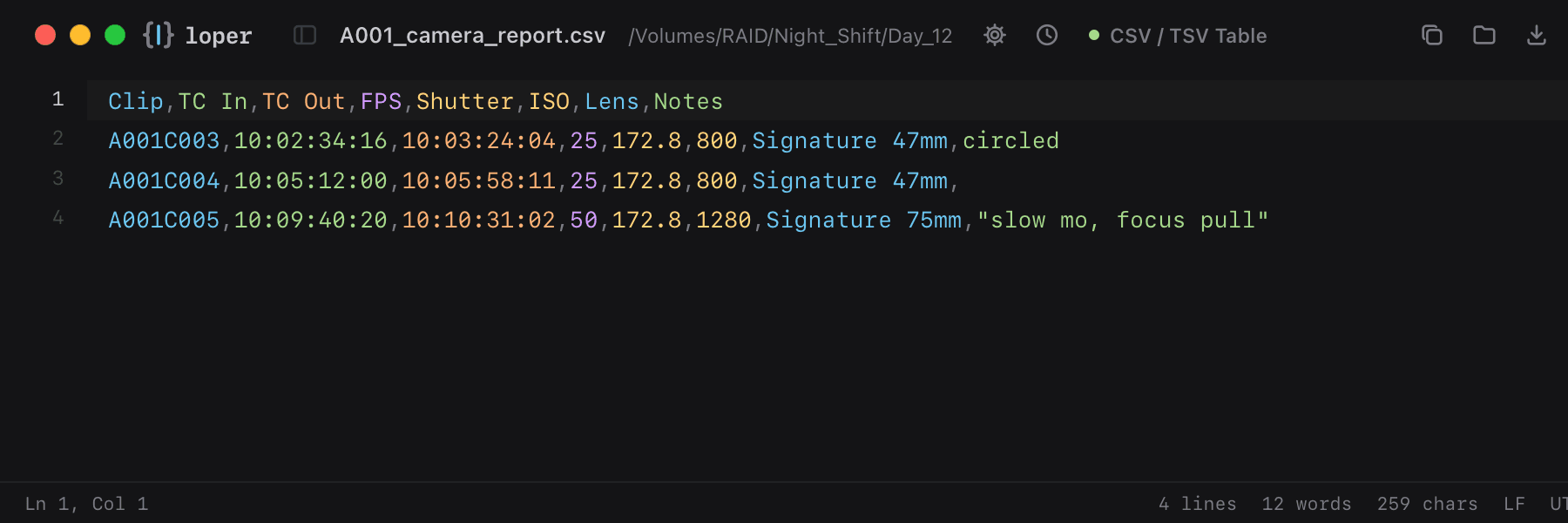
Clip lists from Silverstack, Codex or ARRI Reference Tool. Every column gets its own color, so you can follow a value down the table.

A001_camera_report.csv opened in Loper: Camera & DIT reports (CSV) with color-coded CSV / TSV Table
Show the file as text
Clip,TC In,TC Out,FPS,Shutter,ISO,Lens,NotesA001C003,10:02:34:16,10:03:24:04,25,172.8,800,Signature 47mm,circledA001C004,10:05:12:00,10:05:58:11,25,172.8,800,Signature 47mm,A001C005,10:09:40:20,10:10:31:02,50,172.8,1280,Signature 75mm,"slow mo, focus pull"

Camera files

Clip metadata, sidecars, looks and telemetry from ARRI, Sony, RED, Canon, Nikon, Fujifilm, Blackmagic, Panasonic and DJI: only the ones that are text.

Sony clip metadata (NonRealTimeMeta)

M01.XML MEDIAPRO.XML

Sony Venice, FX and XDCAM clip sidecars with timecode, frame rate, device and lens data.

A001C003M01.XML opened in Loper: Sony clip metadata (NonRealTimeMeta) with color-coded XML
Show the file as text
<?xml version="1.0" encoding="UTF-8"?><NonRealTimeMeta xmlns="urn:schemas-professionalDisc:nonRealTimeMeta:ver.2.20">  <Duration value="1248"/>  <LtcChangeTable tcFps="25" halfStep="false">    <LtcChange frameCount="0" value="10023416" status="increment"/>  </LtcChangeTable>  <VideoFormat>    <VideoFrame videoCodec="XAVC_I_HD" captureFps="25p" formatFps="25p"/>  </VideoFormat>  <Device manufacturer="Sony" modelName="ILME-FX6" serialNo="5012345"/></NonRealTimeMeta>

RED metadata sidecar (.RMD)

.RMD

The grade and camera settings RED stores next to an .R3D clip: ISO, white balance, gamma and color space at a glance.

A001_C003.RMD opened in Loper: RED metadata sidecar (.RMD) with color-coded XML
Show the file as text
<?xml version="1.0" encoding="UTF-8" standalone="yes"?><!DOCTYPE REDXIF><REDXIF>  <color_version>2</color_version>  <iso>800</iso>  <kelvin>5600</kelvin>  <tint>0.000000</tint>  <gamma_curve>REDlog3G10</gamma_curve>  <color_space>REDWideGamutRGB</color_space>  <exposure_adjust>0.300000</exposure_adjust></REDXIF>

Blackmagic RAW sidecar

.sidecar

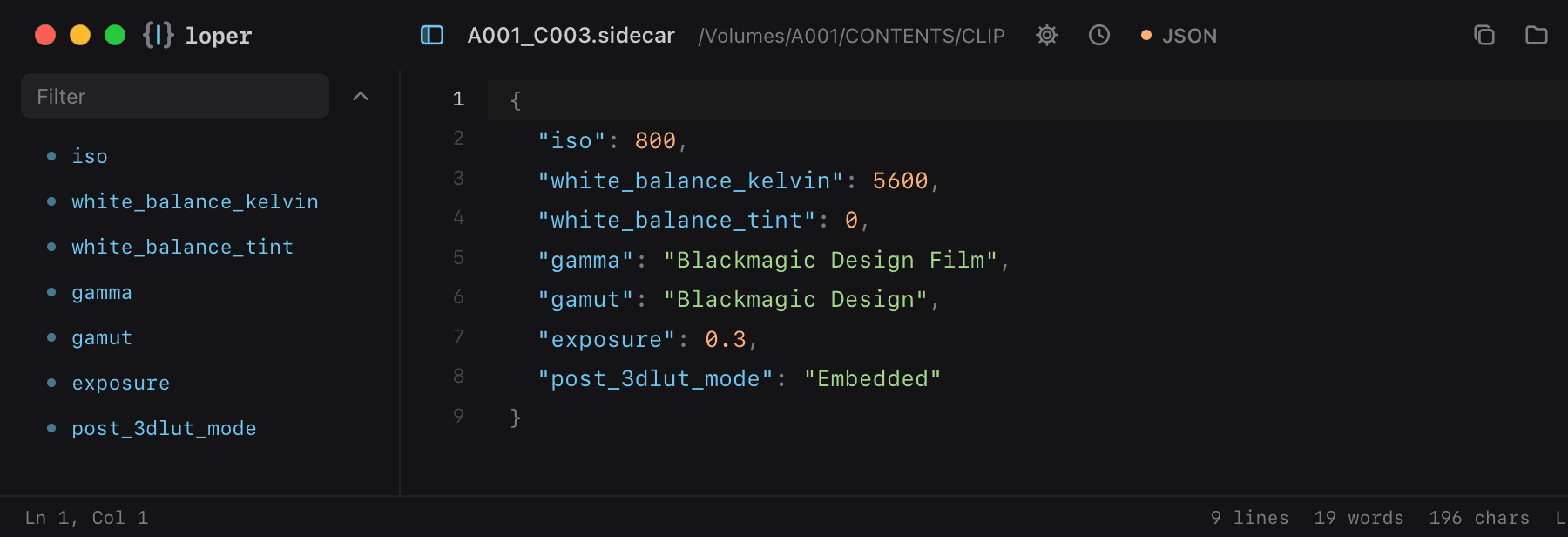
BRAW decode settings as JSON: ISO, white balance, gamma and LUT.

A001_C003.sidecar opened in Loper: Blackmagic RAW sidecar with color-coded JSON
Show the file as text
{  "iso": 800,  "white_balance_kelvin": 5600,  "white_balance_tint": 0,  "gamma": "Blackmagic Design Film",  "gamut": "Blackmagic Design",  "exposure": 0.3,  "post_3dlut_mode": "Embedded"}

Nikon NX Studio sidecar (.nksc)

.nksc

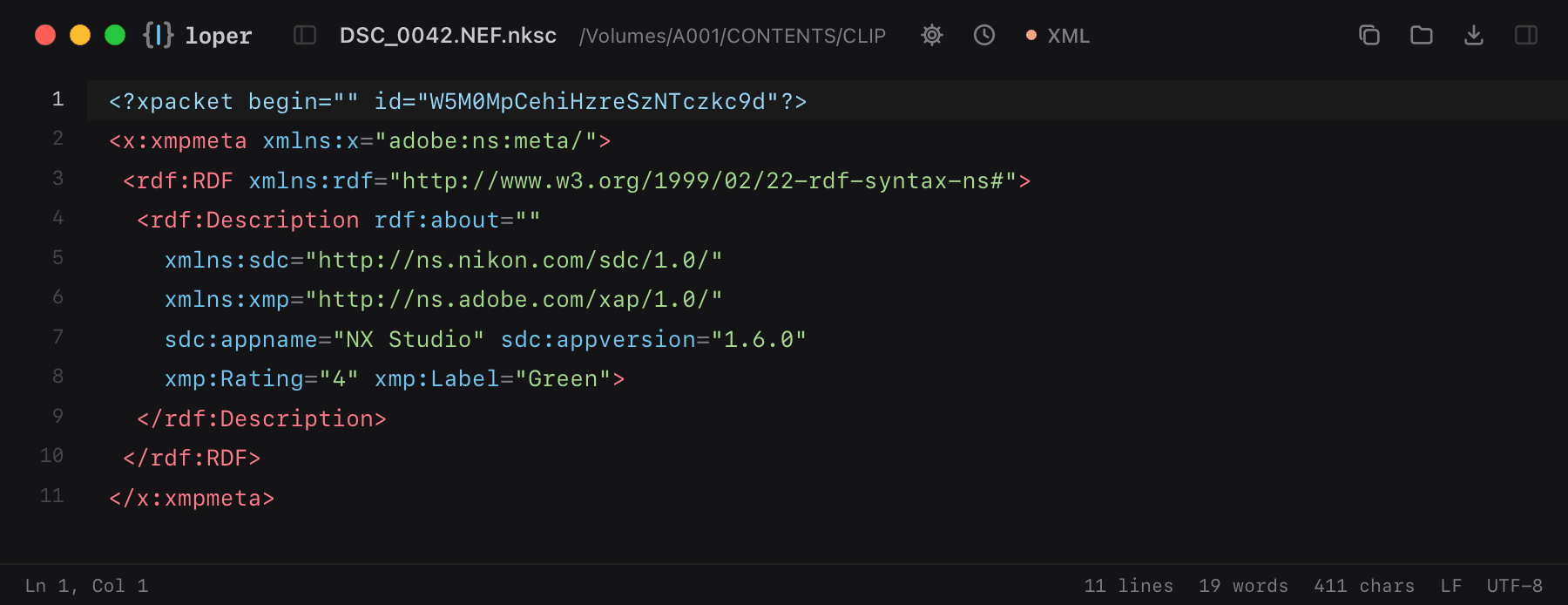
Edits, rating, label and GPS that Nikon NX Studio keeps next to each photo in NKSC_PARAM, stored as XMP.

DSC_0042.NEF.nksc opened in Loper: Nikon NX Studio sidecar (.nksc) with color-coded XML
Show the file as text
<?xpacket begin="" id="W5M0MpCehiHzreSzNTczkc9d"?><x:xmpmeta xmlns:x="adobe:ns:meta/"> <rdf:RDF xmlns:rdf="http://www.w3.org/1999/02/22-rdf-syntax-ns#">  <rdf:Description rdf:about=""    xmlns:sdc="http://ns.nikon.com/sdc/1.0/"    xmlns:xmp="http://ns.adobe.com/xap/1.0/"    sdc:appname="NX Studio" sdc:appversion="1.6.0"    xmp:Rating="4" xmp:Label="Green">  </rdf:Description> </rdf:RDF></x:xmpmeta>

Fujifilm film simulation recipe

.FP1 .FP2 .FP3

X RAW Studio conversion profiles: film simulation, dynamic range, white balance, grain and tone, readable at a glance.

Kodachrome 64.FP3 opened in Loper: Fujifilm film simulation recipe with color-coded XML
Show the file as text
<?xml version="1.0" encoding="utf-8"?><ConversionProfile application="XRFC" version="1.12.0.0">  <PropertyGroup device="X-T5" version="X-T5_0100" label="Kodachrome 64">    <FilmSimulation>Classic</FilmSimulation>    <DynamicRange>200</DynamicRange>    <GrainEffect>Weak</GrainEffect>    <ColorChromeEffect>Strong</ColorChromeEffect>    <WBShootCond>Daylight</WBShootCond>    <WBShiftR>2</WBShiftR>    <WBShiftB>-5</WBShiftB>    <ExposureBias>P0</ExposureBias>  </PropertyGroup></ConversionProfile>

Panasonic P2 clip metadata

CONTENTS/CLIP/*.XML

P2 and VariCam clip metadata: global clip ID, duration, codec, frame rate and user clip name.

0009E7.XML opened in Loper: Panasonic P2 clip metadata with color-coded XML
Show the file as text
<?xml version="1.0" encoding="UTF-8" standalone="no"?><P2Main xmlns="urn:schemas-Professional-Plug-in:P2:ClipMetadata:v3.1">  <ClipContent>    <ClipName>0009E7</ClipName>    <Duration>1500</Duration>    <EssenceList>      <Video>        <Codec>AVC-I_100</Codec>        <FrameRate>25p</FrameRate>        <StartTimecode>10:02:34:16</StartTimecode>      </Video>    </EssenceList>    <ClipMetadata><UserClipName>A001C003</UserClipName></ClipMetadata>  </ClipContent></P2Main>

Panasonic VLT look (VariCam, EVA1, LUMIX)

.vlt

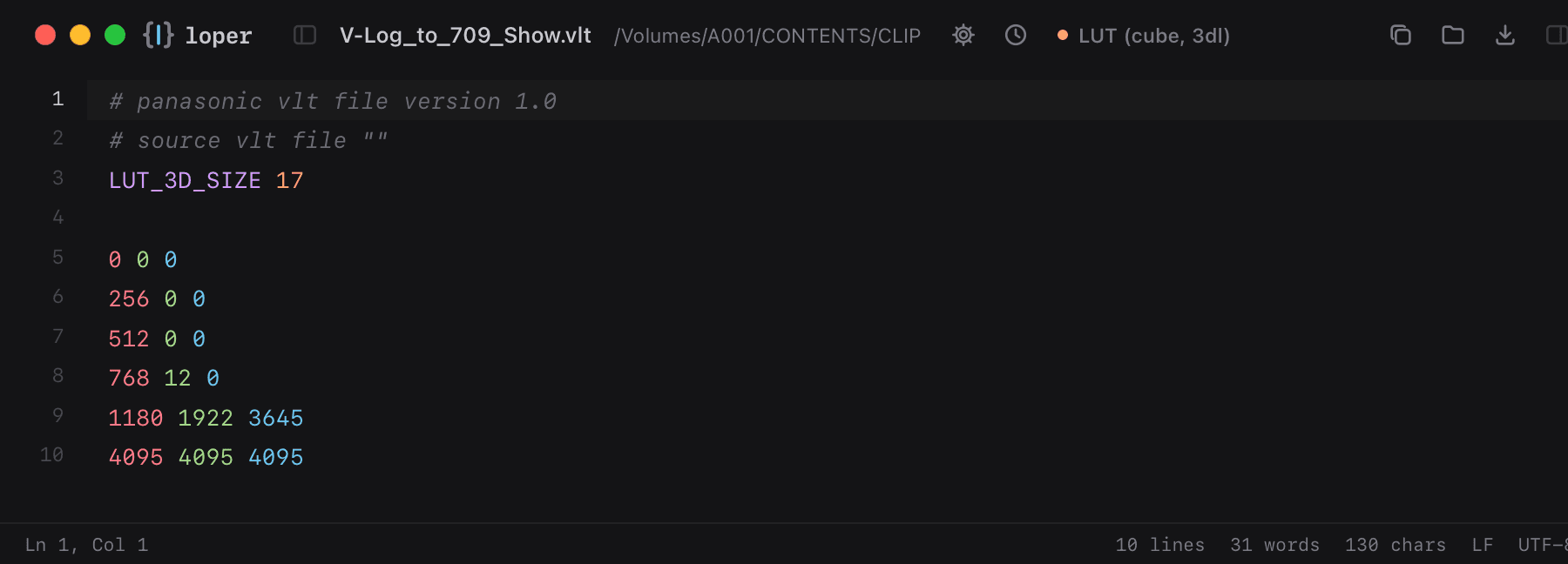
Panasonic's 3D LUT format: the header, then one R G B row per grid point, shown in their channel colors.

V-Log_to_709_Show.vlt opened in Loper: Panasonic VLT look (VariCam, EVA1, LUMIX) with color-coded LUT (cube, 3dl)
Show the file as text
# panasonic vlt file version 1.0# source vlt file ""LUT_3D_SIZE 17 0 0 0256 0 0512 0 0768 12 01180 1922 36454095 4095 4095

DJI drone telemetry (.SRT)

.SRT

DJI drones write one telemetry cue per frame next to the video. Loper colors ISO, shutter, aperture, GPS and altitude as key/value pairs.

DJI_0042.SRT opened in Loper: DJI drone telemetry (.SRT) with color-coded Subtitles (SRT, VTT, LRC)
Show the file as text
100:00:00,000 --> 00:00:00,033<font size="28">FrameCnt: 1, DiffTime: 33ms2026-10-25 14:32:01.123[iso: 100] [shutter: 1/640.0] [fnum: 1.7] [ev: 0] [ct: 5400][latitude: 47.123456] [longitude: 8.123456] [rel_alt: 52.300 abs_alt: 512.500] </font> 200:00:00,033 --> 00:00:00,066<font size="28">FrameCnt: 2, DiffTime: 33ms

ARRI metadata export (CSV)

.csv

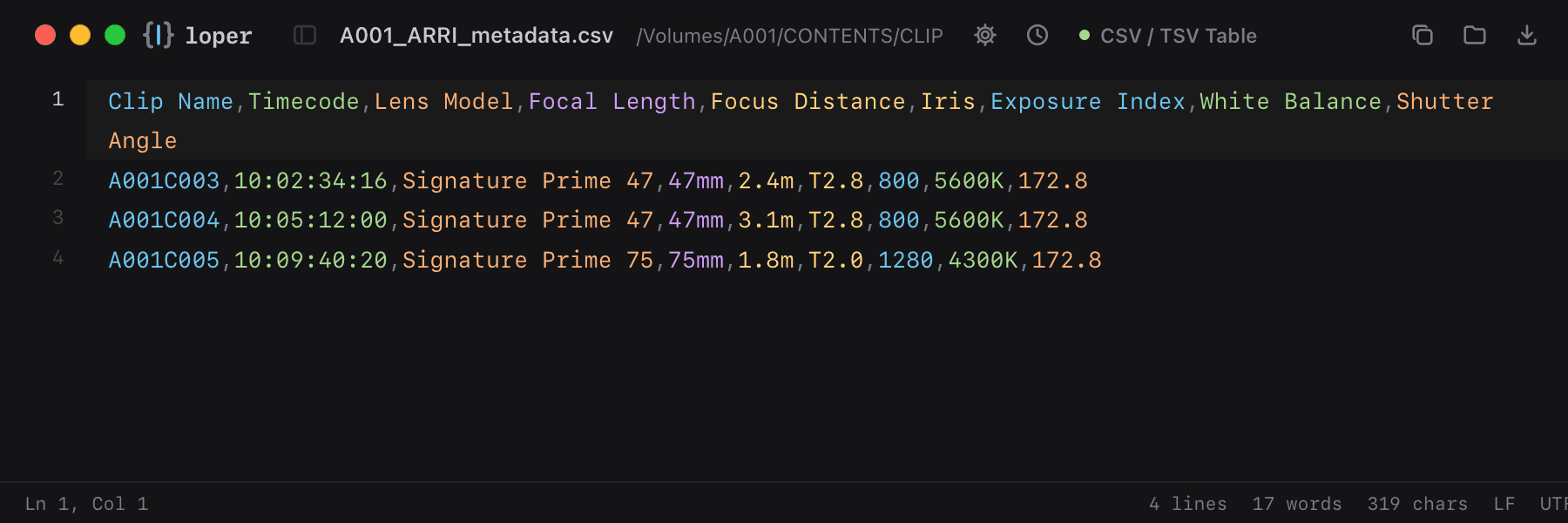
Per-clip camera and lens metadata from ARRI Meta Extract or ARRI Reference Tool, one color per column.

A001_ARRI_metadata.csv opened in Loper: ARRI metadata export (CSV) with color-coded CSV / TSV Table
Show the file as text
Clip Name,Timecode,Lens Model,Focal Length,Focus Distance,Iris,Exposure Index,White Balance,Shutter AngleA001C003,10:02:34:16,Signature Prime 47,47mm,2.4m,T2.8,800,5600K,172.8A001C004,10:05:12:00,Signature Prime 47,47mm,3.1m,T2.8,800,5600K,172.8A001C005,10:09:40:20,Signature Prime 75,75mm,1.8m,T2.0,1280,4300K,172.8

Canon Log LUT

.cube

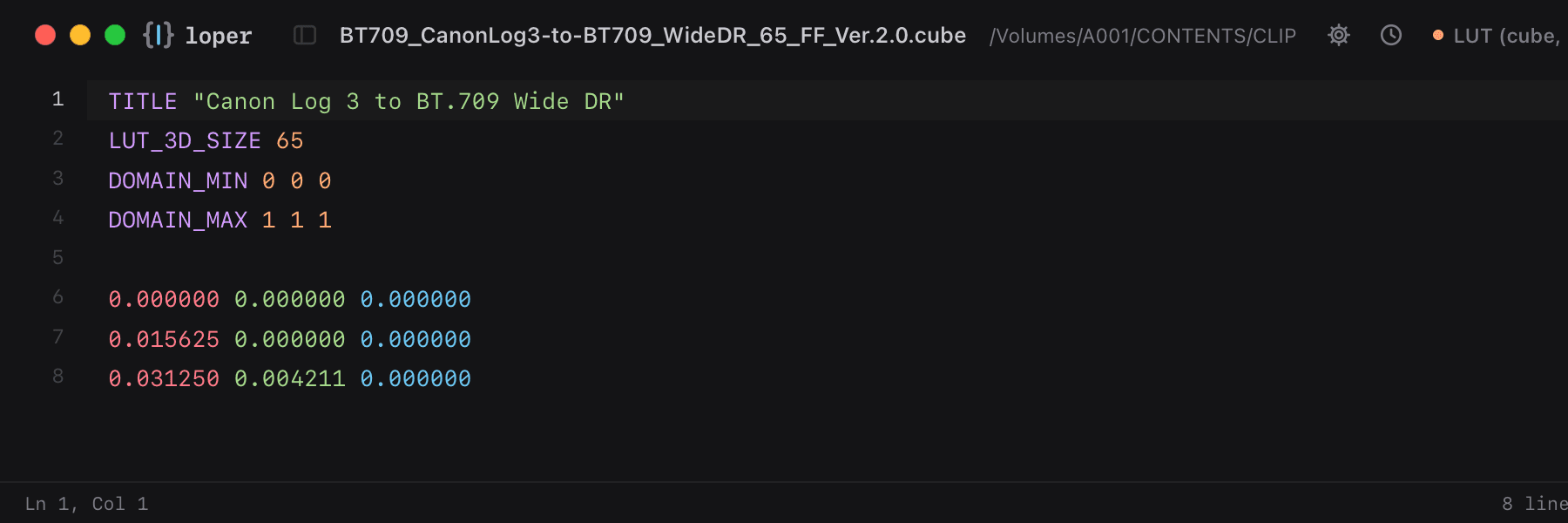
Canon's official Canon Log conversion LUTs: header keywords, then R, G and B in their channel colors.

BT709_CanonLog3-to-BT709_WideDR_65_FF_Ver.2.0.cube opened in Loper: Canon Log LUT with color-coded LUT (cube, 3dl)
Show the file as text
TITLE "Canon Log 3 to BT.709 Wide DR"LUT_3D_SIZE 65DOMAIN_MIN 0 0 0DOMAIN_MAX 1 1 1 0.000000 0.000000 0.0000000.015625 0.000000 0.0000000.031250 0.004211 0.000000

XMP sidecar (Lightroom, Bridge, Capture One)

.xmp

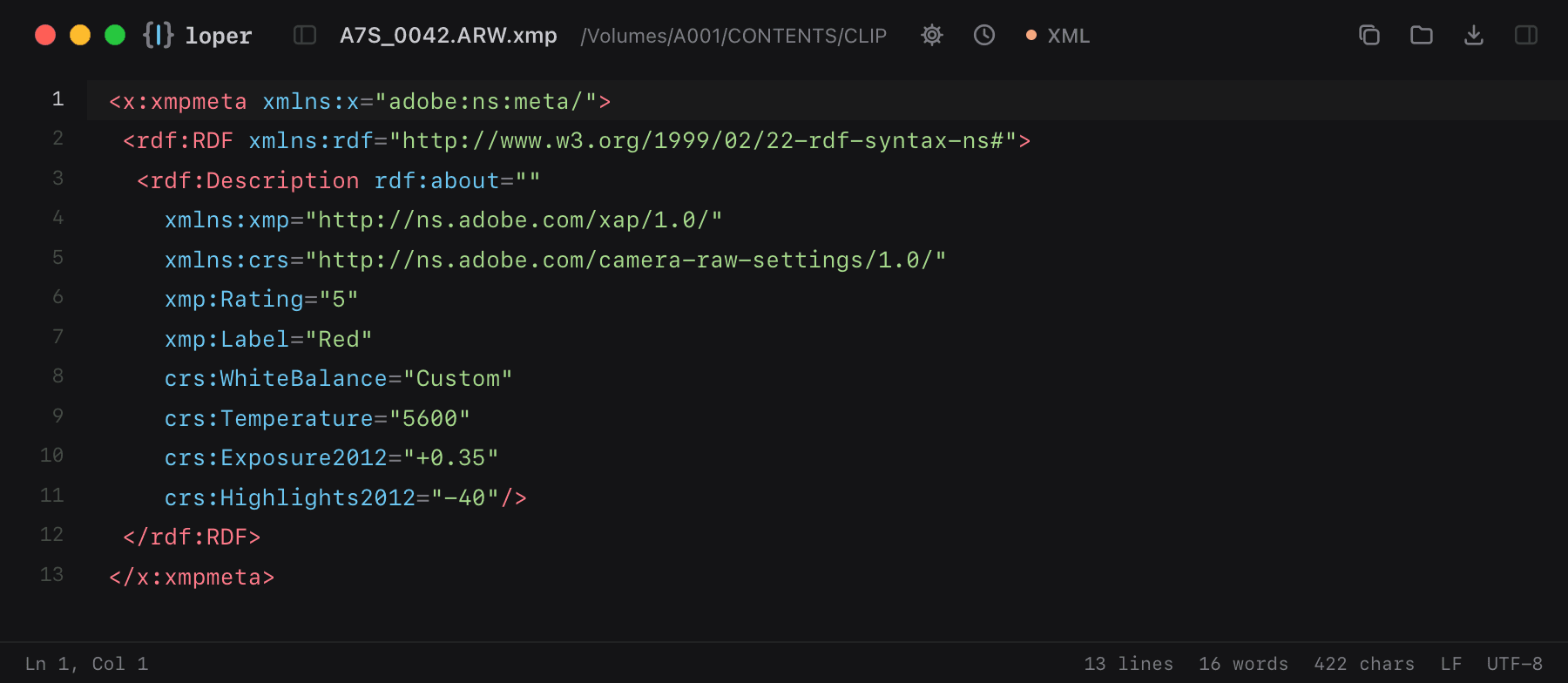
Rating, color label, keywords and develop settings that photo apps keep next to raw files.

A7S_0042.ARW.xmp opened in Loper: XMP sidecar (Lightroom, Bridge, Capture One) with color-coded XML
Show the file as text
<x:xmpmeta xmlns:x="adobe:ns:meta/"> <rdf:RDF xmlns:rdf="http://www.w3.org/1999/02/22-rdf-syntax-ns#">  <rdf:Description rdf:about=""    xmlns:xmp="http://ns.adobe.com/xap/1.0/"    xmlns:crs="http://ns.adobe.com/camera-raw-settings/1.0/"    xmp:Rating="5"    xmp:Label="Red"    crs:WhiteBalance="Custom"    crs:Temperature="5600"    crs:Exposure2012="+0.35"    crs:Highlights2012="-40"/> </rdf:RDF></x:xmpmeta>

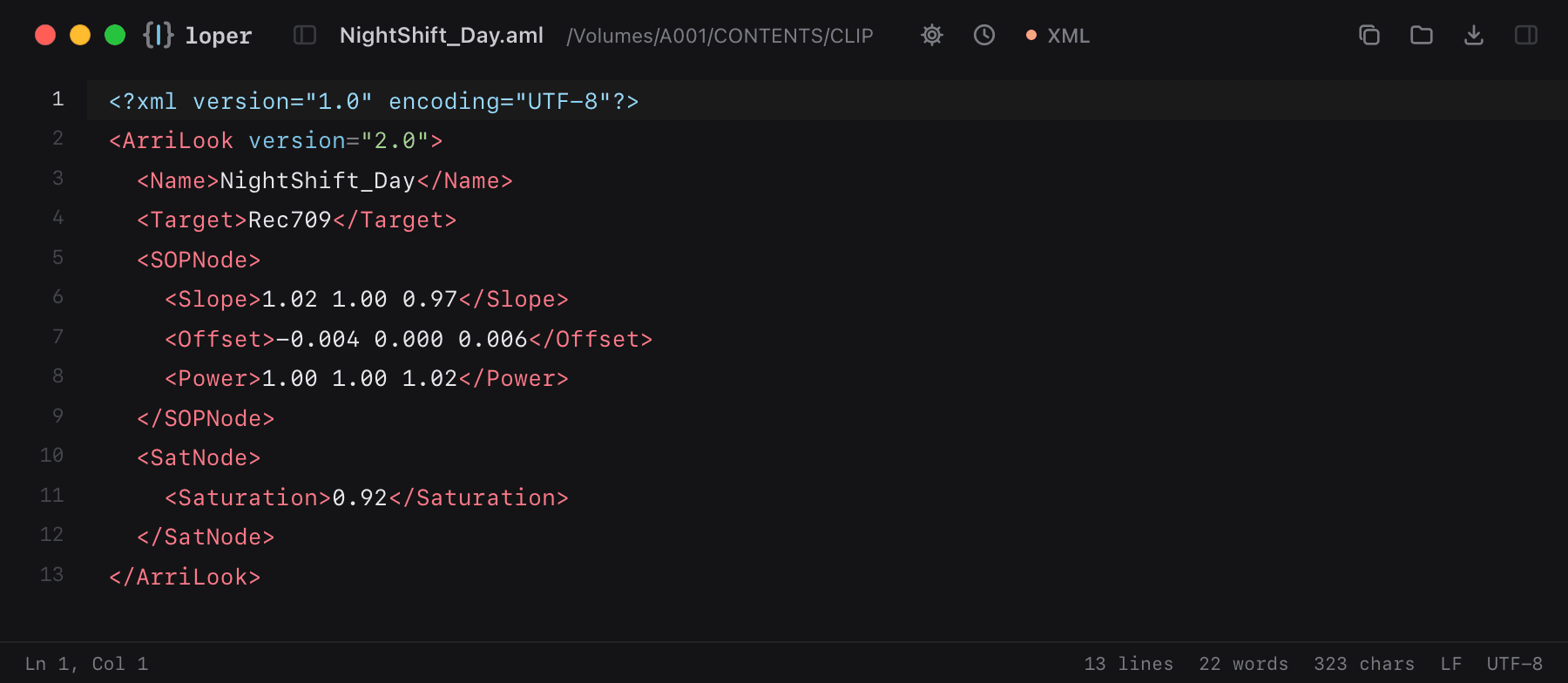
ARRI look file (.aml)

.aml

ARRI looks for ALEXA cameras: ASC CDL values, saturation and the target color space, stored as XML.

NightShift_Day.aml opened in Loper: ARRI look file (.aml) with color-coded XML
Show the file as text
<?xml version="1.0" encoding="UTF-8"?><ArriLook version="2.0">  <Name>NightShift_Day</Name>  <Target>Rec709</Target>  <SOPNode>    <Slope>1.02 1.00 0.97</Slope>    <Offset>-0.004 0.000 0.006</Offset>    <Power>1.00 1.00 1.02</Power>  </SOPNode>  <SatNode>    <Saturation>0.92</Saturation>  </SatNode></ArriLook>

Colorists & finishing

LUTs and color decisions you can actually read.

LUT (.cube)

.cube

Resolve and Adobe 3D LUTs. Header keywords like LUT_3D_SIZE and DOMAIN_MIN stand apart from the RGB values.

LogC4_to_Rec709.cube opened in Loper: LUT (.cube) with color-coded LUT (cube, 3dl)
Show the file as text
# Created by ResolveTITLE "LogC4 to Rec709 – show LUT"LUT_3D_SIZE 33DOMAIN_MIN 0.0 0.0 0.0DOMAIN_MAX 1.0 1.0 1.0 0.000000 0.000000 0.0000000.031250 0.000000 0.0000000.062500 0.002441 0.000000

LUT (.3dl)

.3dl

Autodesk Flame/Lustre LUTs: the input shaper line on top, then one R G B row per grid point, with red, green and blue values in their channel colors.

show.3dl opened in Loper: LUT (.3dl) with color-coded LUT (cube, 3dl)
Show the file as text
# Flame 3D LUT, 17 points, 12-bit output0 64 128 192 256 320 384 448 512 576 640 704 768 832 896 960 10230 0 00 0 4120 0 8030 377 00 389 4180 401 809352 0 0361 18 4061180 1922 36454095 4095 4095

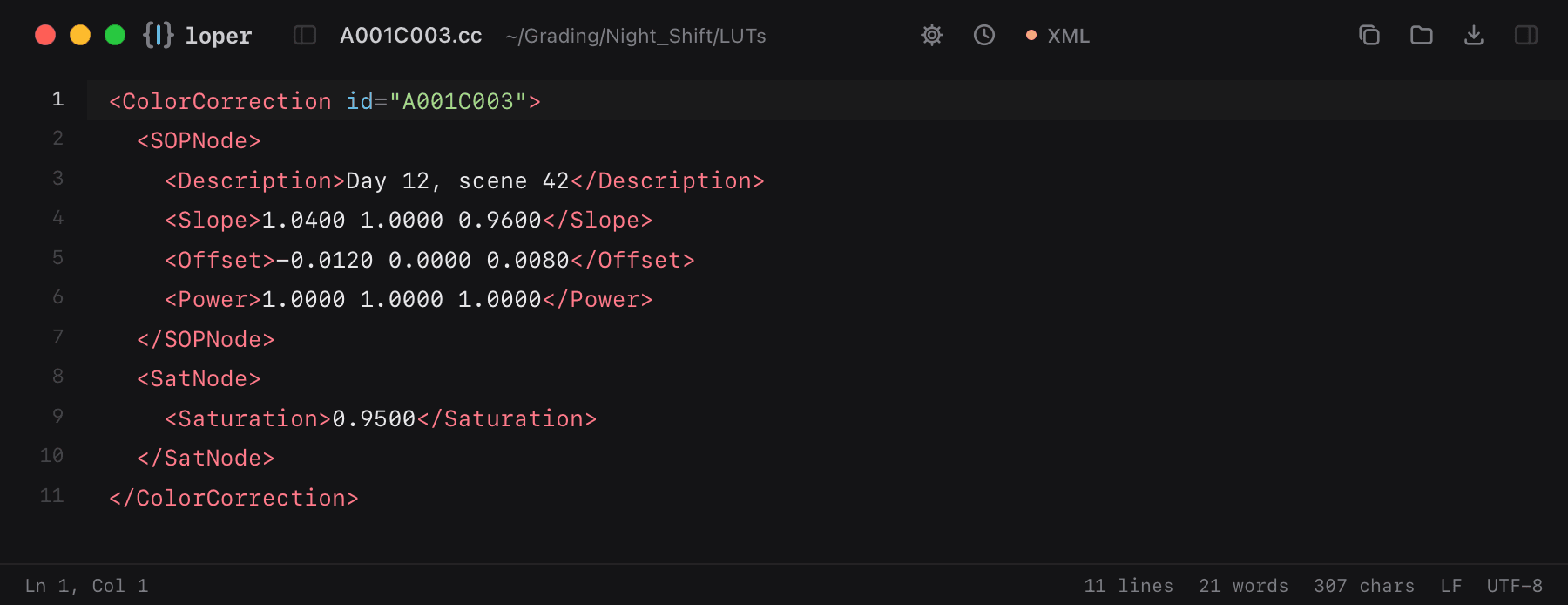
ASC CDL (.cdl, .cc, .ccc)

.cdl .cc .ccc

Color decisions from set to post: slope, offset, power and saturation, easy to read and edit.

A001C003.cc opened in Loper: ASC CDL (.cdl, .cc, .ccc) with color-coded XML
Show the file as text
<ColorCorrection id="A001C003">  <SOPNode>    <Description>Day 12, scene 42</Description>    <Slope>1.0400 1.0000 0.9600</Slope>    <Offset>-0.0120 0.0000 0.0080</Offset>    <Power>1.0000 1.0000 1.0000</Power>  </SOPNode>  <SatNode>    <Saturation>0.9500</Saturation>  </SatNode></ColorCorrection>

OpenColorIO config

.ocio

OCIO color pipeline configs: roles, color spaces, displays and looks in a nested outline.

config.ocio opened in Loper: OpenColorIO config with color-coded YAML
Show the file as text
ocio_profile_version: 2.1roles:  scene_linear: ACEScg  color_timing: ACEScctdisplays:  sRGB - Display:    - !<View> {name: ACES 1.0 - SDR Video, view_transform: ACES 1.0 - SDR Video}colorspaces:  - !<ColorSpace>    name: ACEScg    family: ACES    encoding: scene-linear

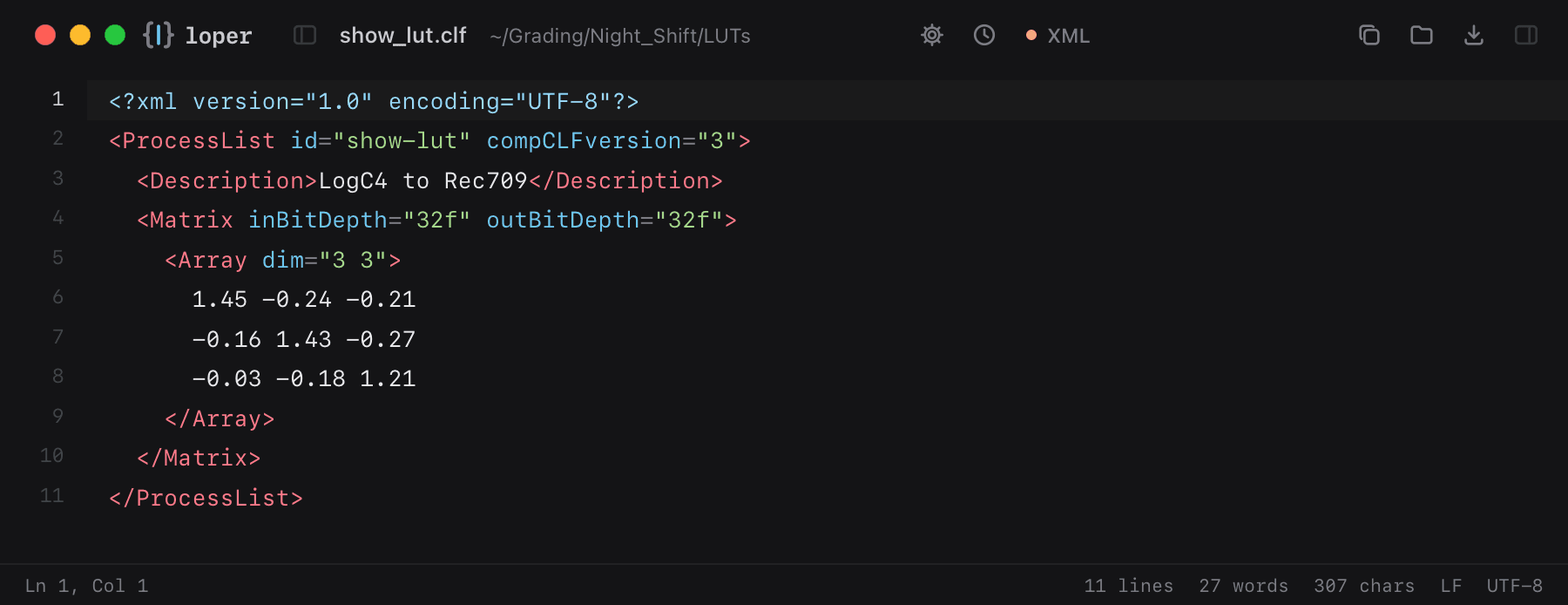
Common LUT Format (CLF)

.clf .ctf

Academy/ASC Common LUT Format and Autodesk CTF transforms with process nodes and bit depths.

show_lut.clf opened in Loper: Common LUT Format (CLF) with color-coded XML
Show the file as text
<?xml version="1.0" encoding="UTF-8"?><ProcessList id="show-lut" compCLFversion="3">  <Description>LogC4 to Rec709</Description>  <Matrix inBitDepth="32f" outBitDepth="32f">    <Array dim="3 3">      1.45 -0.24 -0.21      -0.16 1.43 -0.27      -0.03 -0.18 1.21    </Array>  </Matrix></ProcessList>

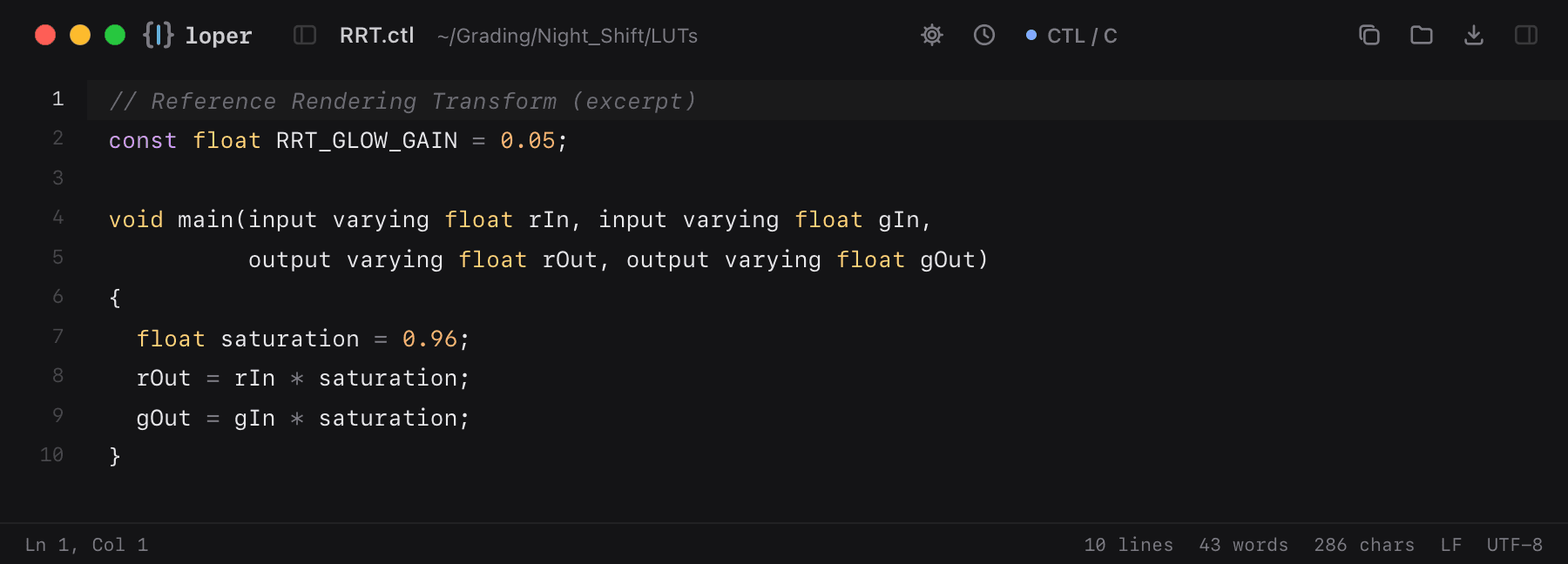
ACES CTL

.ctl

ACES Color Transformation Language with C-style highlighting.

RRT.ctl opened in Loper: ACES CTL with color-coded CTL / C
Show the file as text
// Reference Rendering Transform (excerpt)const float RRT_GLOW_GAIN = 0.05; void main(input varying float rIn, input varying float gIn,          output varying float rOut, output varying float gOut){  float saturation = 0.96;  rOut = rIn * saturation;  gOut = gIn * saturation;}

Sony Imageworks 1D LUT (.spi1d)

.spi1d

OpenColorIO's 1D LUT format: version, input range, length and components, then the table.

lin_to_log.spi1d opened in Loper: Sony Imageworks 1D LUT (.spi1d) with color-coded LUT (cube, 3dl)
Show the file as text
Version 1From -0.125 1.125Length 4096Components 1{    0.000000    0.004211    0.008538    0.012985}

Sony Imageworks 3D LUT (.spi3d)

.spi3d

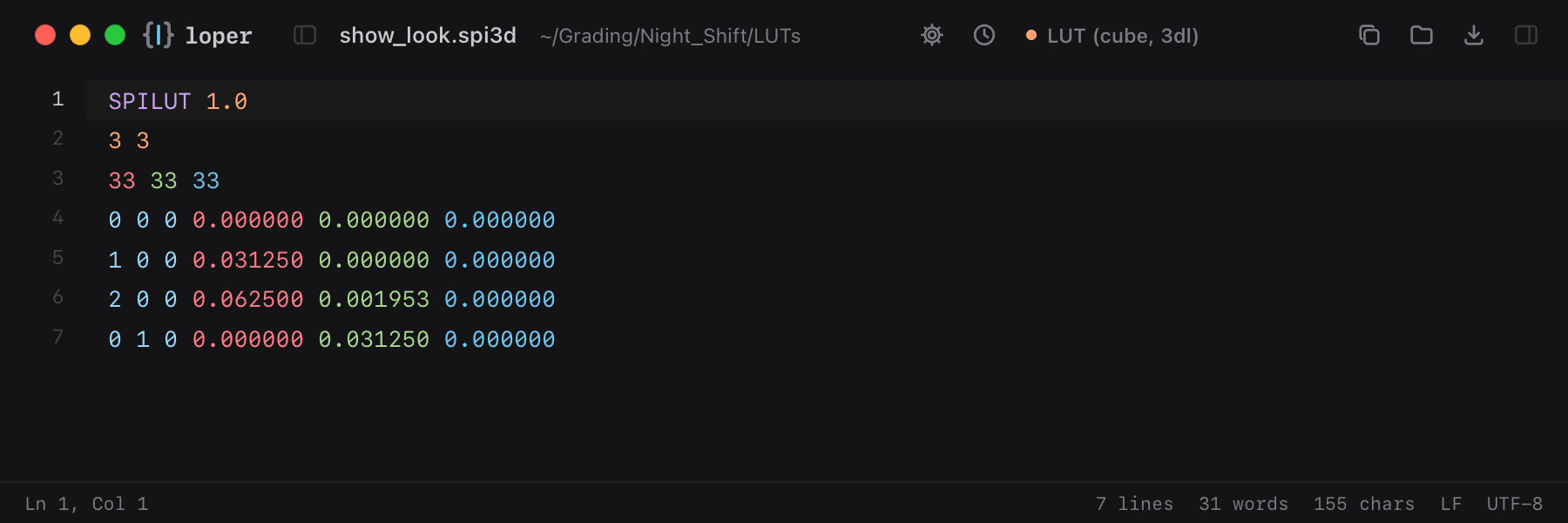
OpenColorIO 3D LUTs: the grid size, then index triplets followed by the R G B output.

show_look.spi3d opened in Loper: Sony Imageworks 3D LUT (.spi3d) with color-coded LUT (cube, 3dl)
Show the file as text
SPILUT 1.03 333 33 330 0 0 0.000000 0.000000 0.0000001 0 0 0.031250 0.000000 0.0000002 0 0 0.062500 0.001953 0.0000000 1 0 0.000000 0.031250 0.000000

OpenColorIO matrix (.spimtx)

.spimtx

A 3x4 color matrix for OpenColorIO, one output channel per row with an offset at the end.

ap0_to_ap1.spimtx opened in Loper: OpenColorIO matrix (.spimtx) with color-coded LUT (cube, 3dl)
Show the file as text
1.4514393161 -0.2365107469 -0.2149285693 0-0.0765537734 1.1762296998 -0.0996759264 00.0083161484 -0.0060324498 0.9977163014 0

Rising Sun cineSpace LUT (.csp)

.csp

cineSpace 3D LUTs with per-channel pre-LUTs in the header, then the R G B table.

film_print.csp opened in Loper: Rising Sun cineSpace LUT (.csp) with color-coded LUT (cube, 3dl)
Show the file as text
CSPLUTV1003D BEGIN METADATAFilm print emulationEND METADATA 20.0 1.00.0 1.020.0 1.00.0 1.020.0 1.00.0 1.0 17 17 170.000000 0.000000 0.0000000.062500 0.001220 0.000000

DaVinci Resolve still (.drx)

.drx

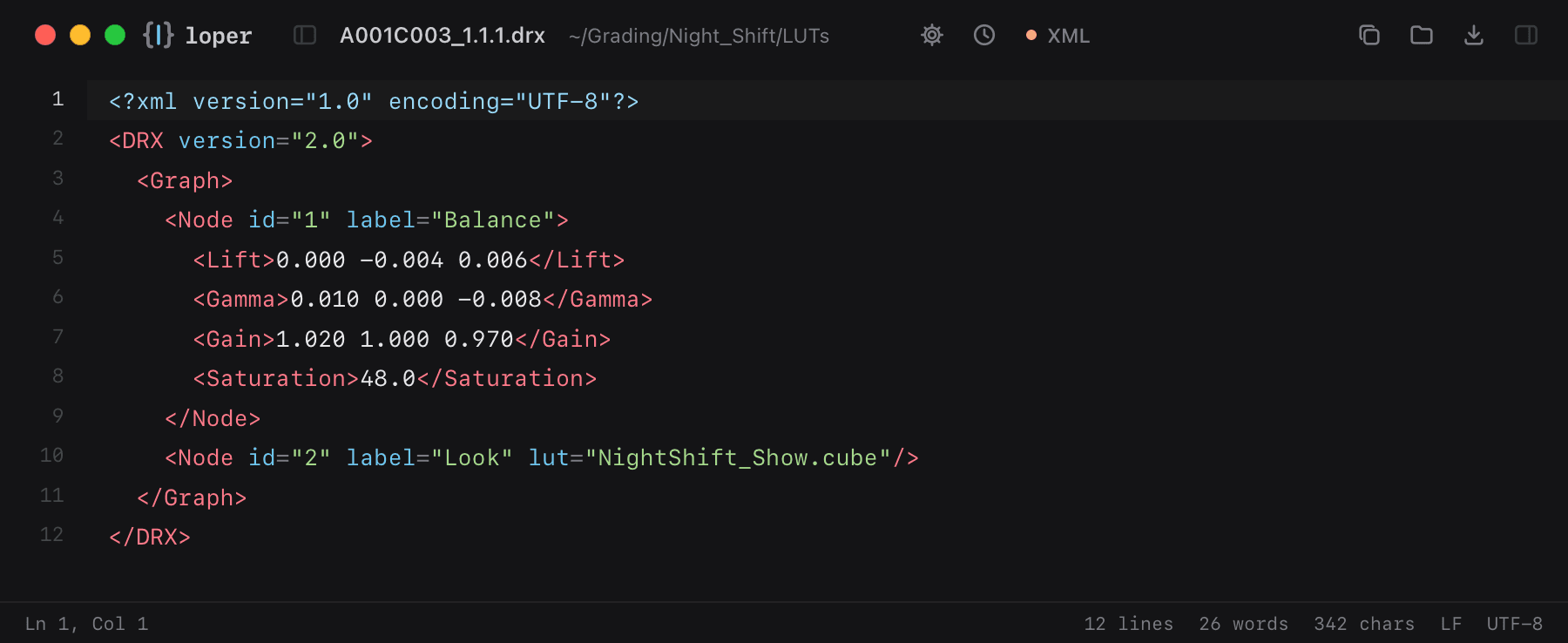
Grades exported from Resolve's gallery: node graph, corrector values and version, as readable XML.

A001C003_1.1.1.drx opened in Loper: DaVinci Resolve still (.drx) with color-coded XML
Show the file as text
<?xml version="1.0" encoding="UTF-8"?><DRX version="2.0">  <Graph>    <Node id="1" label="Balance">      <Lift>0.000 -0.004 0.006</Lift>      <Gamma>0.010 0.000 -0.008</Gamma>      <Gain>1.020 1.000 0.970</Gain>      <Saturation>48.0</Saturation>    </Node>    <Node id="2" label="Look" lut="NightShift_Show.cube"/>  </Graph></DRX>

ACES Metadata File (.amf)

.amf

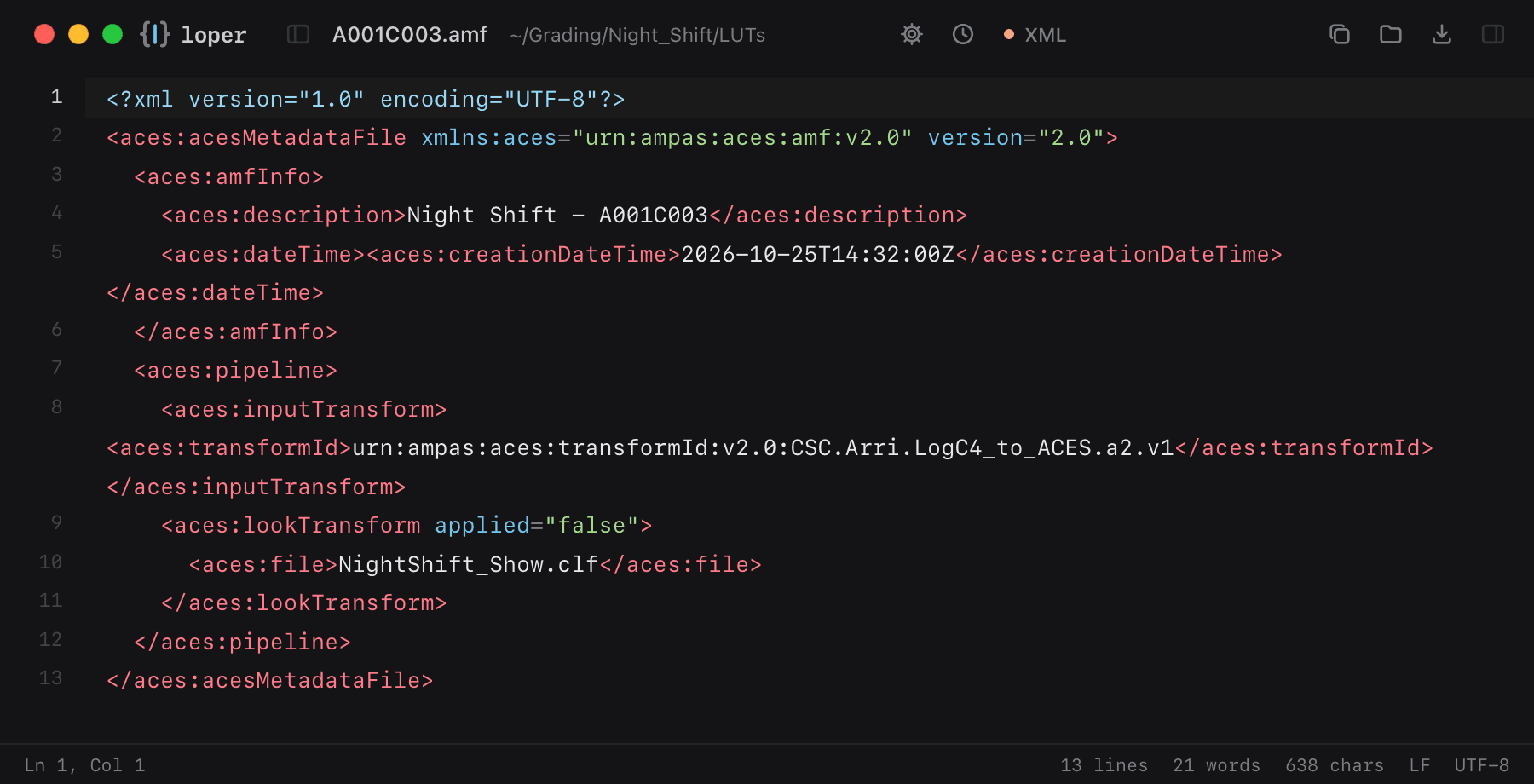
ACES look and viewing pipeline that travels with a clip from set to finishing.

A001C003.amf opened in Loper: ACES Metadata File (.amf) with color-coded XML
Show the file as text
<?xml version="1.0" encoding="UTF-8"?><aces:acesMetadataFile xmlns:aces="urn:ampas:aces:amf:v2.0" version="2.0">  <aces:amfInfo>    <aces:description>Night Shift - A001C003</aces:description>    <aces:dateTime><aces:creationDateTime>2026-10-25T14:32:00Z</aces:creationDateTime></aces:dateTime>  </aces:amfInfo>  <aces:pipeline>    <aces:inputTransform><aces:transformId>urn:ampas:aces:transformId:v2.0:CSC.Arri.LogC4_to_ACES.a2.v1</aces:transformId></aces:inputTransform>    <aces:lookTransform applied="false">      <aces:file>NightShift_Show.clf</aces:file>    </aces:lookTransform>  </aces:pipeline></aces:acesMetadataFile>

Editors & assistant editors

Timelines, logs and timecodes in color: find the event, reel or TC you need.

EDL (CMX3600)

.edl

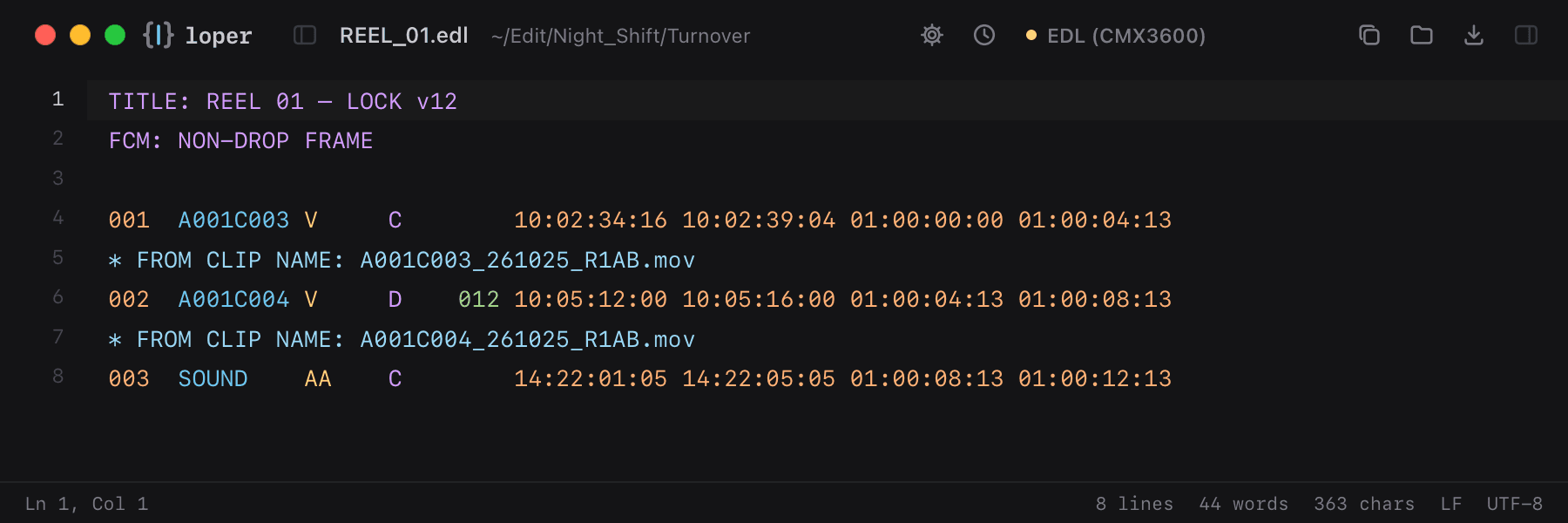
Edit decision lists with event numbers, reels, tracks, transitions and source/record timecodes, each in its own color.

REEL_01.edl opened in Loper: EDL (CMX3600) with color-coded EDL (CMX3600)
Show the file as text
TITLE: REEL 01 – LOCK v12FCM: NON-DROP FRAME 001  A001C003 V     C        10:02:34:16 10:02:39:04 01:00:00:00 01:00:04:13* FROM CLIP NAME: A001C003_261025_R1AB.mov002  A001C004 V     D    012 10:05:12:00 10:05:16:00 01:00:04:13 01:00:08:13* FROM CLIP NAME: A001C004_261025_R1AB.mov003  SOUND    AA    C        14:22:01:05 14:22:05:05 01:00:08:13 01:00:12:13

Avid Log Exchange (ALE)

.ale

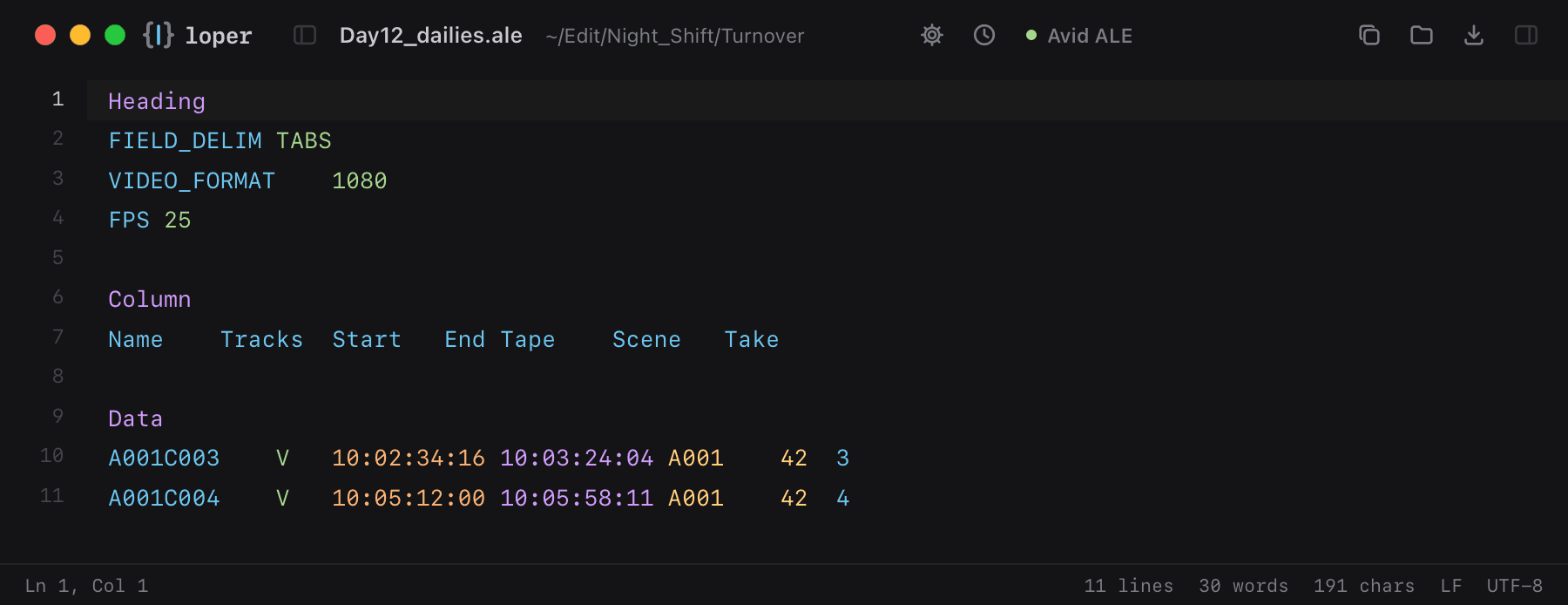
Avid bin logs with Heading, Column and Data sections. Settings, column names and every data column in its own color.

Day12_dailies.ale opened in Loper: Avid Log Exchange (ALE) with color-coded Avid ALE
Show the file as text
HeadingFIELD_DELIM	TABSVIDEO_FORMAT	1080FPS	25 ColumnName	Tracks	Start	End	Tape	Scene	Take DataA001C003	V	10:02:34:16	10:03:24:04	A001	42	3A001C004	V	10:05:12:00	10:05:58:11	A001	42	4

Final Cut Pro XML (FCPXML)

.fcpxml .fcpxmld

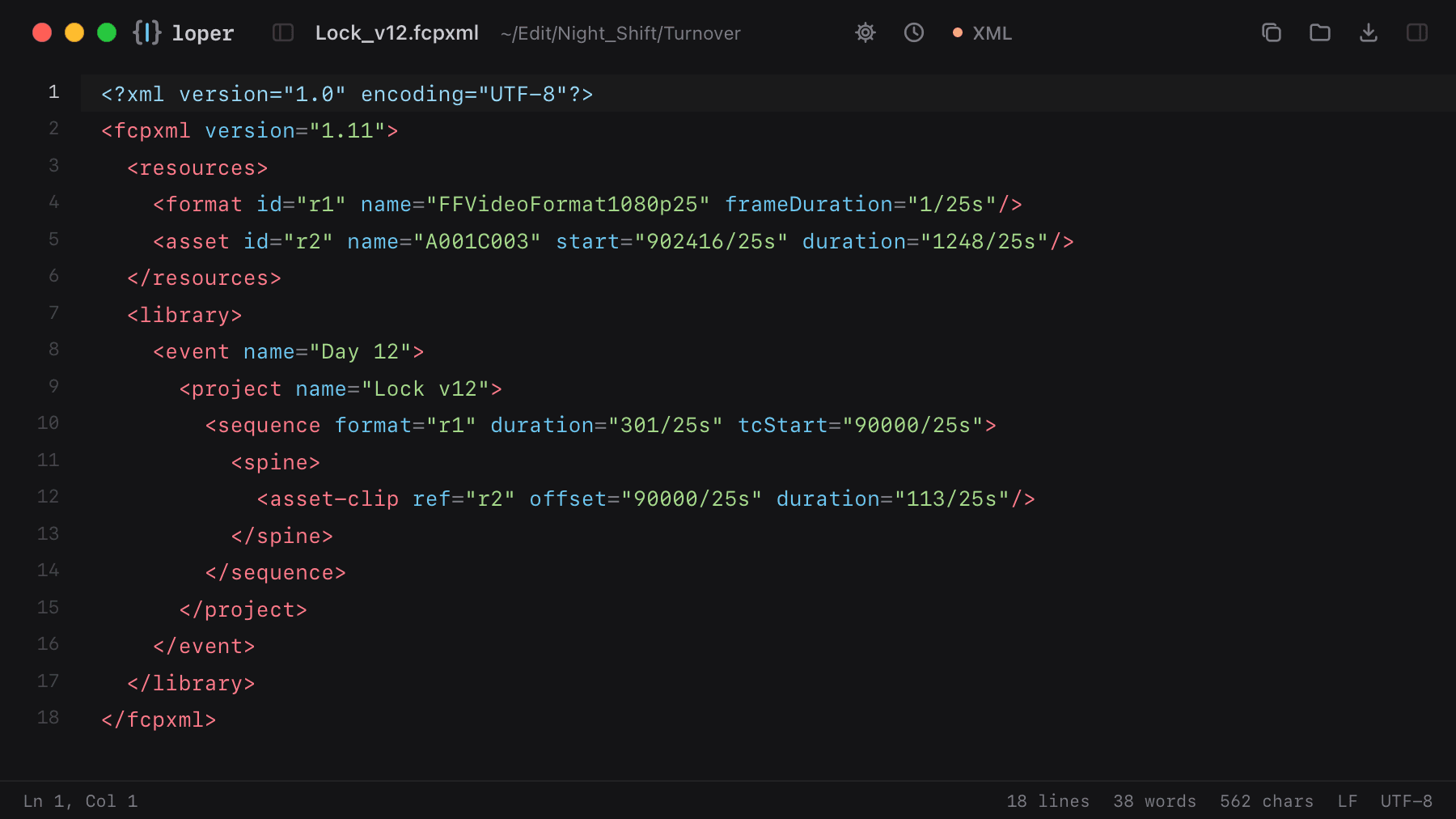
Final Cut Pro interchange with assets, the spine and rational timings like 3003/30000s.

Lock_v12.fcpxml opened in Loper: Final Cut Pro XML (FCPXML) with color-coded XML
Show the file as text
<?xml version="1.0" encoding="UTF-8"?><fcpxml version="1.11">  <resources>    <format id="r1" name="FFVideoFormat1080p25" frameDuration="1/25s"/>    <asset id="r2" name="A001C003" start="902416/25s" duration="1248/25s"/>  </resources>  <library>    <event name="Day 12">      <project name="Lock v12">        <sequence format="r1" duration="301/25s" tcStart="90000/25s">          <spine>            <asset-clip ref="r2" offset="90000/25s" duration="113/25s"/>          </spine>        </sequence>      </project>    </event>  </library></fcpxml>

OpenTimelineIO

.otio

Open timeline interchange as JSON: schemas, rational times and source ranges.

lock_v12.otio opened in Loper: OpenTimelineIO with color-coded JSON
Show the file as text
{  "OTIO_SCHEMA": "Timeline.1",  "name": "Lock v12",  "global_start_time": { "OTIO_SCHEMA": "RationalTime.1", "rate": 25.0, "value": 90000.0 },  "tracks": {    "OTIO_SCHEMA": "Stack.1",    "children": [      { "OTIO_SCHEMA": "Track.1", "kind": "Video", "name": "V1" }    ]  }}

Final Draft screenplay (.fdx)

.fdx

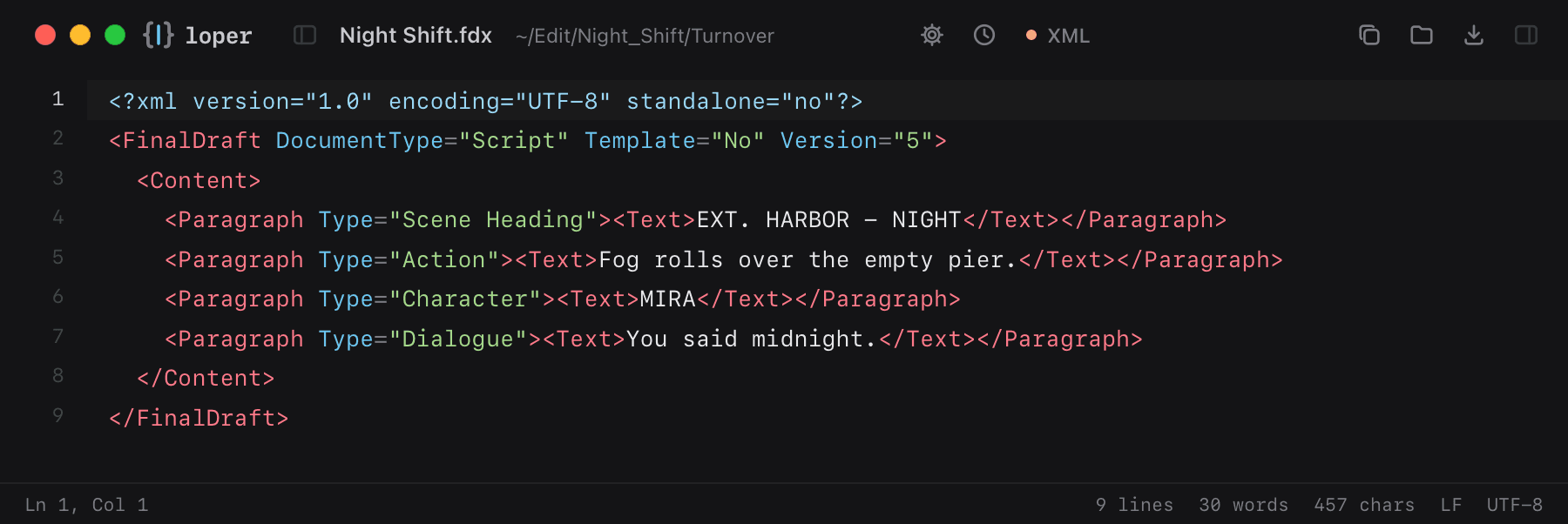
Final Draft scripts are XML: scene headings, action, characters and dialogue as tagged paragraphs.

Night Shift.fdx opened in Loper: Final Draft screenplay (.fdx) with color-coded XML
Show the file as text
<?xml version="1.0" encoding="UTF-8" standalone="no"?><FinalDraft DocumentType="Script" Template="No" Version="5">  <Content>    <Paragraph Type="Scene Heading"><Text>EXT. HARBOR - NIGHT</Text></Paragraph>    <Paragraph Type="Action"><Text>Fog rolls over the empty pier.</Text></Paragraph>    <Paragraph Type="Character"><Text>MIRA</Text></Paragraph>    <Paragraph Type="Dialogue"><Text>You said midnight.</Text></Paragraph>  </Content></FinalDraft>

Kdenlive / Shotcut project (MLT)

.kdenlive .mlt

Open-source editors save projects as MLT XML: profiles, producers, playlists and tracks.

night-shift.kdenlive opened in Loper: Kdenlive / Shotcut project (MLT) with color-coded XML
Show the file as text
<?xml version="1.0" encoding="utf-8"?><mlt LC_NUMERIC="C" producer="main_bin" version="7.24.0">  <profile description="HD 1080p 25 fps" width="1920" height="1080"           frame_rate_num="25" frame_rate_den="1" colorspace="709"/>  <producer id="producer0" in="00:00:00.000" out="00:00:59.960">    <property name="resource">A001C003.mov</property>    <property name="mlt_service">avformat</property>  </producer>  <playlist id="playlist0">    <entry producer="producer0" in="00:00:02.000" out="00:00:08.000"/>  </playlist></mlt>

Adobe export preset (.epr)

.epr

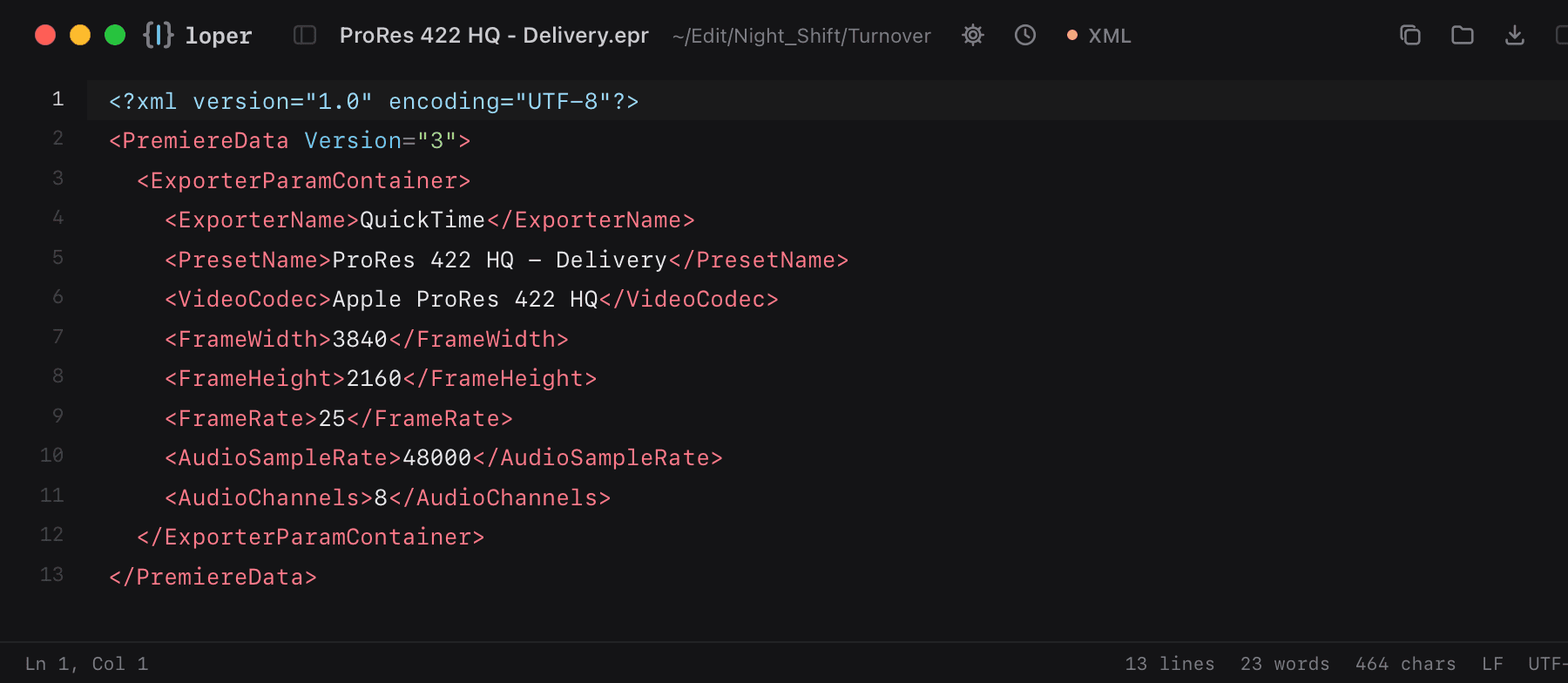
Premiere Pro and Media Encoder presets: codec, frame size, bitrate and audio settings.

ProRes 422 HQ - Delivery.epr opened in Loper: Adobe export preset (.epr) with color-coded XML
Show the file as text
<?xml version="1.0" encoding="UTF-8"?><PremiereData Version="3">  <ExporterParamContainer>    <ExporterName>QuickTime</ExporterName>    <PresetName>ProRes 422 HQ - Delivery</PresetName>    <VideoCodec>Apple ProRes 422 HQ</VideoCodec>    <FrameWidth>3840</FrameWidth>    <FrameHeight>2160</FrameHeight>    <FrameRate>25</FrameRate>    <AudioSampleRate>48000</AudioSampleRate>    <AudioChannels>8</AudioChannels>  </ExporterParamContainer></PremiereData>

Sound & music

Sound reports, cue sheets and session files, quickly checked.

Sound reports (CSV)

.csv

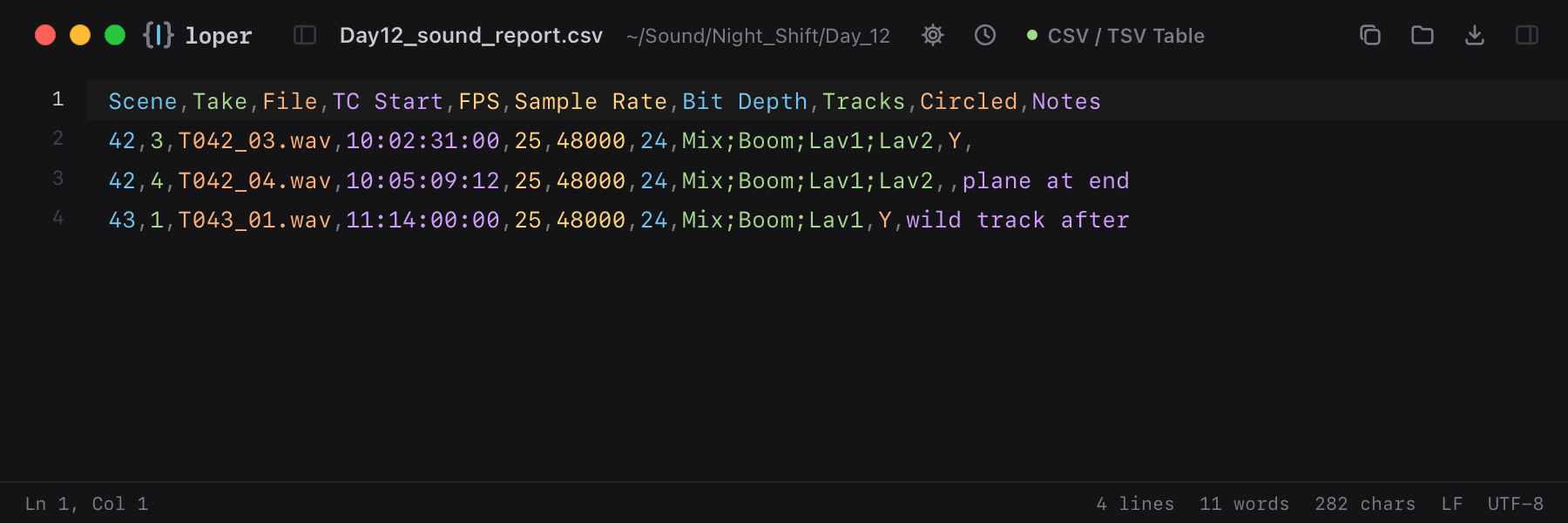
Sound Devices, Zaxcom and Cantar reports with scene, take, timecode and track names, one color per column.

Day12_sound_report.csv opened in Loper: Sound reports (CSV) with color-coded CSV / TSV Table
Show the file as text
Scene,Take,File,TC Start,FPS,Sample Rate,Bit Depth,Tracks,Circled,Notes42,3,T042_03.wav,10:02:31:00,25,48000,24,Mix;Boom;Lav1;Lav2,Y,42,4,T042_04.wav,10:05:09:12,25,48000,24,Mix;Boom;Lav1;Lav2,,plane at end43,1,T043_01.wav,11:14:00:00,25,48000,24,Mix;Boom;Lav1,Y,wild track after

CUE sheets

.cue

CD and audio cue sheets: commands, titles, track types and mm:ss:ff times.

Album.cue opened in Loper: CUE sheets with color-coded CUE Sheet
Show the file as text
REM GENRE AmbientPERFORMER "Nomad Code Labs"TITLE "Night Shift"FILE "night_shift.wav" WAVE  TRACK 01 AUDIO    TITLE "Offload"    INDEX 01 00:00:00  TRACK 02 AUDIO    TITLE "Verify"    INDEX 01 04:12:37

Synced lyrics (LRC)

.lrc

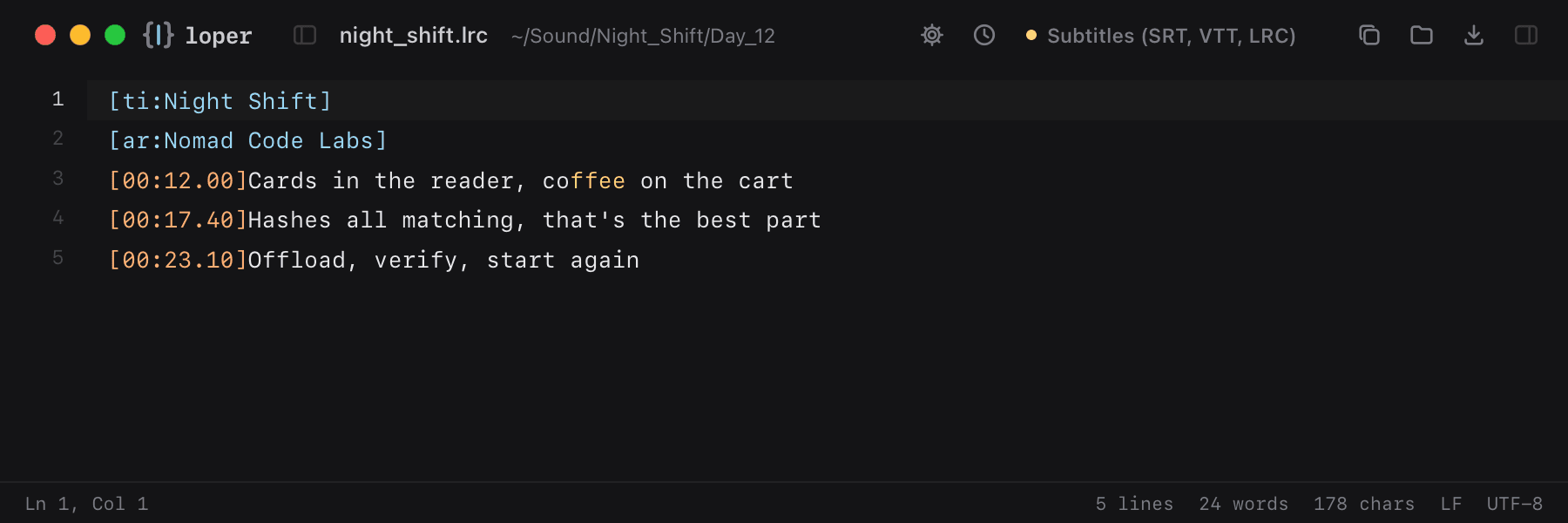
Timed lyrics with tags and [mm:ss.xx] timestamps.

night_shift.lrc opened in Loper: Synced lyrics (LRC) with color-coded Subtitles (SRT, VTT, LRC)
Show the file as text
[ti:Night Shift][ar:Nomad Code Labs][00:12.00]Cards in the reader, coffee on the cart[00:17.40]Hashes all matching, that's the best part[00:23.10]Offload, verify, start again

REAPER project (.rpp)

.rpp

REAPER keeps whole sessions as plain text: tempo, tracks, volume, routing and items.

NightShift_Mix.rpp opened in Loper: REAPER project (.rpp) with color-coded Plain Text
Show the file as text
<REAPER_PROJECT 0.1 "7.22/macOS-arm64" 1792968000  TEMPO 120 4 4  SAMPLERATE 48000 0 0  <TRACK {8A1C2F3E-0000-4D1B-9C1A-7E2B5F0A1D11}    NAME "Dialog Boom"    VOLPAN 0.891 0 -1 -1 1    <ITEM      POSITION 12.48      LENGTH 6.2      <SOURCE WAVE        FILE "Audio/A001C003_Boom.wav"      >    >  >>

Adobe Audition session (.sesx)

.sesx

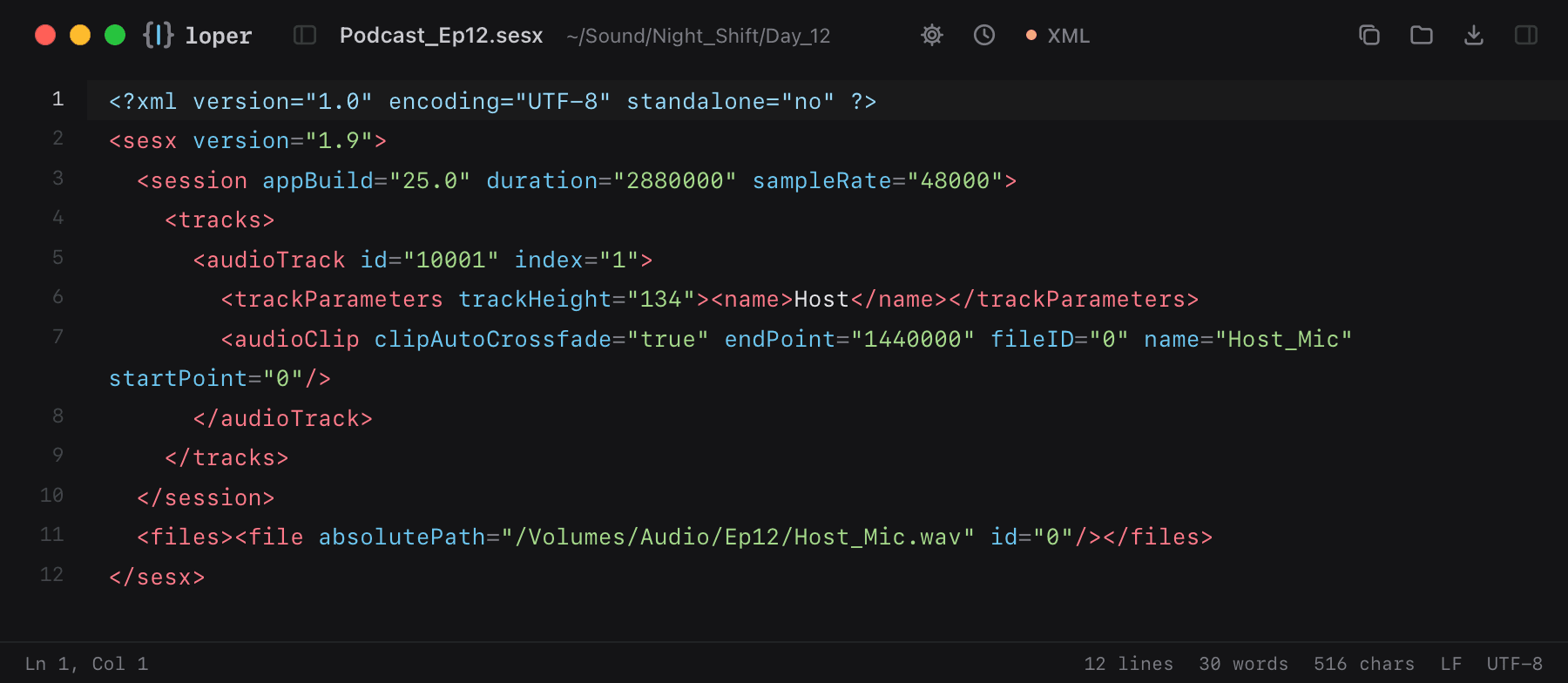
Audition multitrack sessions in XML: sample rate, tracks, clips and their file references.

Podcast_Ep12.sesx opened in Loper: Adobe Audition session (.sesx) with color-coded XML
Show the file as text
<?xml version="1.0" encoding="UTF-8" standalone="no" ?><sesx version="1.9">  <session appBuild="25.0" duration="2880000" sampleRate="48000">    <tracks>      <audioTrack id="10001" index="1">        <trackParameters trackHeight="134"><name>Host</name></trackParameters>        <audioClip clipAutoCrossfade="true" endPoint="1440000" fileID="0" name="Host_Mic" startPoint="0"/>      </audioTrack>    </tracks>  </session>  <files><file absolutePath="/Volumes/Audio/Ep12/Host_Mic.wav" id="0"/></files></sesx>

LMMS project (.mmp)

.mmp

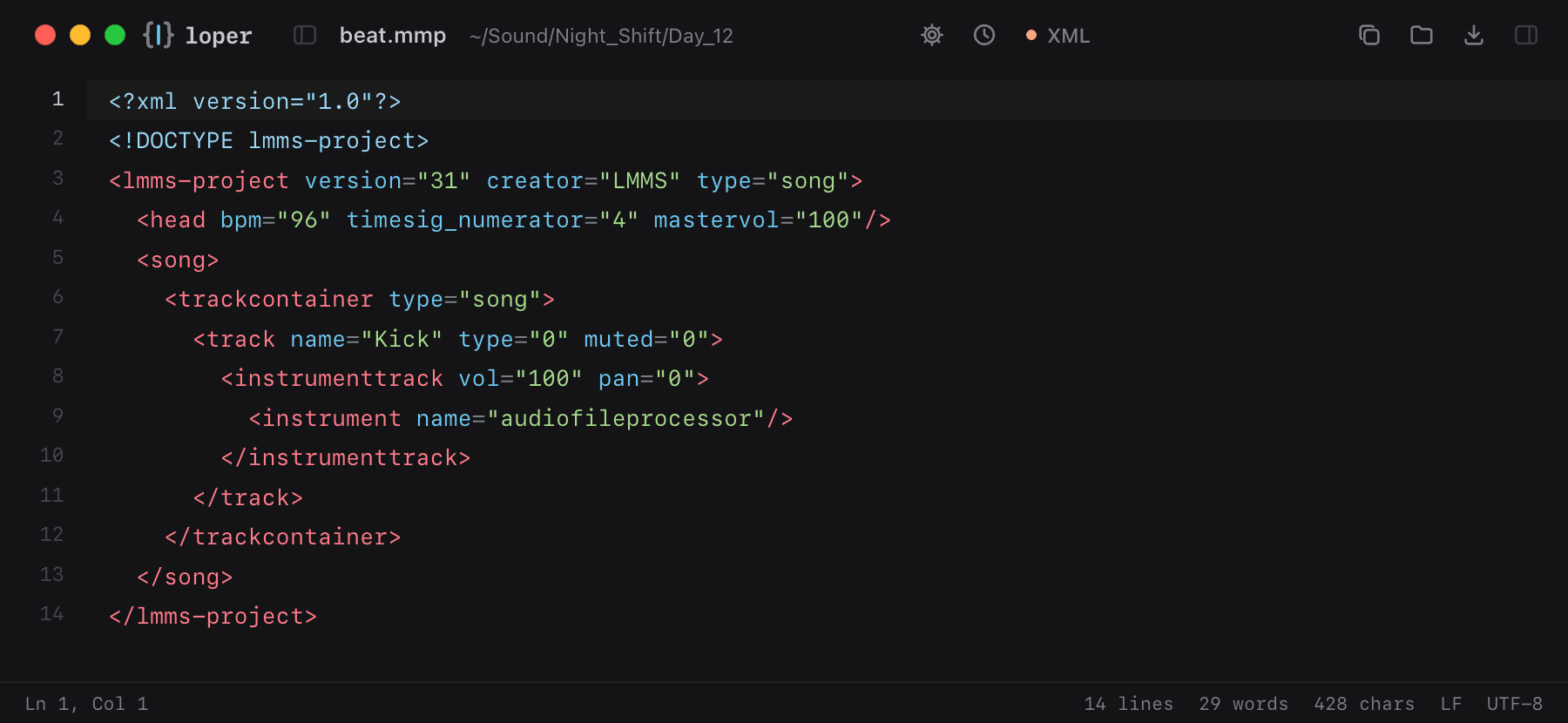
LMMS songs in XML: tempo, tracks, instruments and patterns.

beat.mmp opened in Loper: LMMS project (.mmp) with color-coded XML
Show the file as text
<?xml version="1.0"?><!DOCTYPE lmms-project><lmms-project version="31" creator="LMMS" type="song">  <head bpm="96" timesig_numerator="4" mastervol="100"/>  <song>    <trackcontainer type="song">      <track name="Kick" type="0" muted="0">        <instrumenttrack vol="100" pan="0">          <instrument name="audiofileprocessor"/>        </instrumenttrack>      </track>    </trackcontainer>  </song></lmms-project>

MusicXML score

.musicxml

Sheet music exchanged between Sibelius, Dorico, MuseScore and Finale: parts, measures and notes.

theme.musicxml opened in Loper: MusicXML score with color-coded XML
Show the file as text
<?xml version="1.0" encoding="UTF-8"?><score-partwise version="4.0">  <part-list>    <score-part id="P1"><part-name>Cello</part-name></score-part>  </part-list>  <part id="P1">    <measure number="1">      <attributes><divisions>1</divisions><time><beats>4</beats><beat-type>4</beat-type></time></attributes>      <note><pitch><step>D</step><octave>3</octave></pitch><duration>2</duration><type>half</type></note>      <note><pitch><step>A</step><octave>3</octave></pitch><duration>2</duration><type>half</type></note>    </measure>  </part></score-partwise>

Subtitles, captions & localization

Timings, cues and translations, each part in its own color.

SubRip subtitles (SRT)

.srt

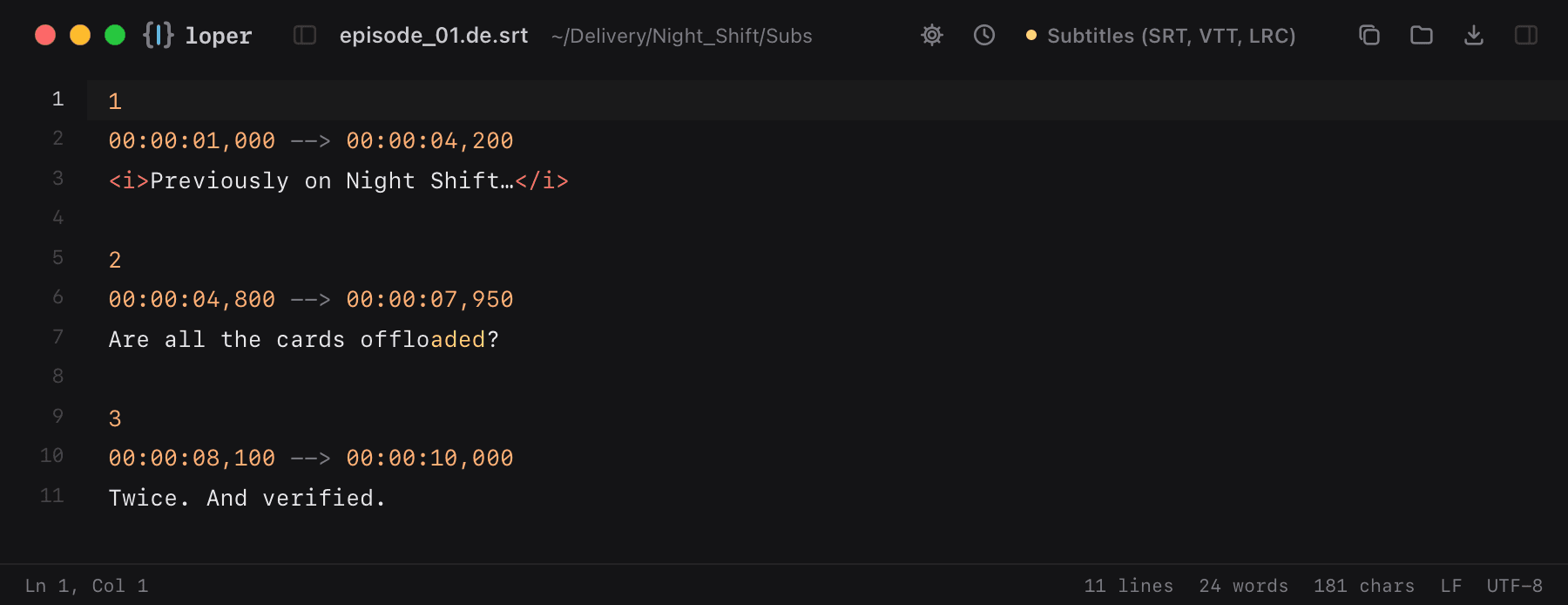
Cue numbers, timecodes, arrows and formatting tags stand out from the text.

episode_01.de.srt opened in Loper: SubRip subtitles (SRT) with color-coded Subtitles (SRT, VTT, LRC)
Show the file as text
100:00:01,000 --> 00:00:04,200<i>Previously on Night Shift…</i> 200:00:04,800 --> 00:00:07,950Are all the cards offloaded? 300:00:08,100 --> 00:00:10,000Twice. And verified.

WebVTT

.vtt .webvtt

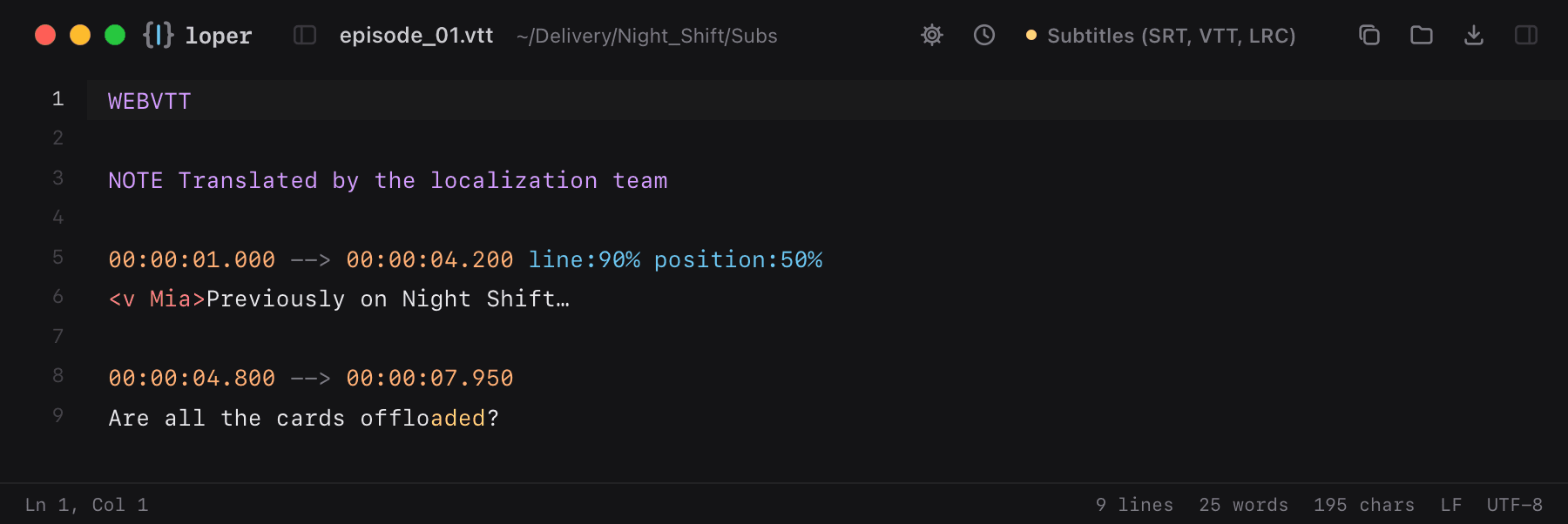
Web subtitles with cue settings like line and position, NOTE and STYLE blocks.

episode_01.vtt opened in Loper: WebVTT with color-coded Subtitles (SRT, VTT, LRC)
Show the file as text
WEBVTT NOTE Translated by the localization team 00:00:01.000 --> 00:00:04.200 line:90% position:50%<v Mia>Previously on Night Shift… 00:00:04.800 --> 00:00:07.950Are all the cards offloaded?

Scenarist closed captions (SCC)

.scc

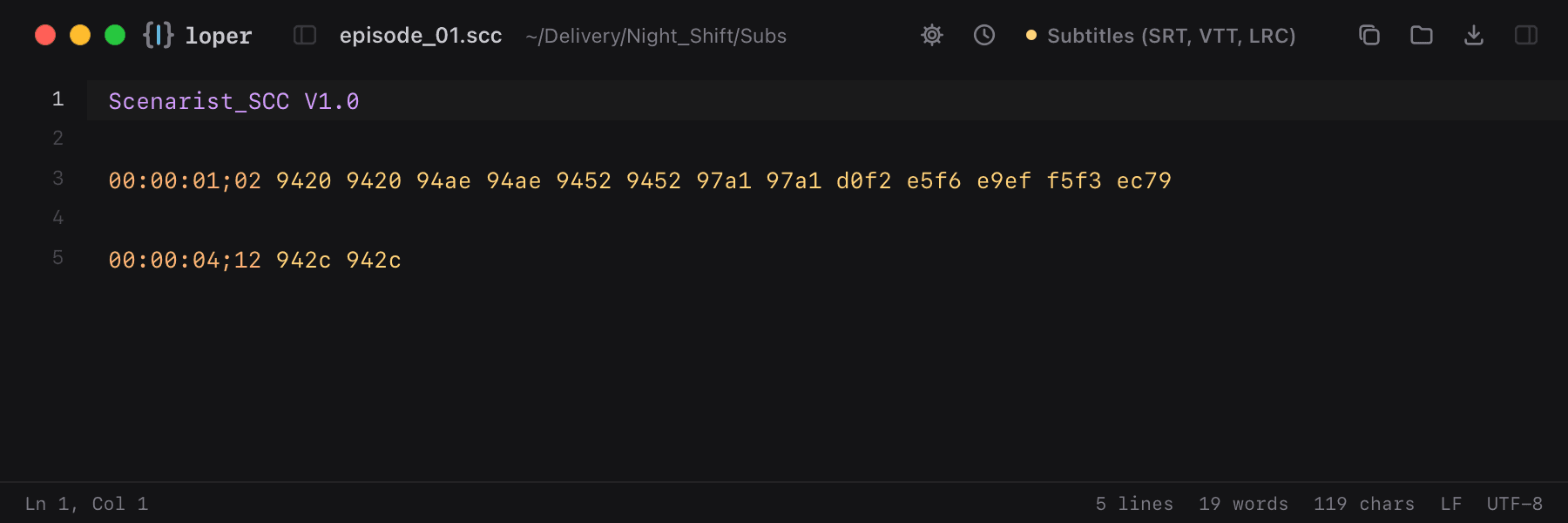
CEA-608 caption data: drop-frame timecodes and hex control words, separated by color.

episode_01.scc opened in Loper: Scenarist closed captions (SCC) with color-coded Subtitles (SRT, VTT, LRC)
Show the file as text
Scenarist_SCC V1.0 00:00:01;02	9420 9420 94ae 94ae 9452 9452 97a1 97a1 d0f2 e5f6 e9ef f5f3 ec79 00:00:04;12	942c 942c

TTML / DFXP / IMSC / iTT

.ttml .dfxp .itt

Timed text for broadcast and streaming with begin/end times and styling attributes.

episode_01.ttml opened in Loper: TTML / DFXP / IMSC / iTT with color-coded XML
Show the file as text
<tt xmlns="http://www.w3.org/ns/ttml" xml:lang="de" ttp:frameRate="25">  <body>    <div>      <p begin="00:00:01.000" end="00:00:04.200">Bisher bei Night Shift…</p>      <p begin="00:00:04.800" end="00:00:07.950">Sind alle Karten gesichert?</p>    </div>  </body></tt>

Advanced SubStation Alpha

.ass .ssa

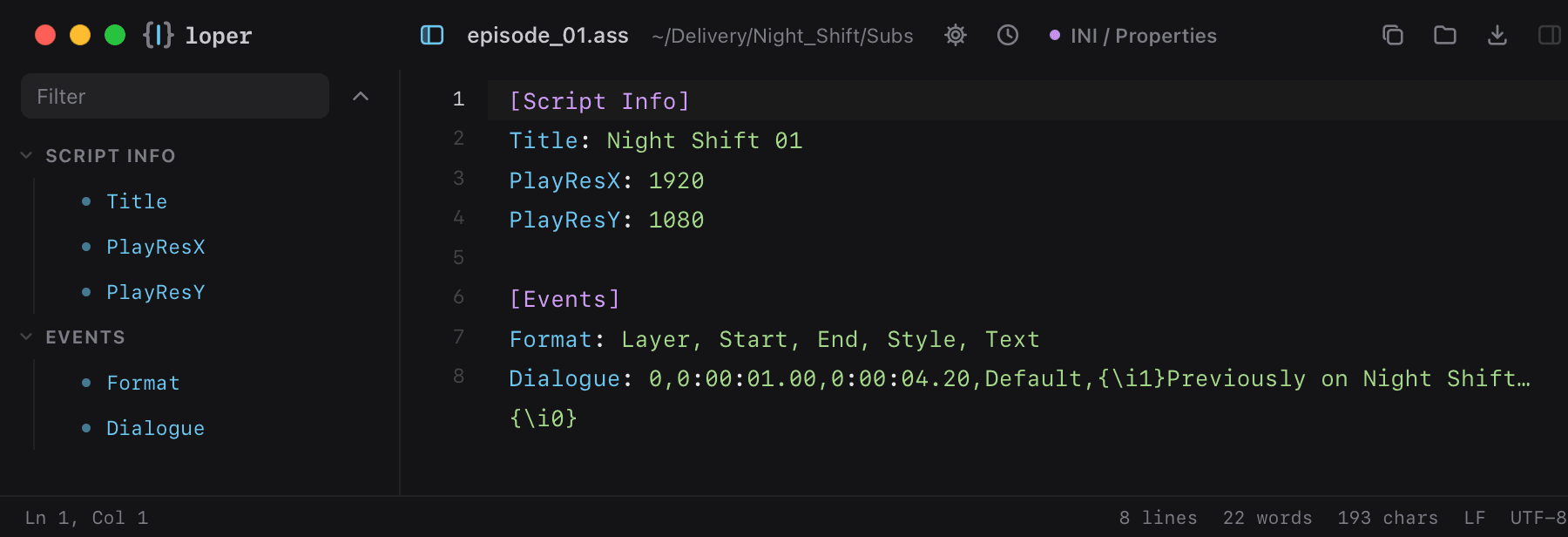
Styled subtitles with Script Info, Styles and Events sections.

episode_01.ass opened in Loper: Advanced SubStation Alpha with color-coded INI / Properties
Show the file as text
[Script Info]Title: Night Shift 01PlayResX: 1920PlayResY: 1080 [Events]Format: Layer, Start, End, Style, TextDialogue: 0,0:00:01.00,0:00:04.20,Default,{\i1}Previously on Night Shift…{\i0}

XLIFF translations

.xliff .xlf

Translation files with source, target and state, easy to scan.

app.de.xliff opened in Loper: XLIFF translations with color-coded XML
Show the file as text
<xliff version="1.2">  <file source-language="en" target-language="de" datatype="plaintext">    <body>      <trans-unit id="save">        <source>Save</source>        <target state="translated">Speichern</target>      </trans-unit>    </body>  </file></xliff>

gettext PO

.po .pot

msgid/msgstr pairs, references and fuzzy flags in color.

de.po opened in Loper: gettext PO with color-coded Translations (PO)
Show the file as text
#: src/editor.ts:42msgid "Save"msgstr "Speichern" #: src/editor.ts:57#, fuzzymsgid "Open recent"msgstr "Zuletzt geöffnet"

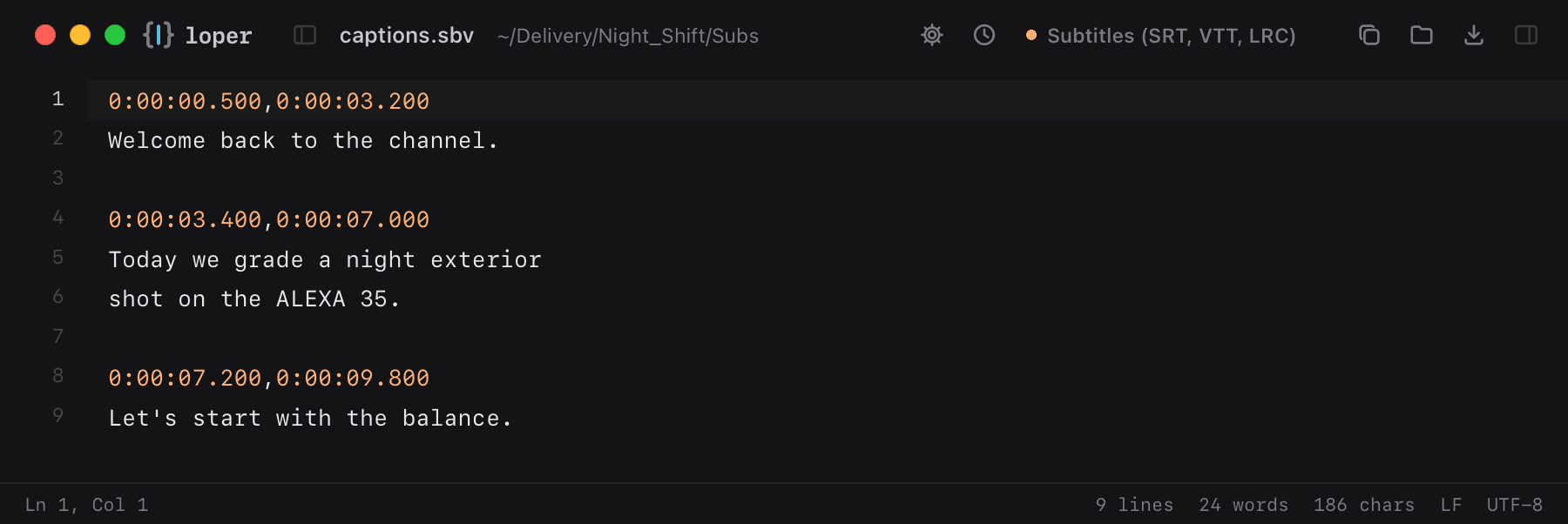
YouTube captions (.sbv)

.sbv

YouTube's simple caption format: a start,end time line, then the text.

captions.sbv opened in Loper: YouTube captions (.sbv) with color-coded Subtitles (SRT, VTT, LRC)
Show the file as text
0:00:00.500,0:00:03.200Welcome back to the channel. 0:00:03.400,0:00:07.000Today we grade a night exteriorshot on the ALEXA 35. 0:00:07.200,0:00:09.800Let's start with the balance.

MacCaption closed captions (.mcc)

.mcc

CEA-708 broadcast captions: a header, then a timecode and the caption data in hex for each frame.

NightShift_EN.mcc opened in Loper: MacCaption closed captions (.mcc) with color-coded Subtitles (SRT, VTT, LRC)
Show the file as text
File Format=MacCaption_MCC V2.0 UUID=7f2e9b40-2c1d-4c8a-9a3e-1b5f0e6d7c21Creation Program=Caption Encoder 3.2Time Code Rate=30DF 00:00:00;00	T52S524F67ZZ72F4QROO7A2E00:00:00;01	T52S524F67ZZ72F4QRFF0C94AE00:00:00;02	T52S524F67ZZ72F4QRFF0294209420

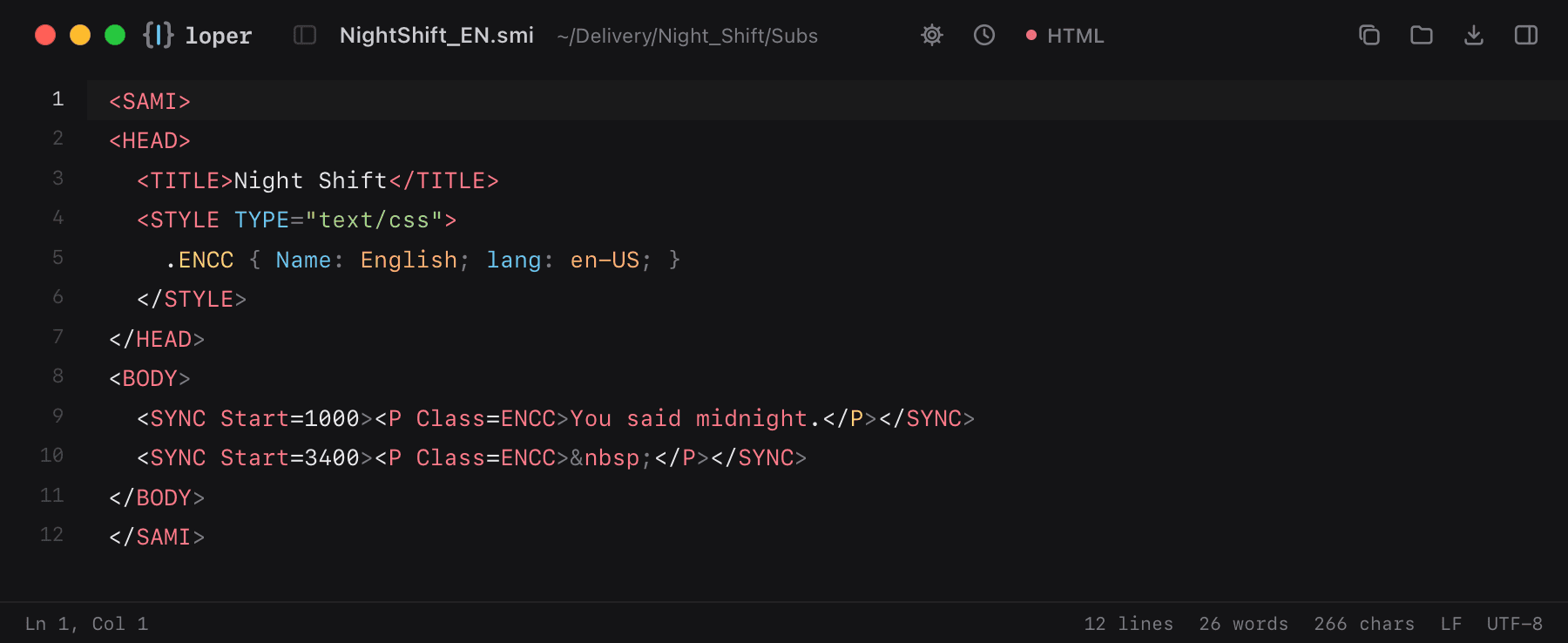
SAMI captions (.smi)

.sami .smi

Microsoft's HTML-like caption format, still used in web and broadcast workflows.

NightShift_EN.smi opened in Loper: SAMI captions (.smi) with color-coded HTML
Show the file as text
<SAMI><HEAD>  <TITLE>Night Shift</TITLE>  <STYLE TYPE="text/css">    .ENCC { Name: English; lang: en-US; }  </STYLE></HEAD><BODY>  <SYNC Start=1000><P Class=ENCC>You said midnight.</P></SYNC>  <SYNC Start=3400><P Class=ENCC>&nbsp;</P></SYNC></BODY></SAMI>

Apple .strings

.strings

Translations for iOS and macOS apps: one key = value pair per line, comments for translators.

Localizable.strings opened in Loper: Apple .strings with color-coded INI / Properties
Show the file as text
/* Title of the export button */"export.button" = "Exportieren"; /* Shown while files are copied */"copy.progress" = "Kopiere %d von %d Dateien"; "settings.title" = "Einstellungen";"error.disk_full" = "Das Ziel ist voll.";

Xcode string catalog (.xcstrings)

.xcstrings

Xcode 15+ keeps every language in one JSON catalog: keys, states and translations.

Localizable.xcstrings opened in Loper: Xcode string catalog (.xcstrings) with color-coded JSON
Show the file as text
{  "sourceLanguage" : "en",  "strings" : {    "Export" : {      "localizations" : {        "de" : { "stringUnit" : { "state" : "translated", "value" : "Exportieren" } },        "fr" : { "stringUnit" : { "state" : "needs_review", "value" : "Exporter" } }      }    }  },  "version" : "1.0"}

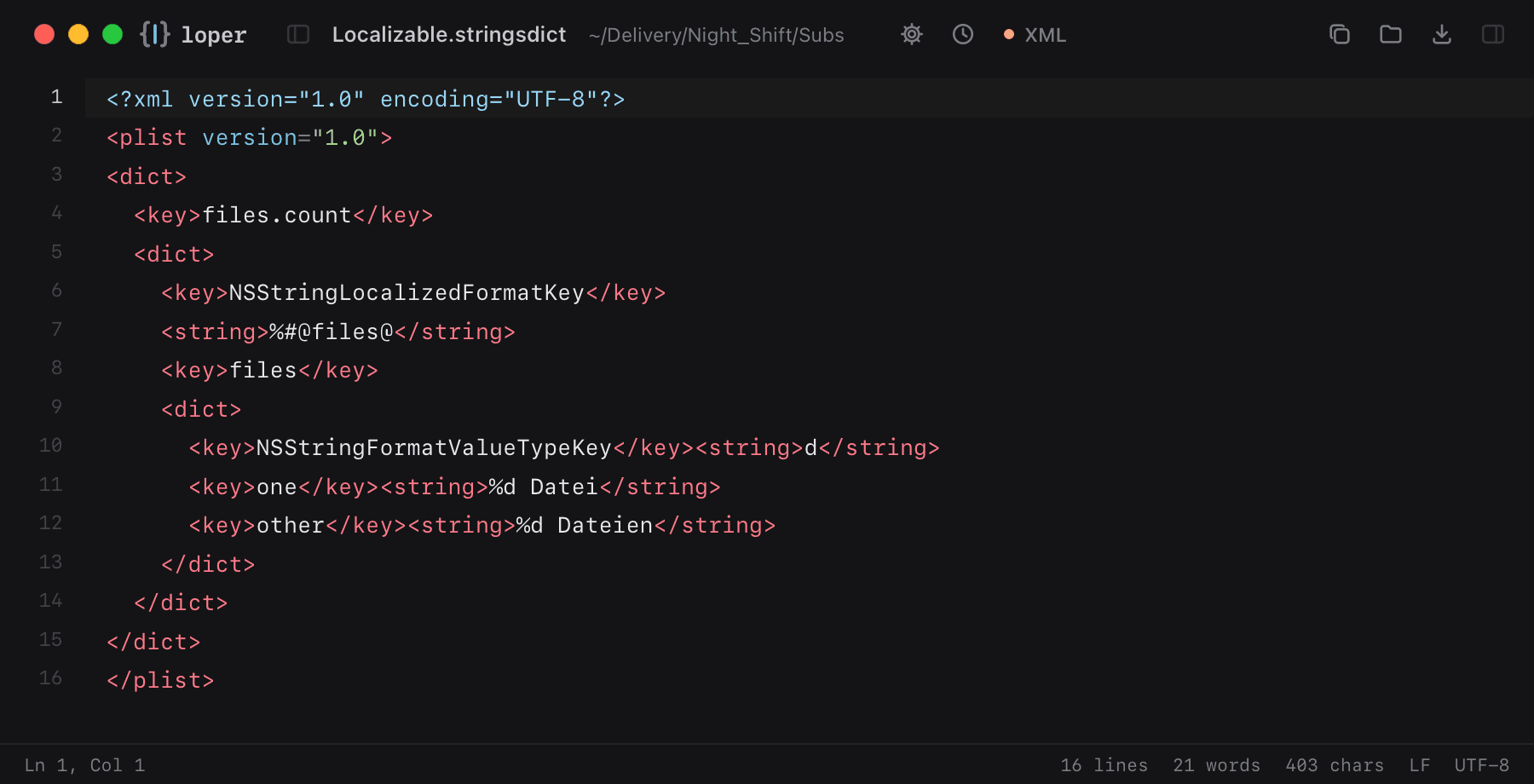
Apple plural rules (.stringsdict)

.stringsdict

Plural forms for iOS and macOS apps, as a property list.

Localizable.stringsdict opened in Loper: Apple plural rules (.stringsdict) with color-coded XML
Show the file as text
<?xml version="1.0" encoding="UTF-8"?><plist version="1.0"><dict>  <key>files.count</key>  <dict>    <key>NSStringLocalizedFormatKey</key>    <string>%#@files@</string>    <key>files</key>    <dict>      <key>NSStringFormatValueTypeKey</key><string>d</string>      <key>one</key><string>%d Datei</string>      <key>other</key><string>%d Dateien</string>    </dict>  </dict></dict></plist>

.NET resources (.resx)

.resx

Translations and resources for .NET apps: named data entries with values and comments.

Strings.de.resx opened in Loper: .NET resources (.resx) with color-coded XML
Show the file as text
<?xml version="1.0" encoding="utf-8"?><root>  <resheader name="resmimetype">    <value>text/microsoft-resx</value>  </resheader>  <data name="ExportButton" xml:space="preserve">    <value>Exportieren</value>    <comment>Main toolbar</comment>  </data>  <data name="CopyProgress" xml:space="preserve">    <value>Kopiere {0} von {1} Dateien</value>  </data></root>

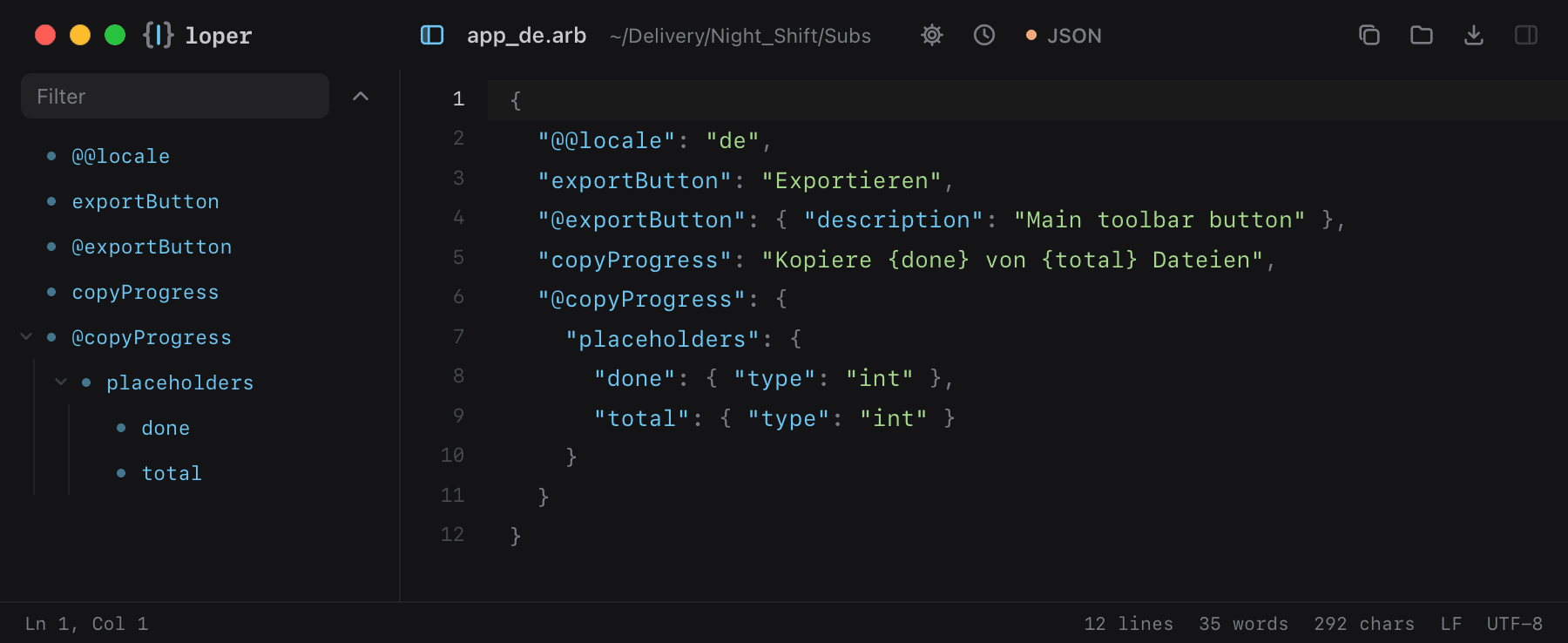
Flutter translations (.arb)

.arb

Application Resource Bundles for Flutter: messages, placeholders and translator notes in JSON.

app_de.arb opened in Loper: Flutter translations (.arb) with color-coded JSON
Show the file as text
{  "@@locale": "de",  "exportButton": "Exportieren",  "@exportButton": { "description": "Main toolbar button" },  "copyProgress": "Kopiere {done} von {total} Dateien",  "@copyProgress": {    "placeholders": {      "done": { "type": "int" },      "total": { "type": "int" }    }  }}

Translation memory (.tmx)

.tmx

Translation memories exchanged between CAT tools: source and target segments side by side.

NightShift_EN-DE.tmx opened in Loper: Translation memory (.tmx) with color-coded XML
Show the file as text
<?xml version="1.0" encoding="UTF-8"?><tmx version="1.4">  <header srclang="en-US" datatype="plaintext" segtype="sentence"          creationtool="Loper" creationtoolversion="0.1.9" adminlang="en-US"/>  <body>    <tu>      <tuv xml:lang="en-US"><seg>You said midnight.</seg></tuv>      <tuv xml:lang="de-DE"><seg>Du hast Mitternacht gesagt.</seg></tuv>    </tu>  </body></tmx>

Broadcast, IPTV & streaming

Program guides, playlists, manifests and encoder presets.

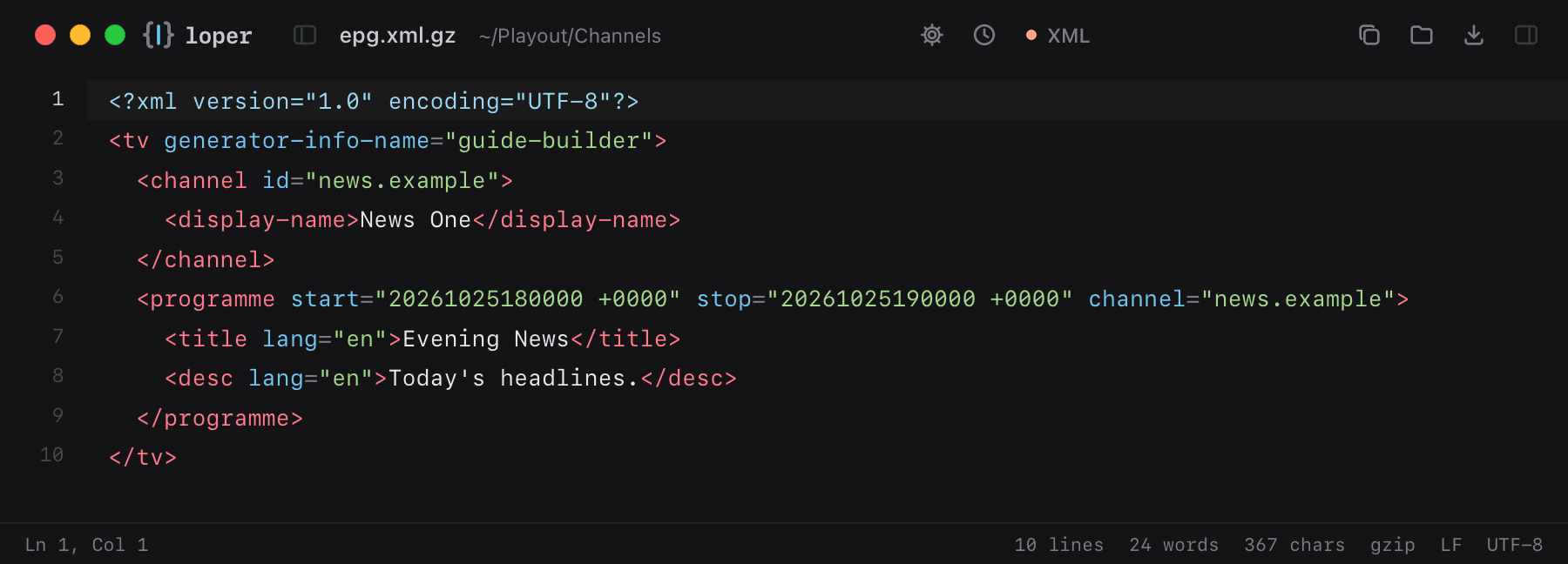
XMLTV EPG

.xml .xmltv .xml.gz

Electronic program guides for IPTV. Loper opens even compressed .xml.gz guides and shows them unpacked.

epg.xml.gz opened in Loper: XMLTV EPG with color-coded XML
Show the file as text
<?xml version="1.0" encoding="UTF-8"?><tv generator-info-name="guide-builder">  <channel id="news.example">    <display-name>News One</display-name>  </channel>  <programme start="20261025180000 +0000" stop="20261025190000 +0000" channel="news.example">    <title lang="en">Evening News</title>    <desc lang="en">Today's headlines.</desc>  </programme></tv>

M3U / M3U8 playlists

.m3u .m3u8

IPTV lists and HLS playlists: directives, attributes like tvg-id and the stream URLs.

channels.m3u8 opened in Loper: M3U / M3U8 playlists with color-coded Playlist (M3U)
Show the file as text
#EXTM3U url-tvg="https://example.com/epg.xml.gz"#EXTINF:-1 tvg-id="news.example" group-title="News",News Onehttps://cdn.example.com/news/index.m3u8#EXT-X-STREAM-INF:BANDWIDTH=5000000,RESOLUTION=1920x10801080p/index.m3u8

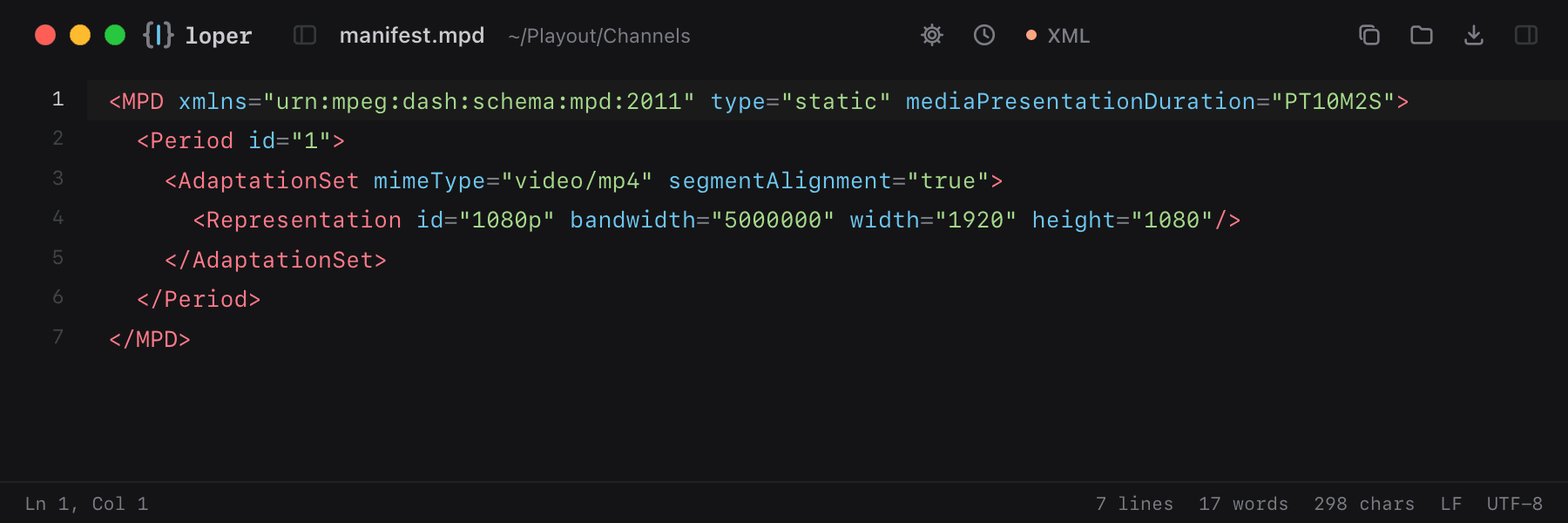
MPEG-DASH manifest

.mpd

DASH manifests with periods, adaptation sets and representations.

manifest.mpd opened in Loper: MPEG-DASH manifest with color-coded XML
Show the file as text
<MPD xmlns="urn:mpeg:dash:schema:mpd:2011" type="static" mediaPresentationDuration="PT10M2S">  <Period id="1">    <AdaptationSet mimeType="video/mp4" segmentAlignment="true">      <Representation id="1080p" bandwidth="5000000" width="1920" height="1080"/>    </AdaptationSet>  </Period></MPD>

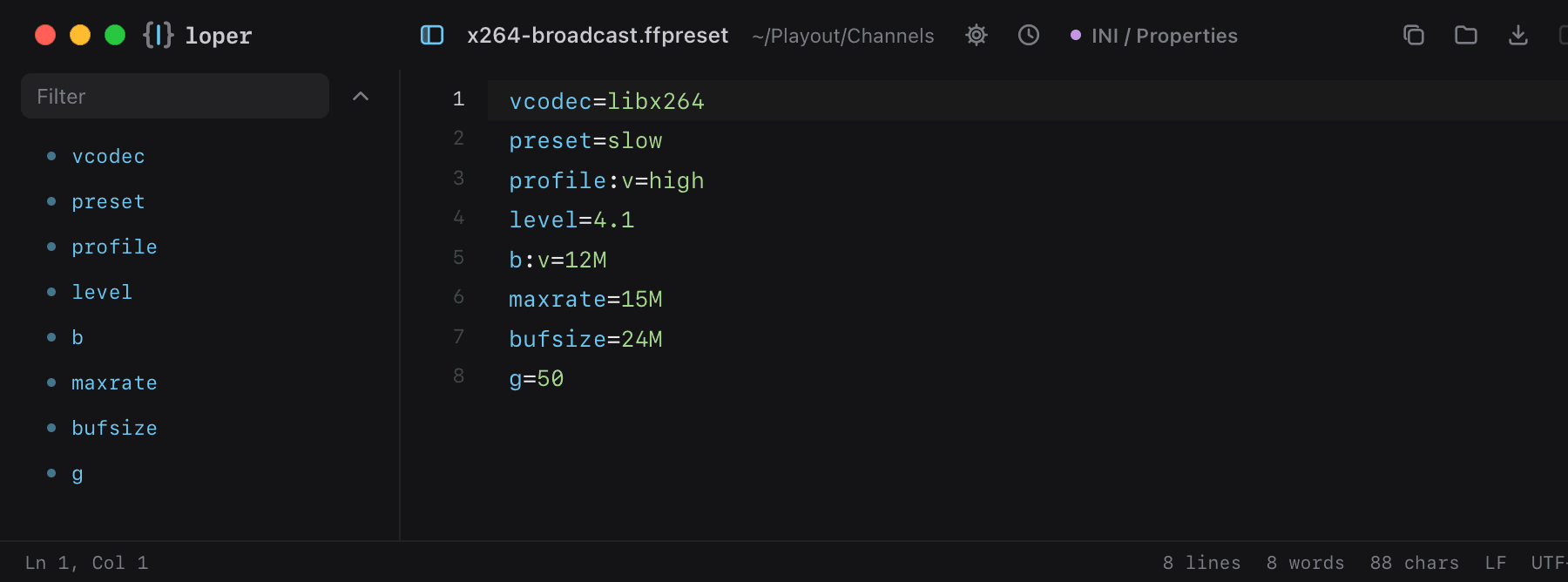
FFmpeg presets

.ffpreset .avpreset

Encoder presets as key=value pairs.

x264-broadcast.ffpreset opened in Loper: FFmpeg presets with color-coded INI / Properties
Show the file as text
vcodec=libx264preset=slowprofile:v=highlevel=4.1b:v=12Mmaxrate=15Mbufsize=24Mg=50

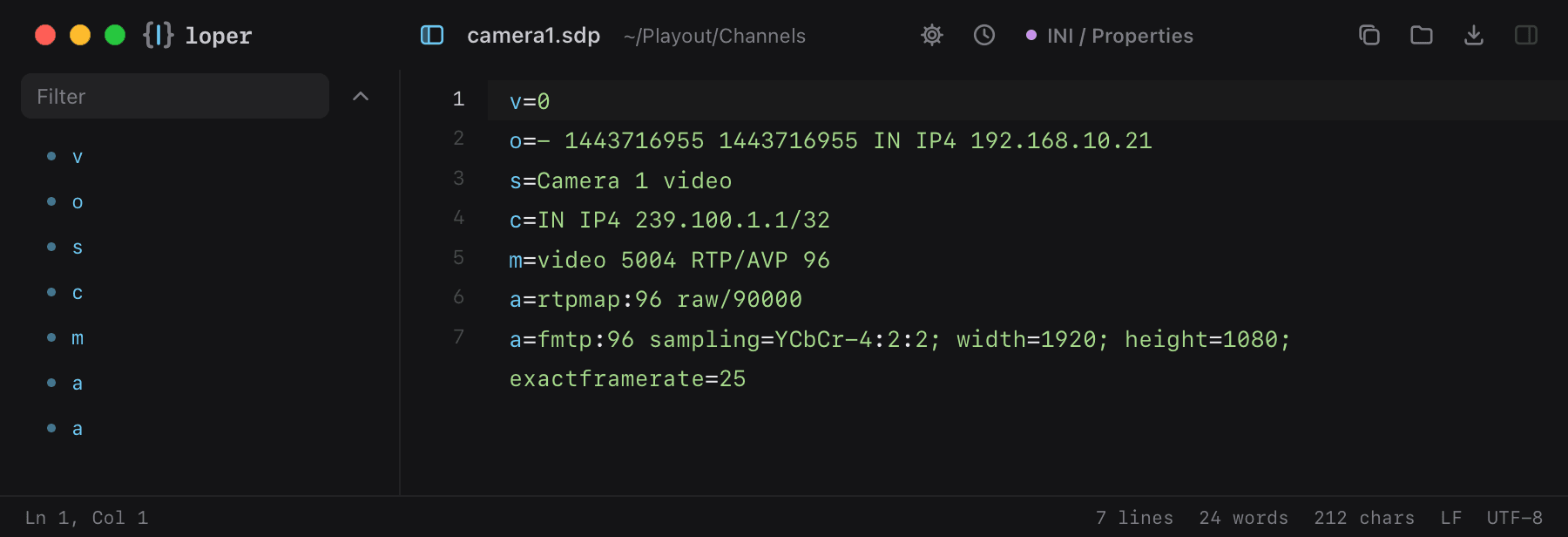
SDP (ST 2110 / RTP)

.sdp

Session descriptions for ST 2110 and RTP streams.

camera1.sdp opened in Loper: SDP (ST 2110 / RTP) with color-coded INI / Properties
Show the file as text
v=0o=- 1443716955 1443716955 IN IP4 192.168.10.21s=Camera 1 videoc=IN IP4 239.100.1.1/32m=video 5004 RTP/AVP 96a=rtpmap:96 raw/90000a=fmtp:96 sampling=YCbCr-4:2:2; width=1920; height=1080; exactframerate=25

PLS playlist

.pls

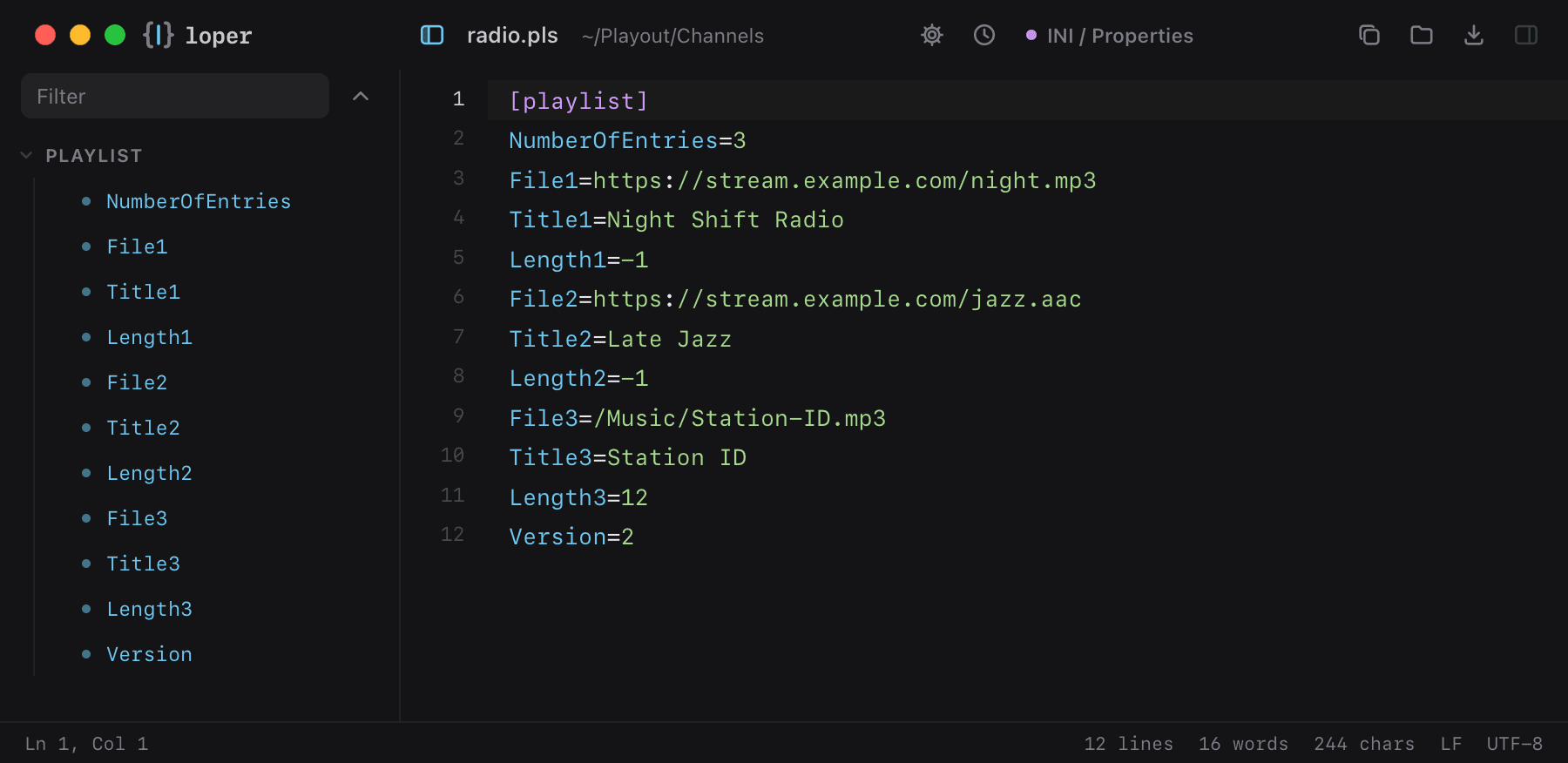
Internet radio playlists: numbered File, Title and Length entries in INI style.

radio.pls opened in Loper: PLS playlist with color-coded INI / Properties
Show the file as text
[playlist]NumberOfEntries=3File1=https://stream.example.com/night.mp3Title1=Night Shift RadioLength1=-1File2=https://stream.example.com/jazz.aacTitle2=Late JazzLength2=-1File3=/Music/Station-ID.mp3Title3=Station IDLength3=12Version=2

XSPF playlist

.xspf

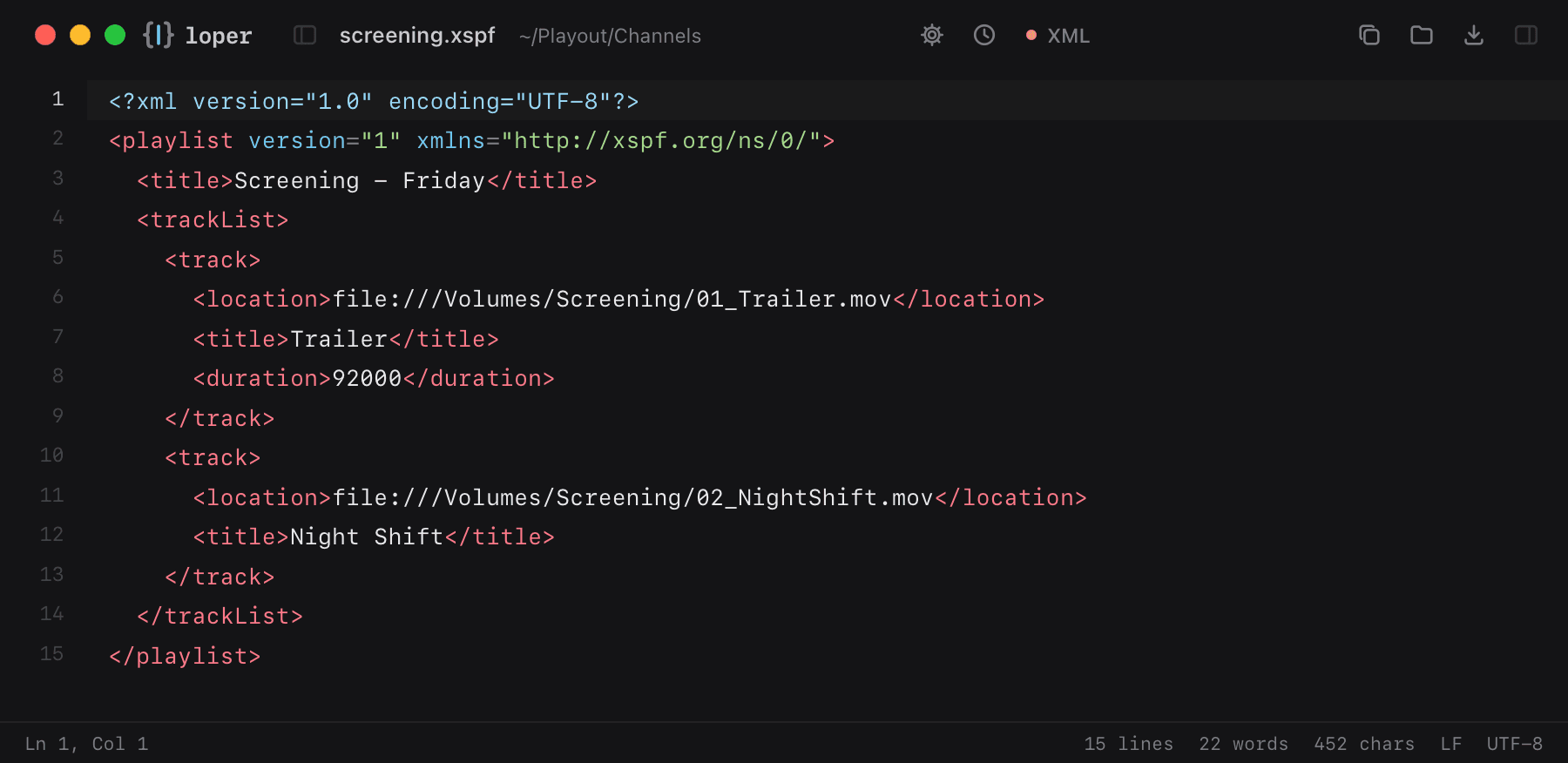
XML playlists used by VLC: track locations, titles and durations.

screening.xspf opened in Loper: XSPF playlist with color-coded XML
Show the file as text
<?xml version="1.0" encoding="UTF-8"?><playlist version="1" xmlns="http://xspf.org/ns/0/">  <title>Screening - Friday</title>  <trackList>    <track>      <location>file:///Volumes/Screening/01_Trailer.mov</location>      <title>Trailer</title>      <duration>92000</duration>    </track>    <track>      <location>file:///Volumes/Screening/02_NightShift.mov</location>      <title>Night Shift</title>    </track>  </trackList></playlist>

Smooth Streaming manifest (.ism, .ismc)

.ism .ismc

Microsoft Smooth Streaming client manifests: quality levels, bitrates and chunk timing.

NightShift.ismc opened in Loper: Smooth Streaming manifest (.ism, .ismc) with color-coded XML
Show the file as text
<?xml version="1.0" encoding="utf-8"?><SmoothStreamingMedia MajorVersion="2" MinorVersion="2" Duration="9000000000" TimeScale="10000000">  <StreamIndex Type="video" Chunks="450" QualityLevels="3" Url="QualityLevels({bitrate})/Fragments(video={start time})">    <QualityLevel Index="0" Bitrate="6000000" FourCC="H264" MaxWidth="1920" MaxHeight="1080"/>    <QualityLevel Index="1" Bitrate="3000000" FourCC="H264" MaxWidth="1280" MaxHeight="720"/>    <QualityLevel Index="2" Bitrate="1200000" FourCC="H264" MaxWidth="854" MaxHeight="480"/>    <c t="0" d="20000000"/>  </StreamIndex></SmoothStreamingMedia>

Adobe HDS manifest (.f4m)

.f4m

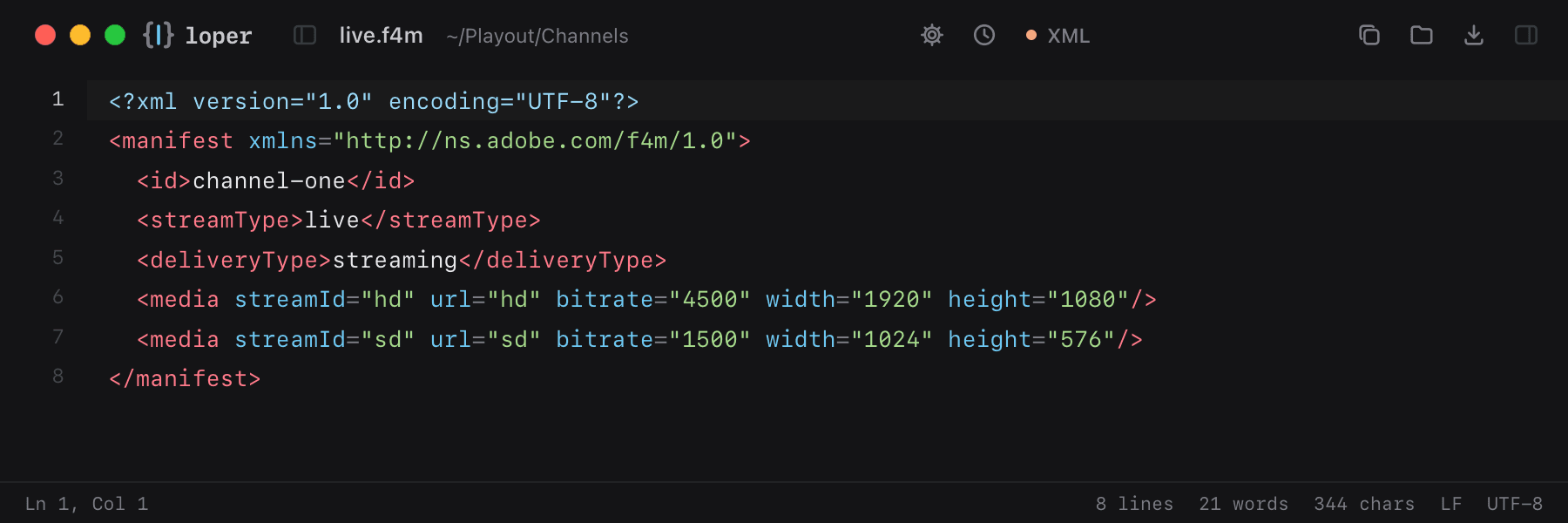
Flash Media Manifests for HTTP Dynamic Streaming: stream type and media renditions.

live.f4m opened in Loper: Adobe HDS manifest (.f4m) with color-coded XML
Show the file as text
<?xml version="1.0" encoding="UTF-8"?><manifest xmlns="http://ns.adobe.com/f4m/1.0">  <id>channel-one</id>  <streamType>live</streamType>  <deliveryType>streaming</deliveryType>  <media streamId="hd" url="hd" bitrate="4500" width="1920" height="1080"/>  <media streamId="sd" url="sd" bitrate="1500" width="1024" height="576"/></manifest>

FFmpeg concat list (.ffconcat)

.ffconcat

The list FFmpeg's concat demuxer joins: files, in and out points and durations.

reel.ffconcat opened in Loper: FFmpeg concat list (.ffconcat) with color-coded Shell
Show the file as text
ffconcat version 1.0# Festival reelfile 'Slate.mov'duration 5file 'A001C003.mov'inpoint 2.0outpoint 8.0file 'A001C004.mov'file 'EndCredits.mov'

AviSynth script (.avs)

.avs

Frame-server scripts for encoding and restoration: source, filters and trims.

encode.avs opened in Loper: AviSynth script (.avs) with color-coded Python
Show the file as text
# Prepare the festival encodeLWLibavVideoSource("A001C003.mov")ConvertToYV12(matrix="Rec709")Trim(50, 1550)Crop(0, 140, 0, -140)Spline36Resize(1920, 800)FadeIn(25)FadeOut(25)

VapourSynth script (.vpy)

.vpy

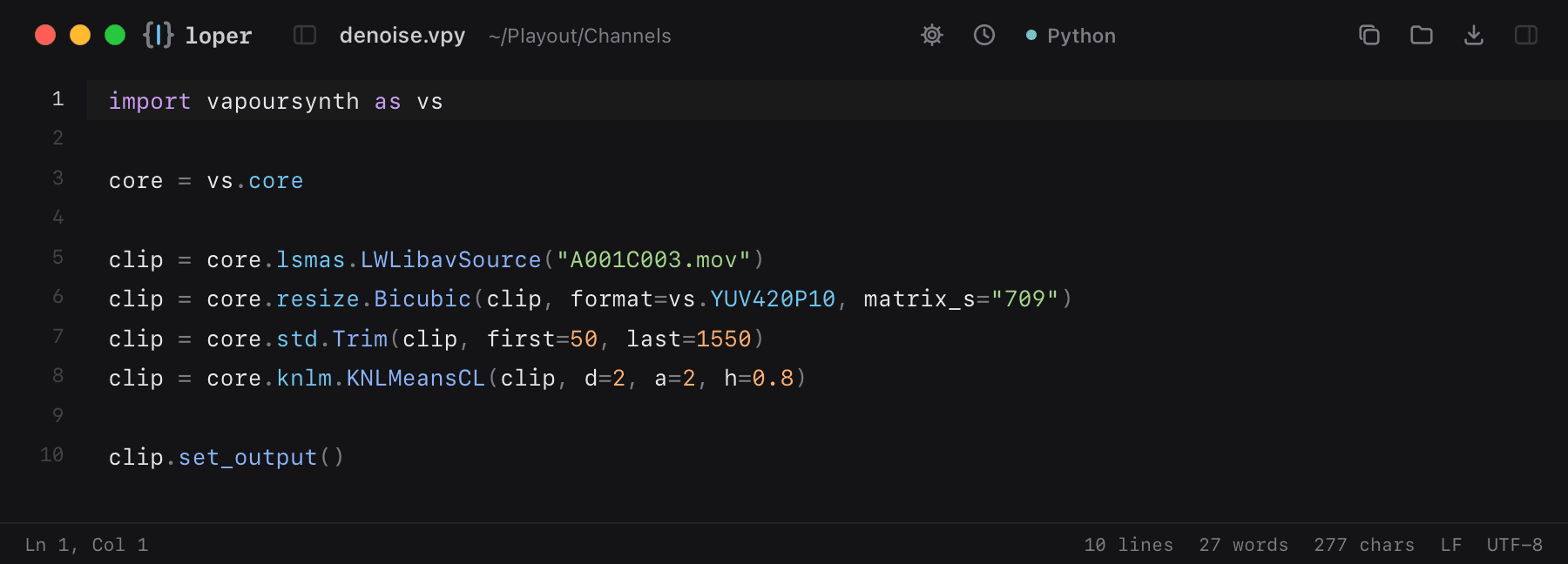
VapourSynth video processing scripts, written in Python.

denoise.vpy opened in Loper: VapourSynth script (.vpy) with color-coded Python
Show the file as text
import vapoursynth as vs core = vs.core clip = core.lsmas.LWLibavSource("A001C003.mov")clip = core.resize.Bicubic(clip, format=vs.YUV420P10, matrix_s="709")clip = core.std.Trim(clip, first=50, last=1550)clip = core.knlm.KNLMeansCL(clip, d=2, a=2, h=0.8) clip.set_output()

Kodi / Jellyfin .nfo

.nfo

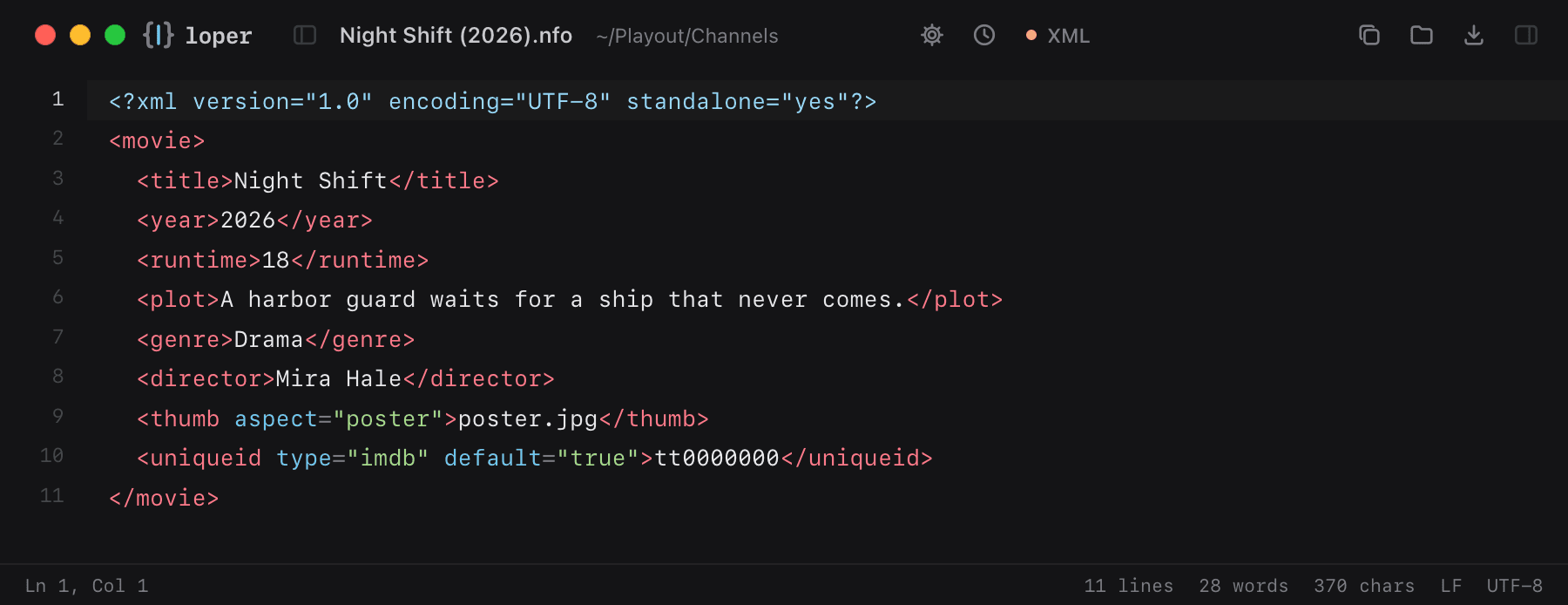
Media library metadata for Kodi, Jellyfin, Emby and Plex: title, year, plot and artwork.

Night Shift (2026).nfo opened in Loper: Kodi / Jellyfin .nfo with color-coded XML
Show the file as text
<?xml version="1.0" encoding="UTF-8" standalone="yes"?><movie>  <title>Night Shift</title>  <year>2026</year>  <runtime>18</runtime>  <plot>A harbor guard waits for a ship that never comes.</plot>  <genre>Drama</genre>  <director>Mira Hale</director>  <thumb aspect="poster">poster.jpg</thumb>  <uniqueid type="imdb" default="true">tt0000000</uniqueid></movie>

VFX, 3D & motion

Scene and script files that are text under the hood.

Nuke scripts

.nk .nknc .gizmo

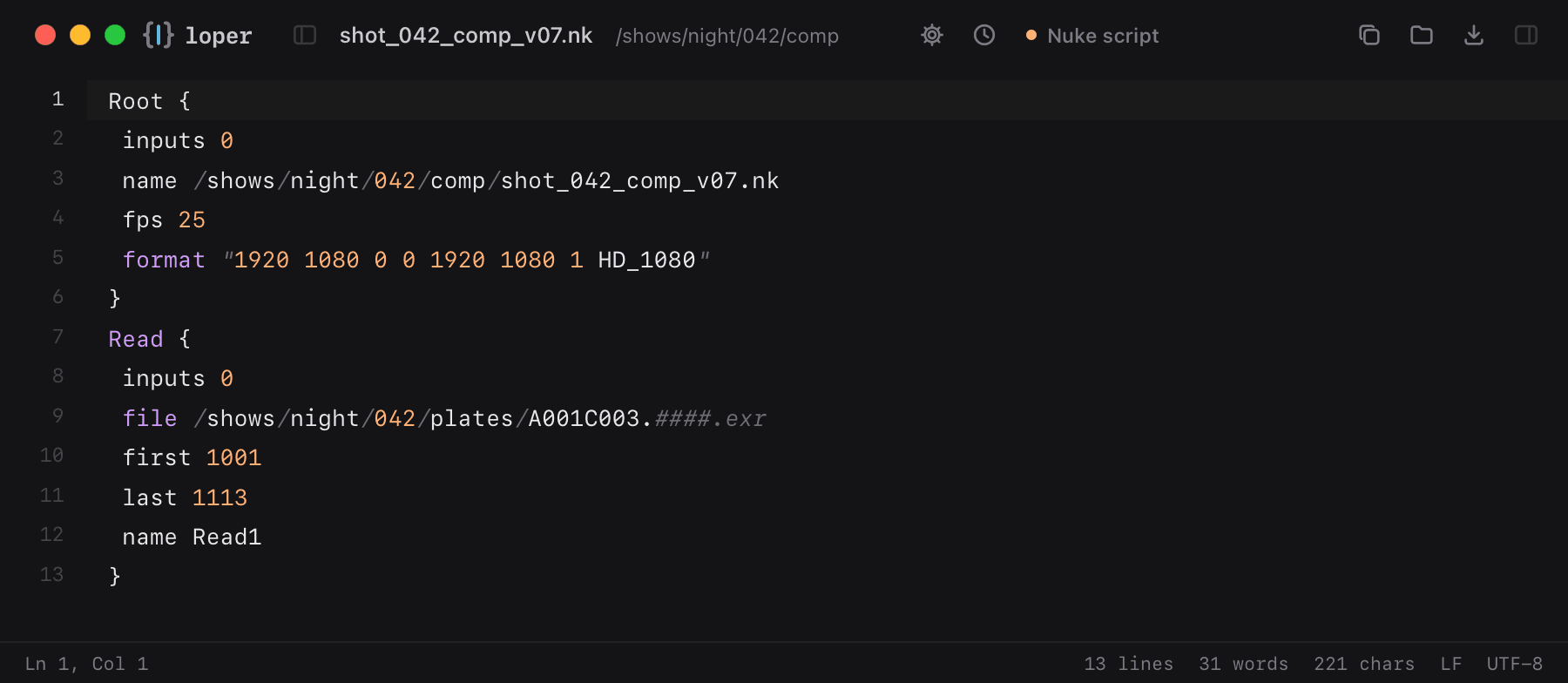
Nuke comps and gizmos: nodes, knobs and values.

shot_042_comp_v07.nk opened in Loper: Nuke scripts with color-coded Nuke script
Show the file as text
Root { inputs 0 name /shows/night/042/comp/shot_042_comp_v07.nk fps 25 format "1920 1080 0 0 1920 1080 1 HD_1080"}Read { inputs 0 file /shows/night/042/plates/A001C003.####.exr first 1001 last 1113 name Read1}

USD (ASCII)

.usda

Universal Scene Description layers in their readable text form.

shot_042.usda opened in Loper: USD (ASCII) with color-coded Python
Show the file as text
#usda 1.0(    defaultPrim = "World"    upAxis = "Y") def Xform "World"{    def Camera "shotCam"    {        float focalLength = 35    }}

Maya ASCII scene (.ma)

.ma

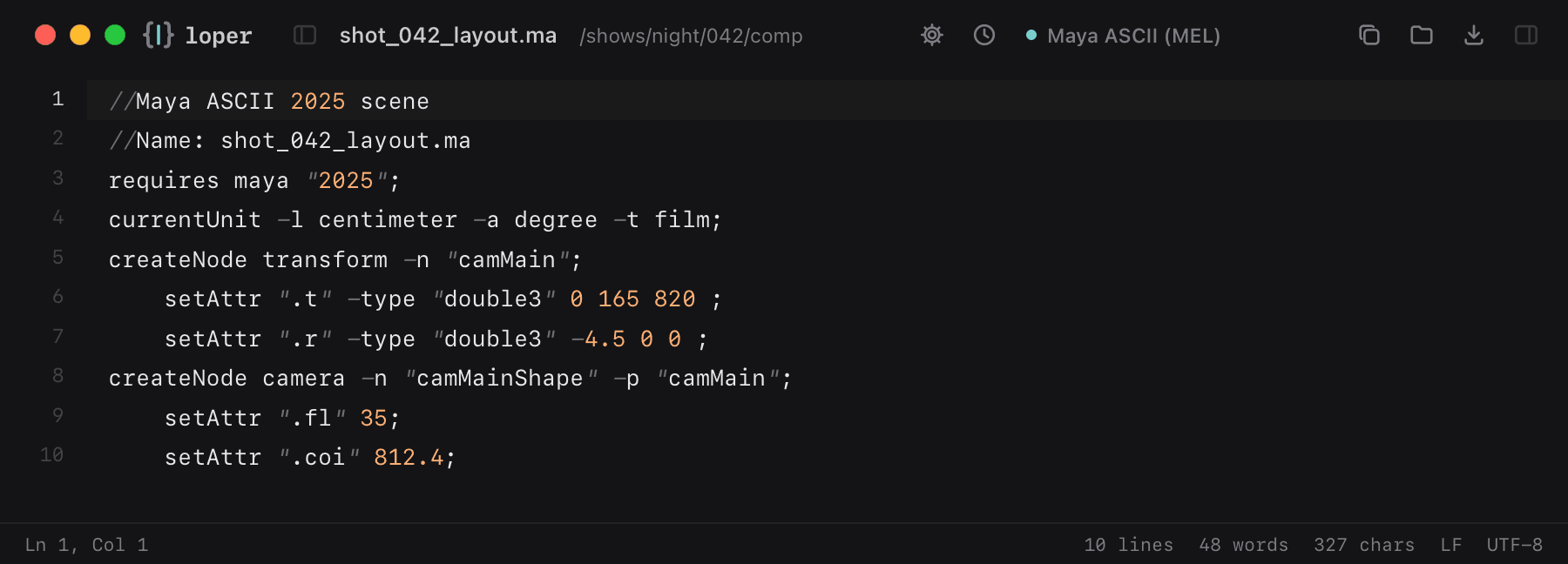
Maya scenes saved as text: MEL commands that create nodes and set their attributes.

shot_042_layout.ma opened in Loper: Maya ASCII scene (.ma) with color-coded Maya ASCII (MEL)
Show the file as text
//Maya ASCII 2025 scene//Name: shot_042_layout.marequires maya "2025";currentUnit -l centimeter -a degree -t film;createNode transform -n "camMain";	setAttr ".t" -type "double3" 0 165 820 ;	setAttr ".r" -type "double3" -4.5 0 0 ;createNode camera -n "camMainShape" -p "camMain";	setAttr ".fl" 35;	setAttr ".coi" 812.4;

Fusion comp and macro (.comp, .setting)

.comp .setting

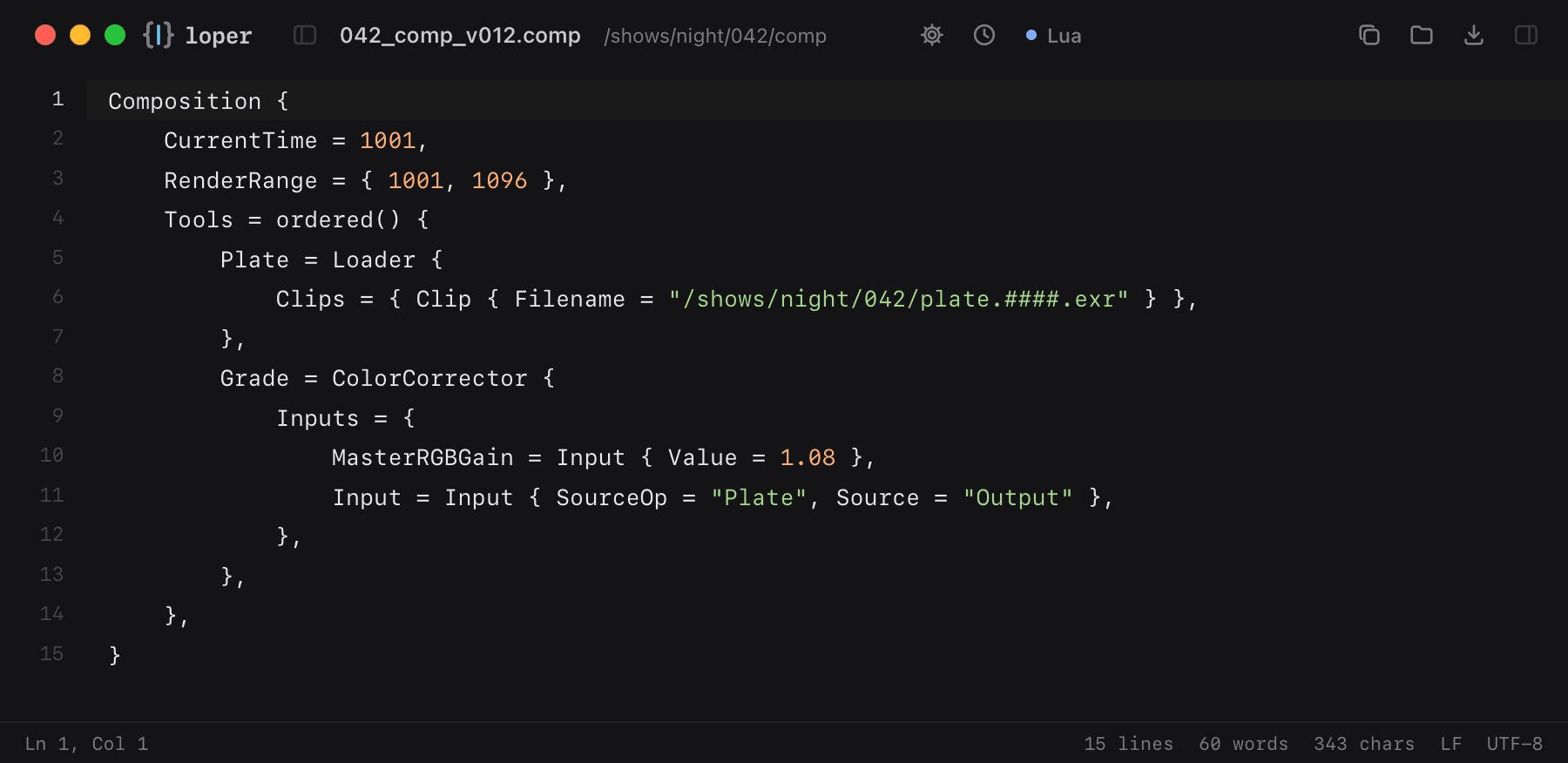
Blackmagic Fusion comps and macros are Lua tables: tools, inputs and connections.

042_comp_v012.comp opened in Loper: Fusion comp and macro (.comp, .setting) with color-coded Lua
Show the file as text
Composition {	CurrentTime = 1001,	RenderRange = { 1001, 1096 },	Tools = ordered() {		Plate = Loader {			Clips = { Clip { Filename = "/shows/night/042/plate.####.exr" } },		},		Grade = ColorCorrector {			Inputs = {				MasterRGBGain = Input { Value = 1.08 },				Input = Input { SourceOp = "Plate", Source = "Output" },			},		},	},}

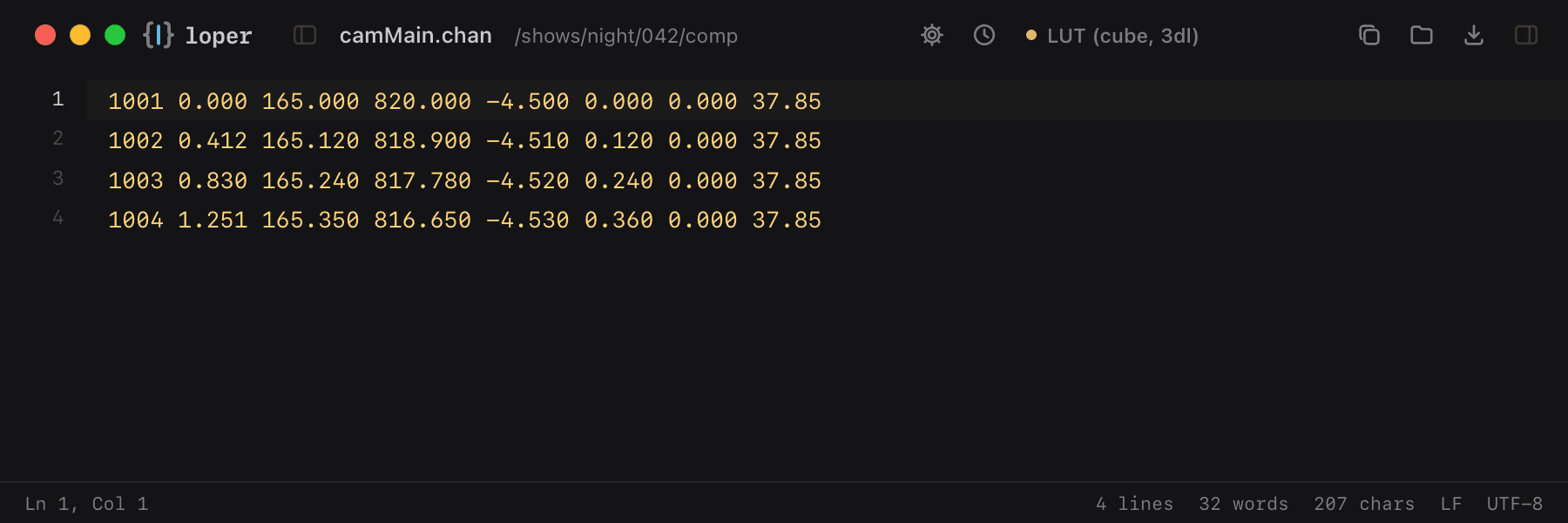
Camera channel file (.chan)

.chan

Camera tracks exchanged between Nuke, Maya and trackers: frame, translate, rotate and field of view per line.

camMain.chan opened in Loper: Camera channel file (.chan) with color-coded LUT (cube, 3dl)
Show the file as text
1001 0.000 165.000 820.000 -4.500 0.000 0.000 37.851002 0.412 165.120 818.900 -4.510 0.120 0.000 37.851003 0.830 165.240 817.780 -4.520 0.240 0.000 37.851004 1.251 165.350 816.650 -4.530 0.360 0.000 37.85

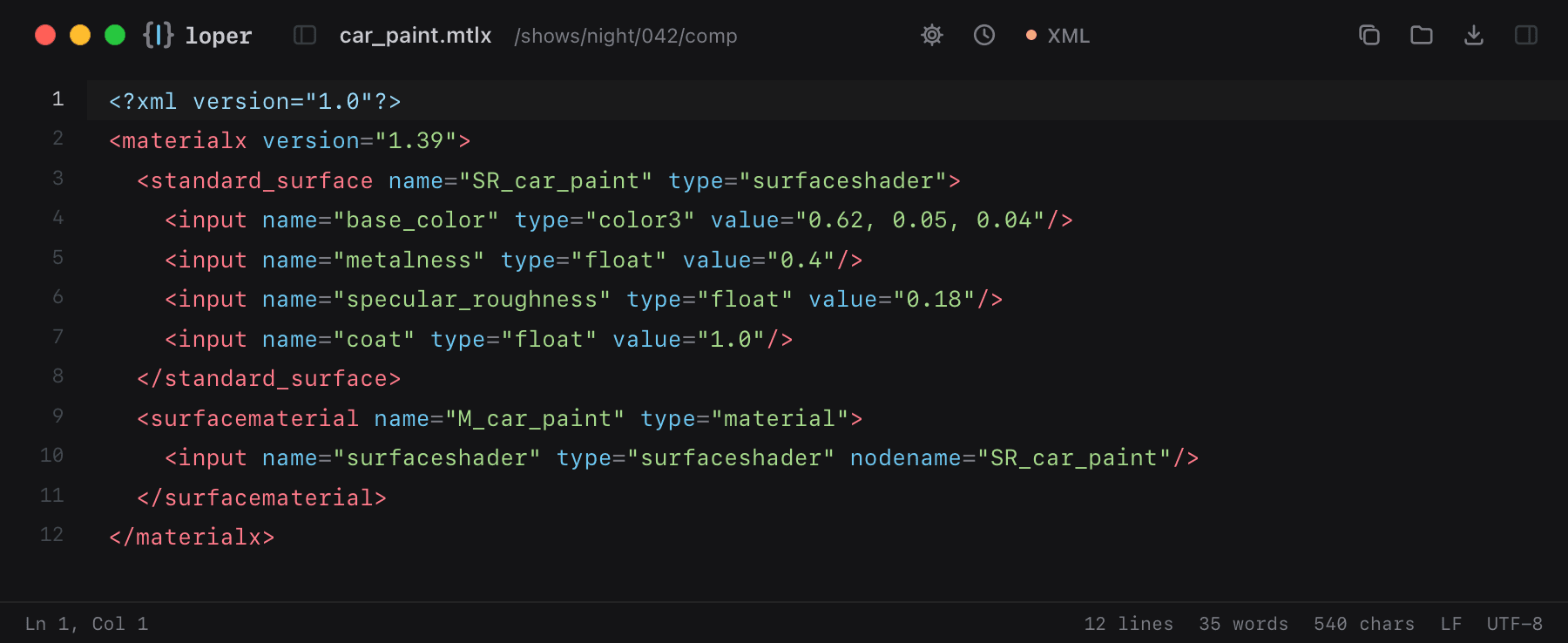
MaterialX (.mtlx)

.mtlx

Look-dev materials shared across Houdini, Maya, Blender and USD: shader nodes and their inputs.

car_paint.mtlx opened in Loper: MaterialX (.mtlx) with color-coded XML
Show the file as text
<?xml version="1.0"?><materialx version="1.39">  <standard_surface name="SR_car_paint" type="surfaceshader">    <input name="base_color" type="color3" value="0.62, 0.05, 0.04"/>    <input name="metalness" type="float" value="0.4"/>    <input name="specular_roughness" type="float" value="0.18"/>    <input name="coat" type="float" value="1.0"/>  </standard_surface>  <surfacematerial name="M_car_paint" type="material">    <input name="surfaceshader" type="surfaceshader" nodename="SR_car_paint"/>  </surfacematerial></materialx>

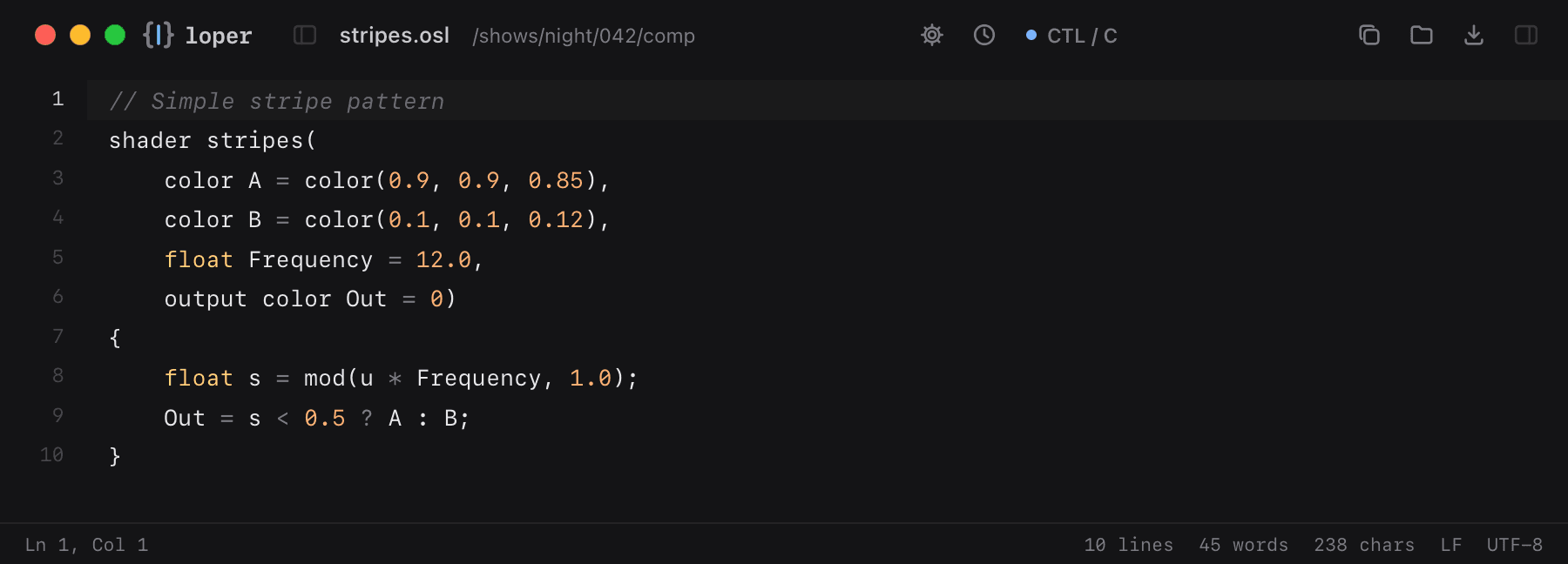
Open Shading Language (.osl)

.osl

Shaders for Arnold, RenderMan, Cycles and V-Ray, in OSL's C-like syntax.

stripes.osl opened in Loper: Open Shading Language (.osl) with color-coded CTL / C
Show the file as text
// Simple stripe patternshader stripes(    color A = color(0.9, 0.9, 0.85),    color B = color(0.1, 0.1, 0.12),    float Frequency = 12.0,    output color Out = 0){    float s = mod(u * Frequency, 1.0);    Out = s < 0.5 ? A : B;}

3D printing & CNC

Toolpaths you can read: commands, axes and feed rates in color.

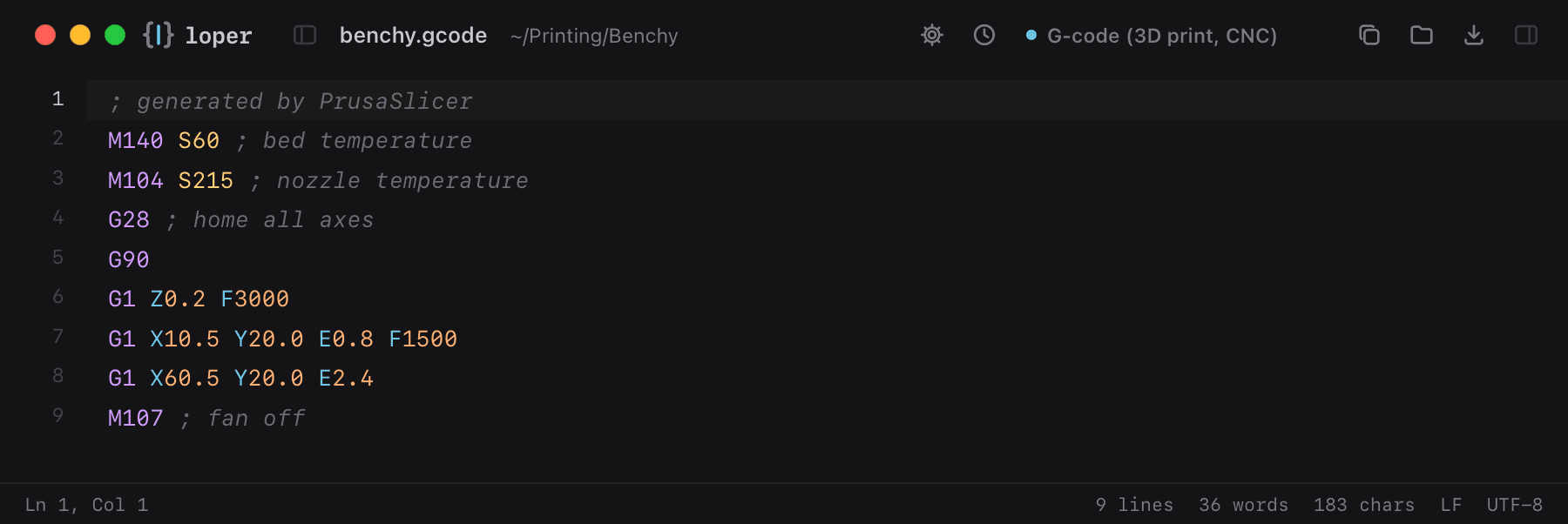
G-code

.gcode .gco .ngc

Slicer and CNC toolpaths: G and M commands, axis words, values and comments, each in their own color.

benchy.gcode opened in Loper: G-code with color-coded G-code (3D print, CNC)
Show the file as text
; generated by PrusaSlicerM140 S60 ; bed temperatureM104 S215 ; nozzle temperatureG28 ; home all axesG90G1 Z0.2 F3000G1 X10.5 Y20.0 E0.8 F1500G1 X60.5 Y20.0 E2.4M107 ; fan off

Data, research & smart home

Tables and configs from everyday tools.

CSV & TSV tables

.csv .tsv

Every column in its own color, so you can follow a value down a long table.

results.csv opened in Loper: CSV & TSV tables with color-coded CSV / TSV Table
Show the file as text
date,sample,temperature_c,ph,notes2026-10-20,A1,21.4,7.02,baseline2026-10-21,A1,21.9,6.98,2026-10-22,A2,22.1,7.11,"after calibration, retest"

Home Assistant config

configuration.yaml

Smart home automations and sensors, nested and colored.

configuration.yaml opened in Loper: Home Assistant config with color-coded YAML
Show the file as text
homeassistant:  name: Studio  unit_system: metric automation:  - alias: Lights on at sunset    trigger:      - platform: sun        event: sunset    action:      - service: light.turn_on        target:          entity_id: light.studio

Your files deserve colors. It's free.