Loper · Broadcast, IPTV & streaming
Open .m3u files on your Mac.
.m3u .m3u8
IPTV lists and HLS playlists: directives, attributes like tvg-id and the stream URLs.
Loper is a free, minimal editor for macOS that opens M3U / M3U8 playlists instantly and colors every part of the file, so you find the value you need at a glance and can fix it right there. No IDE, no project to load, no gray wall of text.
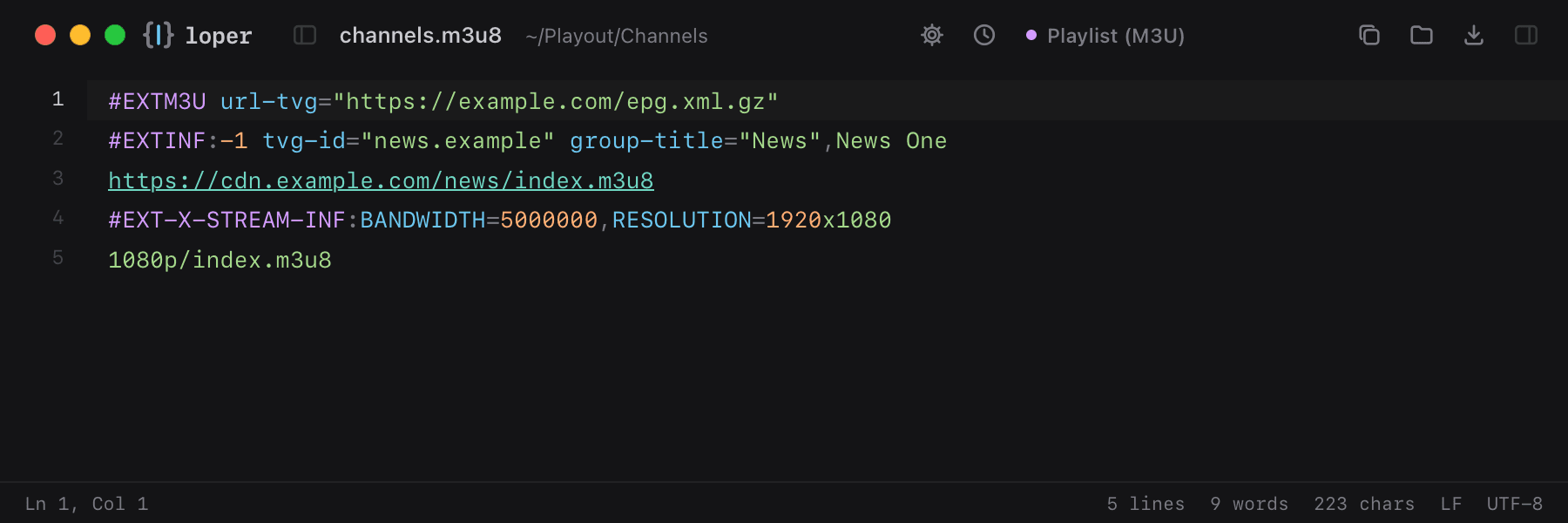
Show the file as text
#EXTM3U url-tvg="https://example.com/epg.xml.gz"#EXTINF:-1 tvg-id="news.example" group-title="News",News Onehttps://cdn.example.com/news/index.m3u8#EXT-X-STREAM-INF:BANDWIDTH=5000000,RESOLUTION=1920x10801080p/index.m3u8How to open .m3u files
- Download Loper (free, Apple silicon, signed and notarized) and move it to Applications.
- Double-click your .m3u file, drag it onto the Loper window, or right-click it and choose Open With › Loper.
- Want every .m3u file to open in Loper? Choose Loper › Make Loper the Default Editor….
More for broadcast, iptv & streaming
XMLTV EPG .xmlMPEG-DASH manifest .mpdFFmpeg presets .ffpresetSDP (ST 2110 / RTP) .sdpPLS playlist .plsXSPF playlist .xspfSmooth Streaming manifest (.ism, .ismc) .ismAdobe HDS manifest (.f4m) .f4mFFmpeg concat list (.ffconcat) .ffconcatAviSynth script (.avs) .avsVapourSynth script (.vpy) .vpyKodi / Jellyfin .nfo .nfo