Loper · DITs & camera departments
Open .csv files on your Mac.
.csv
Clip lists from Silverstack, Codex or ARRI Reference Tool. Every column gets its own color, so you can follow a value down the table.
Loper is a free, minimal editor for macOS that opens Camera & DIT reports (CSV) instantly and colors every part of the file, so you find the value you need at a glance and can fix it right there. No IDE, no project to load, no gray wall of text.
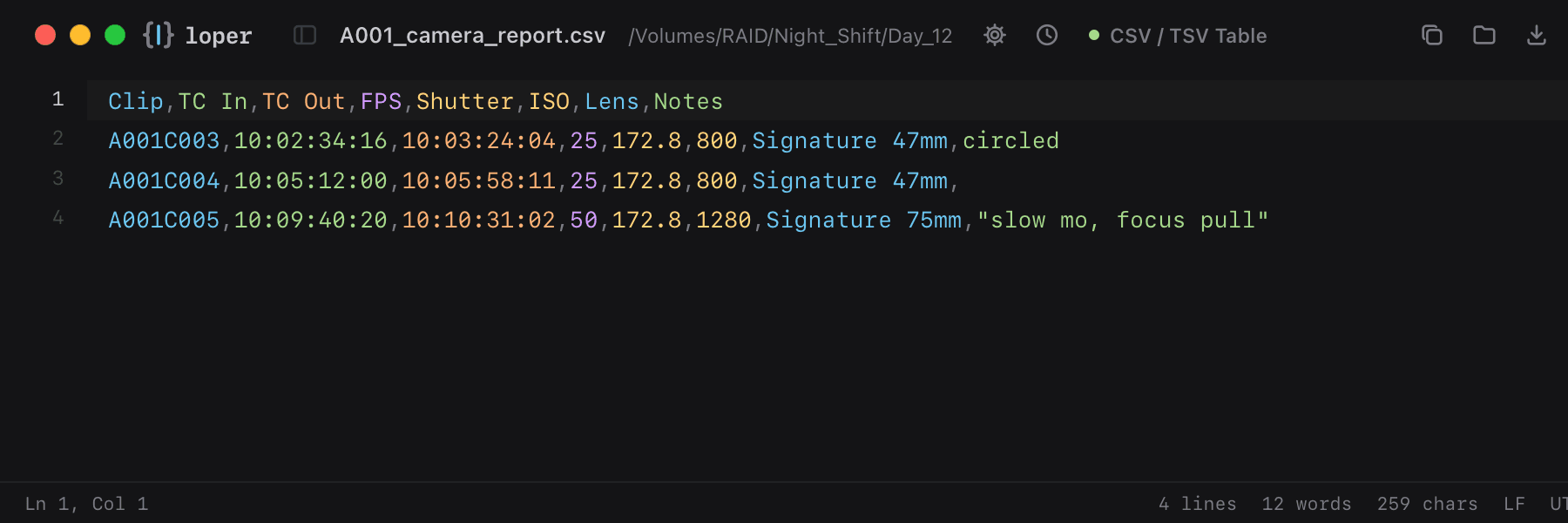
Show the file as text
Clip,TC In,TC Out,FPS,Shutter,ISO,Lens,NotesA001C003,10:02:34:16,10:03:24:04,25,172.8,800,Signature 47mm,circledA001C004,10:05:12:00,10:05:58:11,25,172.8,800,Signature 47mm,A001C005,10:09:40:20,10:10:31:02,50,172.8,1280,Signature 75mm,"slow mo, focus pull"How to open .csv files
- Download Loper (free, Apple silicon, signed and notarized) and move it to Applications.
- Double-click your .csv file, drag it onto the Loper window, or right-click it and choose Open With › Loper.
- Want every .csv file to open in Loper? Choose Loper › Make Loper the Default Editor….