Loper · DITs & camera departments
Open .md5 files on your Mac.
.md5 .sha1 .sha256 .xxh64 .xxh128 .sfv
md5sum, xxHash, SHA and SFV lists. The hash and the file it belongs to are clearly separated.
Loper is a free, minimal editor for macOS that opens Checksum manifests instantly and colors every part of the file, so you find the value you need at a glance and can fix it right there. No IDE, no project to load, no gray wall of text.
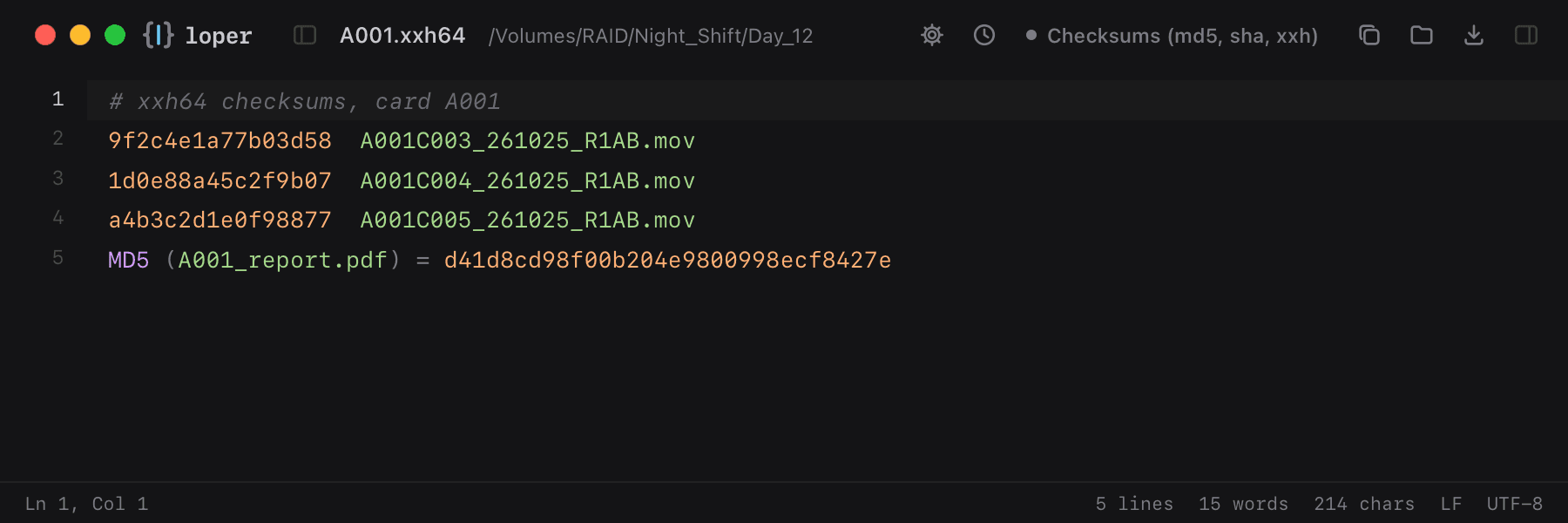
Show the file as text
# xxh64 checksums, card A0019f2c4e1a77b03d58 A001C003_261025_R1AB.mov1d0e88a45c2f9b07 A001C004_261025_R1AB.mova4b3c2d1e0f98877 A001C005_261025_R1AB.movMD5 (A001_report.pdf) = d41d8cd98f00b204e9800998ecf8427eHow to open .md5 files
- Download Loper (free, Apple silicon, signed and notarized) and move it to Applications.
- Double-click your .md5 file, drag it onto the Loper window, or right-click it and choose Open With › Loper.
- Want every .md5 file to open in Loper? Choose Loper › Make Loper the Default Editor….