Open .nksc files on your Mac.
.nksc
Edits, rating, label and GPS that Nikon NX Studio keeps next to each photo in NKSC_PARAM, stored as XMP.
Loper is a free, minimal editor for macOS that opens Nikon NX Studio sidecar (.nksc) instantly and colors every part of the file, so you find the value you need at a glance and can fix it right there. No IDE, no project to load, no gray wall of text.
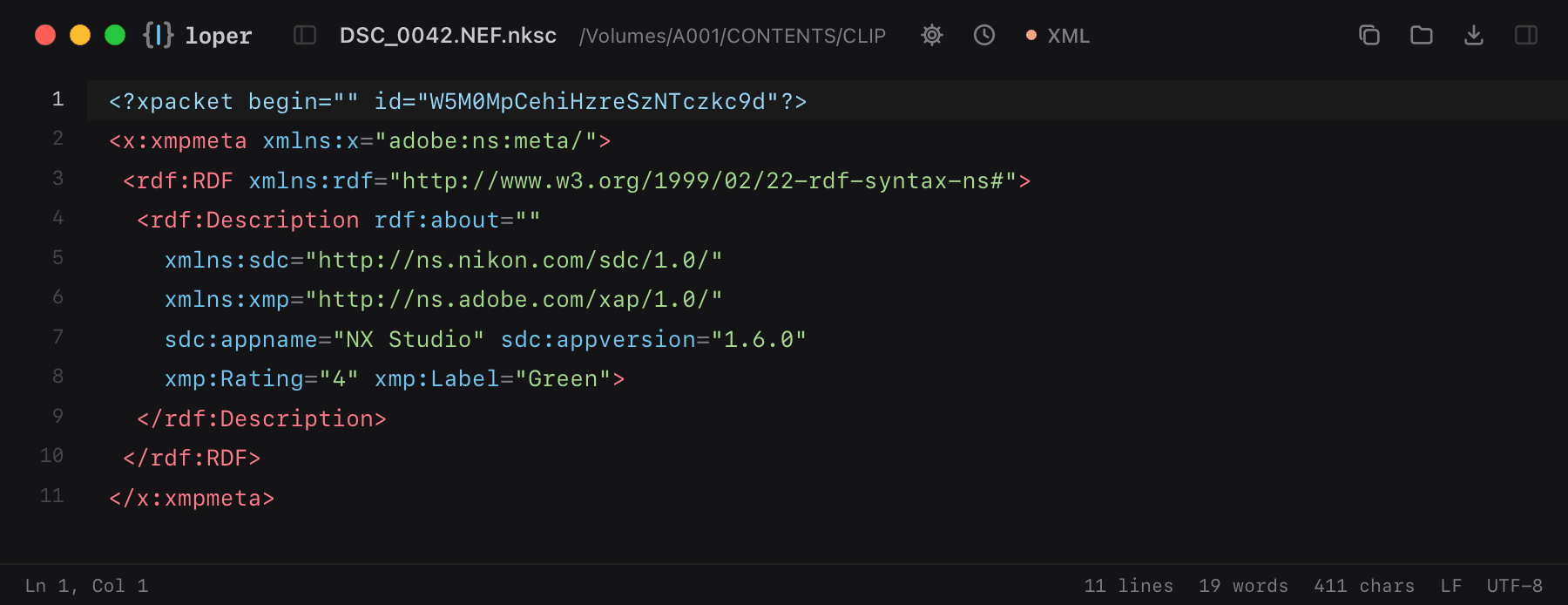
Show the file as text
<x:xmpmeta xmlns:x="adobe:ns:meta/"> <rdf:RDF xmlns:rdf="http://www.w3.org/1999/02/22-rdf-syntax-ns#"> <rdf:Description rdf:about="" xmlns:sdc="http://ns.nikon.com/sdc/1.0/" xmlns:xmp="http://ns.adobe.com/xap/1.0/" sdc:appname="NX Studio" sdc:appversion="1.6.0" xmp:Rating="4" xmp:Label="Green"> </rdf:Description> </rdf:RDF></x:xmpmeta>How to open .nksc files
- Download Loper (free, Apple silicon, signed and notarized) and move it to Applications.
- Double-click your .nksc file, drag it onto the Loper window, or right-click it and choose Open With › Loper.
- Want every .nksc file to open in Loper? Choose Loper › Make Loper the Default Editor….
More for camera files
Sony clip metadata (NonRealTimeMeta) M01.XMLRED metadata sidecar (.RMD) .RMDBlackmagic RAW sidecar .sidecarFujifilm film simulation recipe .FP1Panasonic P2 clip metadata CONTENTS/CLIP/*.XMLPanasonic VLT look (VariCam, EVA1, LUMIX) .vltDJI drone telemetry (.SRT) .SRTARRI metadata export (CSV) .csvCanon Log LUT .cubeXMP sidecar (Lightroom, Bridge, Capture One) .xmpARRI look file (.aml) .aml