Open .csv files on your Mac.
.csv
Sound Devices, Zaxcom and Cantar reports with scene, take, timecode and track names, one color per column.
Loper is a free, minimal editor for macOS that opens Sound reports (CSV) instantly and colors every part of the file, so you find the value you need at a glance and can fix it right there. No IDE, no project to load, no gray wall of text.
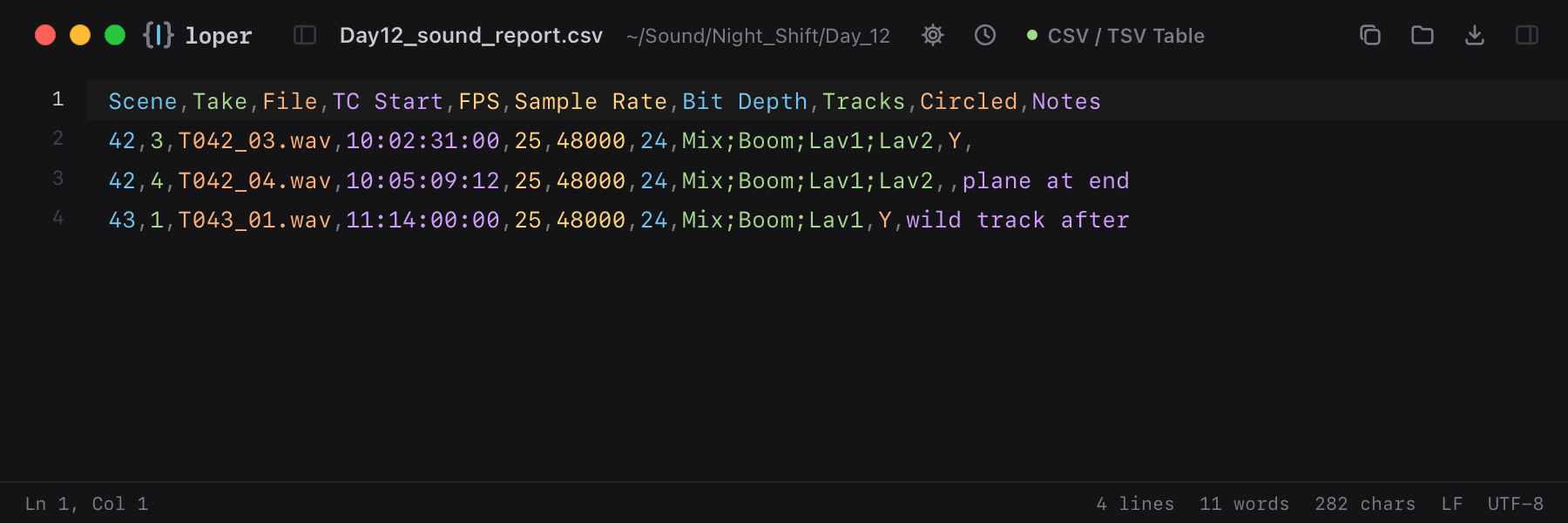
Show the file as text
Scene,Take,File,TC Start,FPS,Sample Rate,Bit Depth,Tracks,Circled,Notes42,3,T042_03.wav,10:02:31:00,25,48000,24,Mix;Boom;Lav1;Lav2,Y,42,4,T042_04.wav,10:05:09:12,25,48000,24,Mix;Boom;Lav1;Lav2,,plane at end43,1,T043_01.wav,11:14:00:00,25,48000,24,Mix;Boom;Lav1,Y,wild track afterHow to open .csv files
- Download Loper (free, Apple silicon, signed and notarized) and move it to Applications.
- Double-click your .csv file, drag it onto the Loper window, or right-click it and choose Open With › Loper.
- Want every .csv file to open in Loper? Choose Loper › Make Loper the Default Editor….