Loper · Editors & assistant editors
Open .ale files on your Mac.
.ale
Avid bin logs with Heading, Column and Data sections. Settings, column names and every data column in its own color.
Loper is a free, minimal editor for macOS that opens Avid Log Exchange (ALE) instantly and colors every part of the file, so you find the value you need at a glance and can fix it right there. No IDE, no project to load, no gray wall of text.
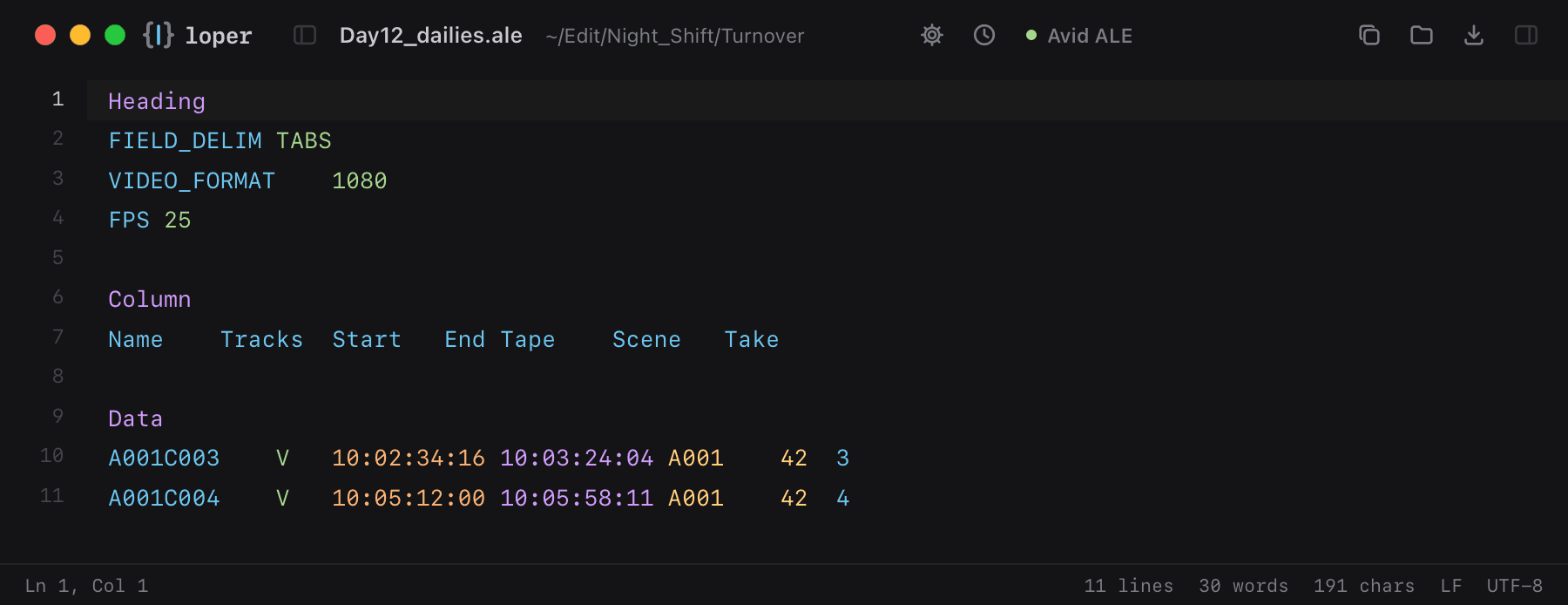
Show the file as text
HeadingFIELD_DELIM TABSVIDEO_FORMAT 1080FPS 25 ColumnName Tracks Start End Tape Scene Take DataA001C003 V 10:02:34:16 10:03:24:04 A001 42 3A001C004 V 10:05:12:00 10:05:58:11 A001 42 4How to open .ale files
- Download Loper (free, Apple silicon, signed and notarized) and move it to Applications.
- Double-click your .ale file, drag it onto the Loper window, or right-click it and choose Open With › Loper.
- Want every .ale file to open in Loper? Choose Loper › Make Loper the Default Editor….