Loper · Editors & assistant editors
Open .fdx files on your Mac.
.fdx
Final Draft scripts are XML: scene headings, action, characters and dialogue as tagged paragraphs.
Loper is a free, minimal editor for macOS that opens Final Draft screenplay (.fdx) instantly and colors every part of the file, so you find the value you need at a glance and can fix it right there. No IDE, no project to load, no gray wall of text.
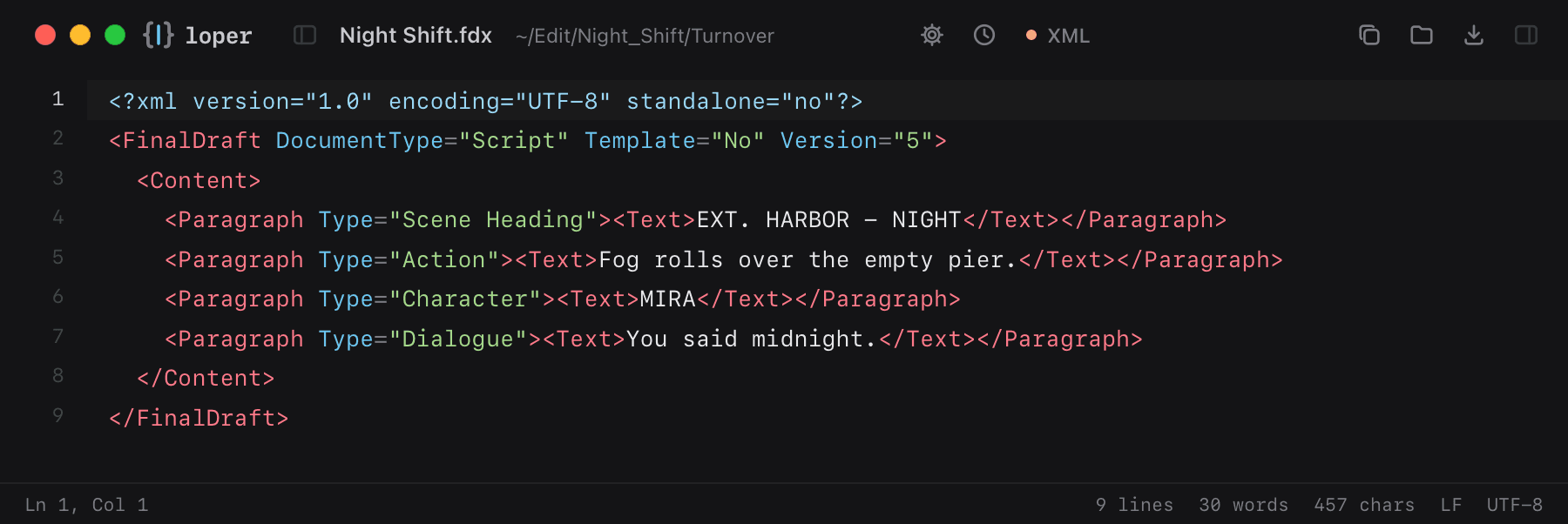
Show the file as text
<FinalDraft DocumentType="Script" Template="No" Version="5"> <Content> <Paragraph Type="Scene Heading"><Text>EXT. HARBOR - NIGHT</Text></Paragraph> <Paragraph Type="Action"><Text>Fog rolls over the empty pier.</Text></Paragraph> <Paragraph Type="Character"><Text>MIRA</Text></Paragraph> <Paragraph Type="Dialogue"><Text>You said midnight.</Text></Paragraph> </Content></FinalDraft>How to open .fdx files
- Download Loper (free, Apple silicon, signed and notarized) and move it to Applications.
- Double-click your .fdx file, drag it onto the Loper window, or right-click it and choose Open With › Loper.
- Want every .fdx file to open in Loper? Choose Loper › Make Loper the Default Editor….