Loper · Editors & assistant editors
Open .edl files on your Mac.
.edl
Edit decision lists with event numbers, reels, tracks, transitions and source/record timecodes, each in its own color.
Loper is a free, minimal editor for macOS that opens EDL (CMX3600) instantly and colors every part of the file, so you find the value you need at a glance and can fix it right there. No IDE, no project to load, no gray wall of text.
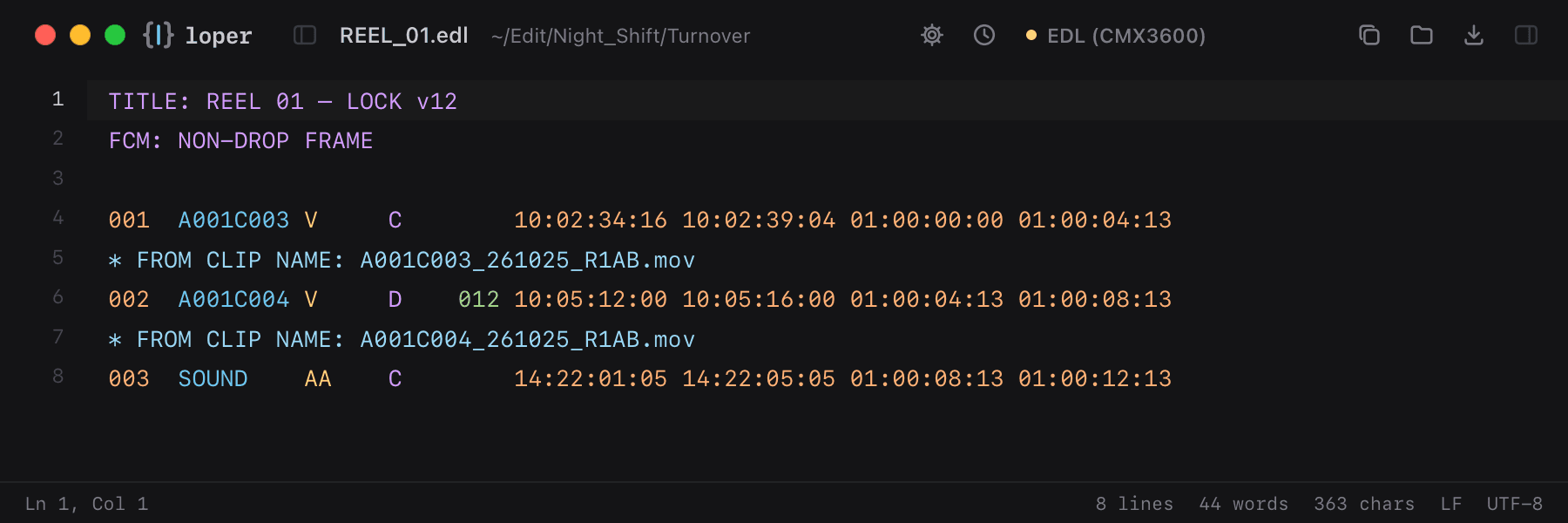
Show the file as text
TITLE: REEL 01 – LOCK v12FCM: NON-DROP FRAME 001 A001C003 V C 10:02:34:16 10:02:39:04 01:00:00:00 01:00:04:13002 A001C004 V D 012 10:05:12:00 10:05:16:00 01:00:04:13 01:00:08:13003 SOUND AA C 14:22:01:05 14:22:05:05 01:00:08:13 01:00:12:13How to open .edl files
- Download Loper (free, Apple silicon, signed and notarized) and move it to Applications.
- Double-click your .edl file, drag it onto the Loper window, or right-click it and choose Open With › Loper.
- Want every .edl file to open in Loper? Choose Loper › Make Loper the Default Editor….