Open .chan files on your Mac.
.chan
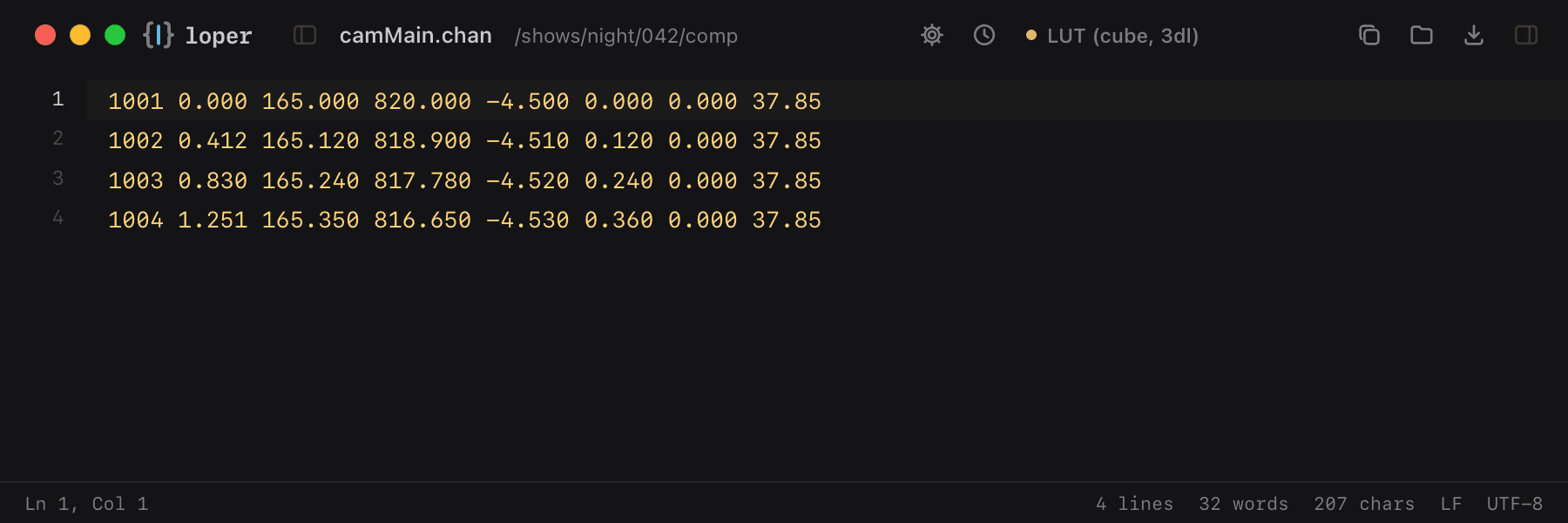
Camera tracks exchanged between Nuke, Maya and trackers: frame, translate, rotate and field of view per line.
Loper is a free, minimal editor for macOS that opens Camera channel file (.chan) instantly and colors every part of the file, so you find the value you need at a glance and can fix it right there. No IDE, no project to load, no gray wall of text.
Show the file as text
1001 0.000 165.000 820.000 -4.500 0.000 0.000 37.851002 0.412 165.120 818.900 -4.510 0.120 0.000 37.851003 0.830 165.240 817.780 -4.520 0.240 0.000 37.851004 1.251 165.350 816.650 -4.530 0.360 0.000 37.85How to open .chan files
- Download Loper (free, Apple silicon, signed and notarized) and move it to Applications.
- Double-click your .chan file, drag it onto the Loper window, or right-click it and choose Open With › Loper.
- Want every .chan file to open in Loper? Choose Loper › Make Loper the Default Editor….