Open .mtlx files on your Mac.
.mtlx
Look-dev materials shared across Houdini, Maya, Blender and USD: shader nodes and their inputs.
Loper is a free, minimal editor for macOS that opens MaterialX (.mtlx) instantly and colors every part of the file, so you find the value you need at a glance and can fix it right there. No IDE, no project to load, no gray wall of text.
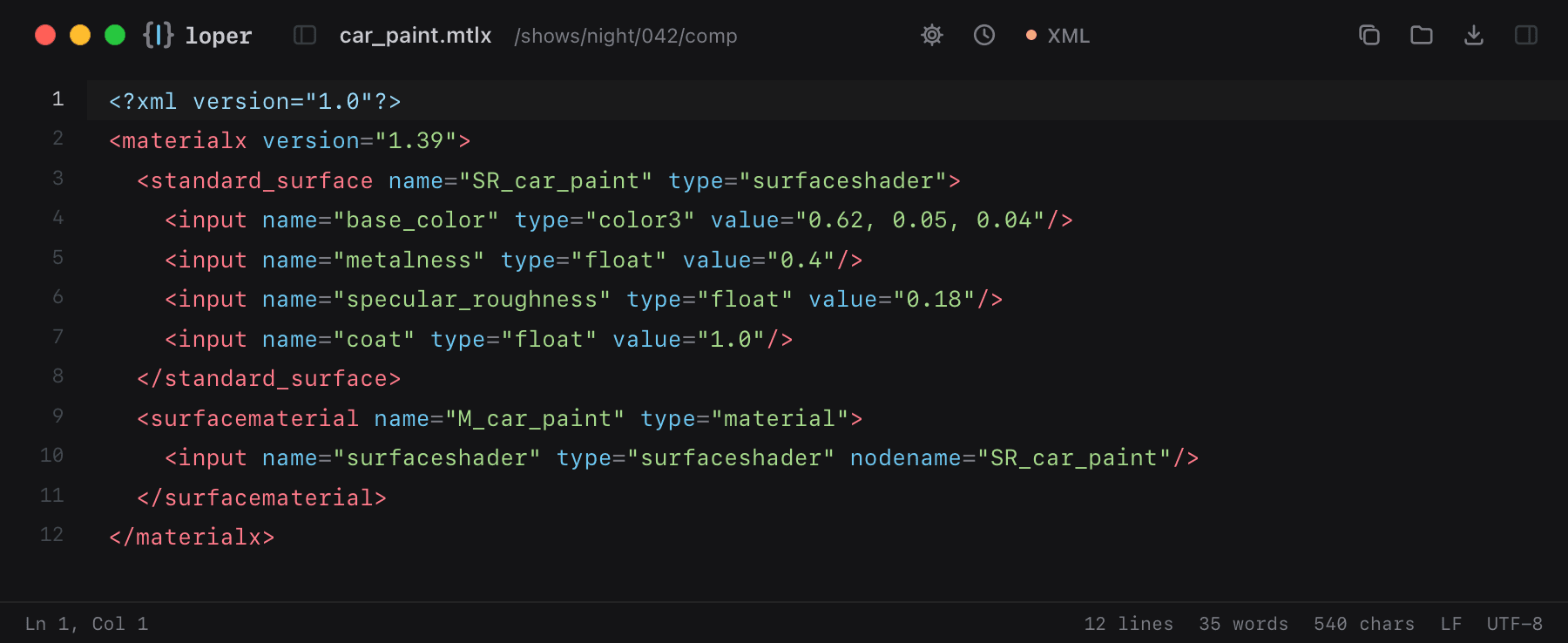
Show the file as text
<materialx version="1.39"> <standard_surface name="SR_car_paint" type="surfaceshader"> <input name="base_color" type="color3" value="0.62, 0.05, 0.04"/> <input name="metalness" type="float" value="0.4"/> <input name="specular_roughness" type="float" value="0.18"/> <input name="coat" type="float" value="1.0"/> </standard_surface> <surfacematerial name="M_car_paint" type="material"> <input name="surfaceshader" type="surfaceshader" nodename="SR_car_paint"/> </surfacematerial></materialx>How to open .mtlx files
- Download Loper (free, Apple silicon, signed and notarized) and move it to Applications.
- Double-click your .mtlx file, drag it onto the Loper window, or right-click it and choose Open With › Loper.
- Want every .mtlx file to open in Loper? Choose Loper › Make Loper the Default Editor….