Open .css files on your Mac.
.css .scss
Stylesheets with selectors, properties, colors and units colored separately.
Loper is a free, minimal editor for macOS that opens CSS and SCSS instantly and colors every part of the file, so you find the value you need at a glance and can fix it right there. No IDE, no project to load, no gray wall of text.
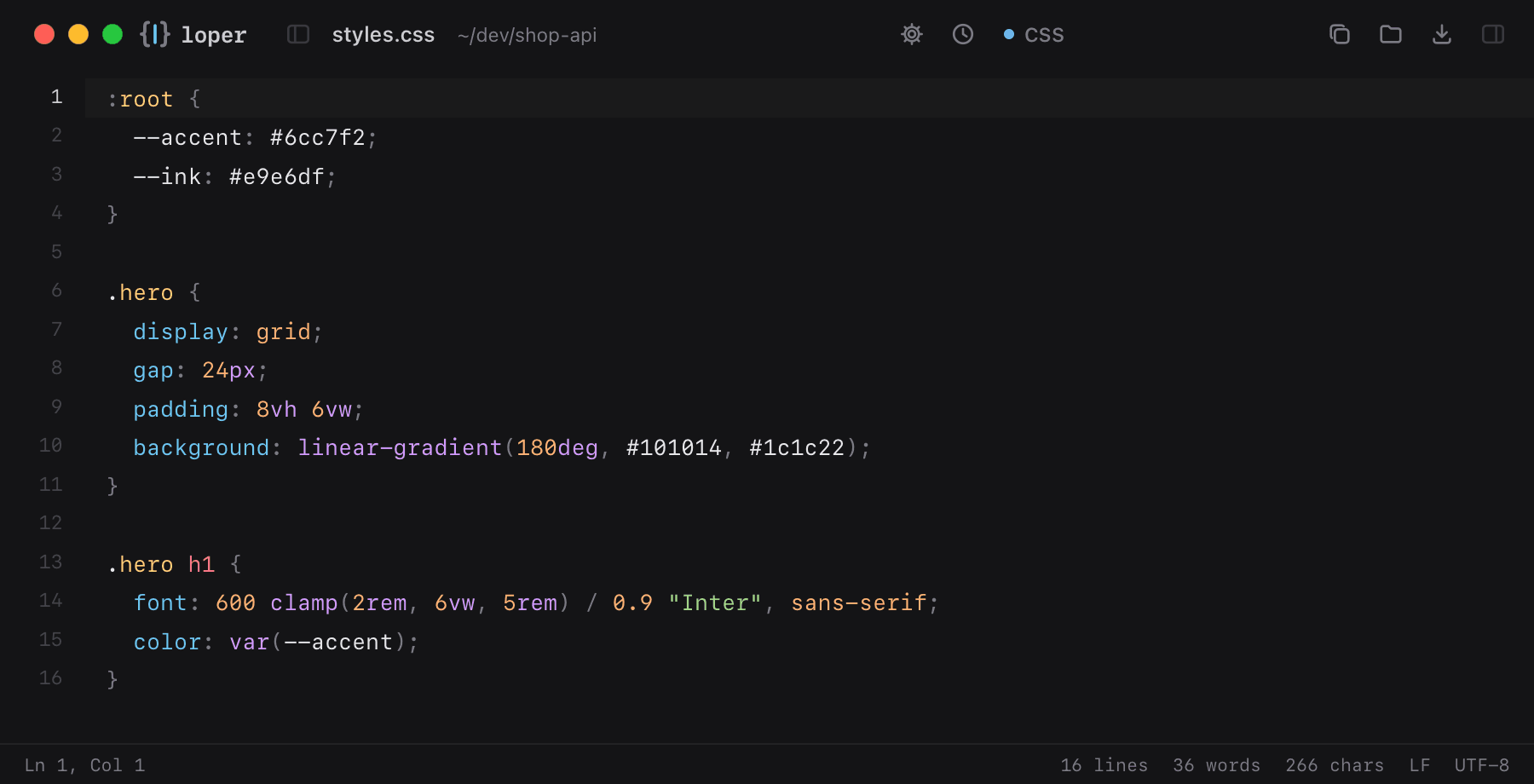
Show the file as text
:root { --accent: #6cc7f2; --ink: #e9e6df;} .hero { display: grid; gap: 24px; padding: 8vh 6vw; background: linear-gradient(180deg, #101014, #1c1c22);} .hero h1 { font: 600 clamp(2rem, 6vw, 5rem) / 0.9 "Inter", sans-serif; color: var(--accent);}How to open .css files
- Download Loper (free, Apple silicon, signed and notarized) and move it to Applications.
- Double-click your .css file, drag it onto the Loper window, or right-click it and choose Open With › Loper.
- Want every .css file to open in Loper? Choose Loper › Make Loper the Default Editor….
More for developers
Environment files .envMarkdown .mdJSON .jsonYAML .ymlTOML .tomlTypeScript & JavaScript .tsPython .pyShell scripts & dotfiles .shSQL .sqlPlain text .txtINI configuration .iniPython setup.cfg / tool config .cfgJava properties .propertiesHTML .htmlJavaScript .jsRust .rsGo .goLua .luaDiff and patch .diff