Open .md files on your Mac.
.md .markdown .mdx
READMEs, notes and docs. Colored headings, links and code in the editor, a live rendered preview next to it and a heading tree on the left.
Loper is a free, minimal editor for macOS that opens Markdown instantly and colors every part of the file, so you find the value you need at a glance and can fix it right there. No IDE, no project to load, no gray wall of text.
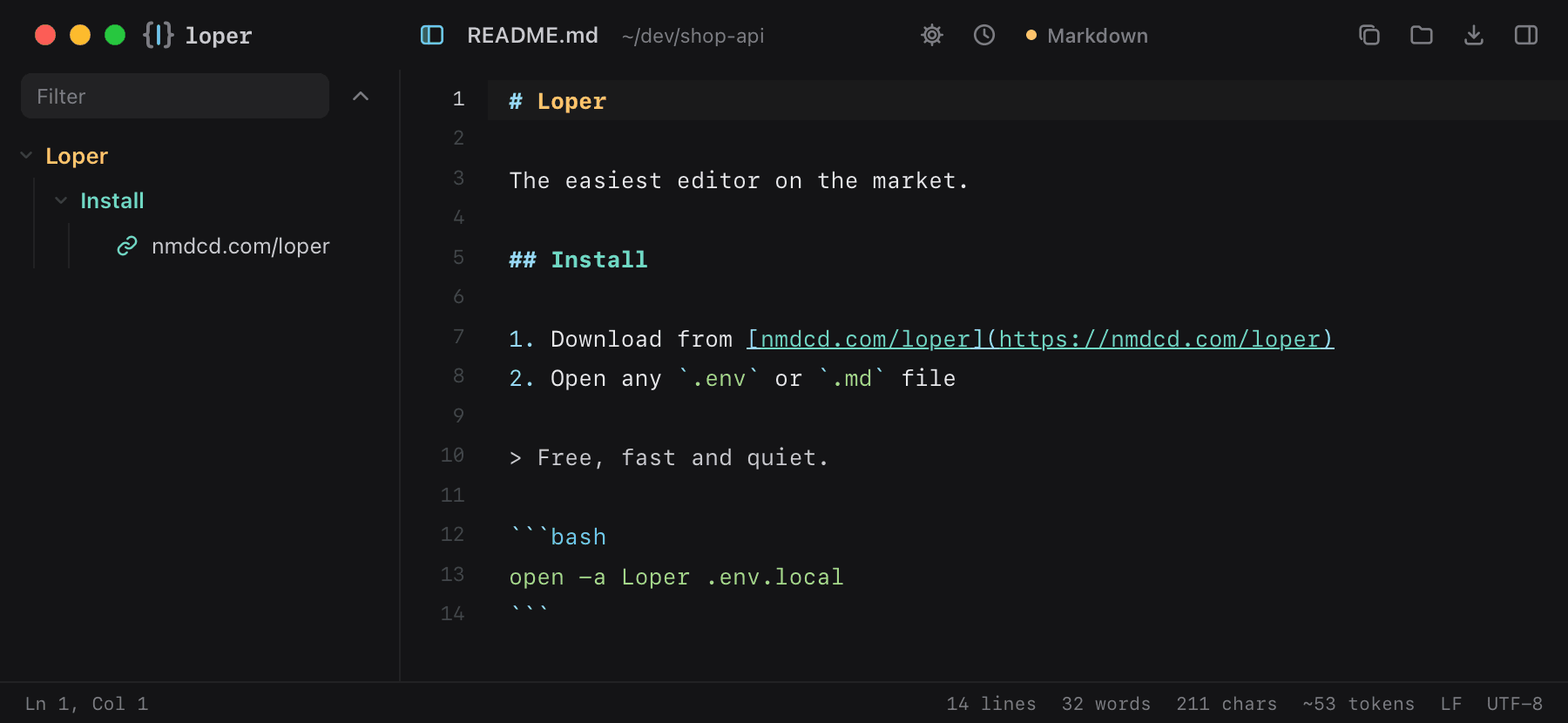
Show the file as text
Loper The easiest editor on the market. Install Download from nmdcd.com/loperhttps://nmdcd.com/loper Open any .env or .md file Free, fast and quiet. bashopen -a Loper .env.localHow to open .md files
- Download Loper (free, Apple silicon, signed and notarized) and move it to Applications.
- Double-click your .md file, drag it onto the Loper window, or right-click it and choose Open With › Loper.
- Want every .md file to open in Loper? Choose Loper › Make Loper the Default Editor….
More for developers
Environment files .envJSON .jsonYAML .ymlTOML .tomlTypeScript & JavaScript .tsPython .pyShell scripts & dotfiles .shSQL .sqlPlain text .txtINI configuration .iniPython setup.cfg / tool config .cfgJava properties .propertiesHTML .htmlCSS and SCSS .cssJavaScript .jsRust .rsGo .goLua .luaDiff and patch .diff